


I spent most of my early twenties feeling like I was drowning in a sea of open browser tabs and half-finished to-do lists. Growing up watching my parents struggle with burnout, I became obsessed with the idea that we could actually outsmart the chaos if we just had the right systems in place. But here’s the reality: most people spend more time tweaking their settings than actually working. We get caught in this loop of downloading every new tool, only to realize we’ve just traded one form of digital clutter for another. Finding the best productivity apps shouldn’t feel like a second job, yet most of us end up stuck in a cycle of constant optimization without ever seeing any real results.
I’m not here to give you a massive, complicated setup that requires a degree in systems engineering to maintain. Instead, I’ve narrowed it down to eight specific tools that actually move the needle. I’m going to walk you through my personal toolkit—the ones that help me clear my head and reclaim my focus. By the end of this, you’ll have a streamlined selection of tools that actually work, allowing you to stop fighting your software and start focusing on what matters.
Table of Contents
- Notion: The All-in-One Workspace
- Todoist: For the Pure Task Lists
- Google Calendar: The Non-Negotiable Foundation
- Forest: Reclaiming Your Focus
- Obsidian: For the Deep Thinkers
- Trello: Visualizing the Workflow
- Slack: Managing the Noise
- RescueTime: The Reality Check
- The Bottom Line
- Frequently Asked Questions
Notion: The All-in-One Workspace

I used to have twenty different tabs open just to manage one single project, and it was driving me insane. Notion changed that for me because it acts like a digital Lego set; you can build exactly what you need without the unnecessary clutter. Whether it’s a simple habit tracker or a complex database for work projects, it all lives in one place.
Todoist: For the Pure Task Lists
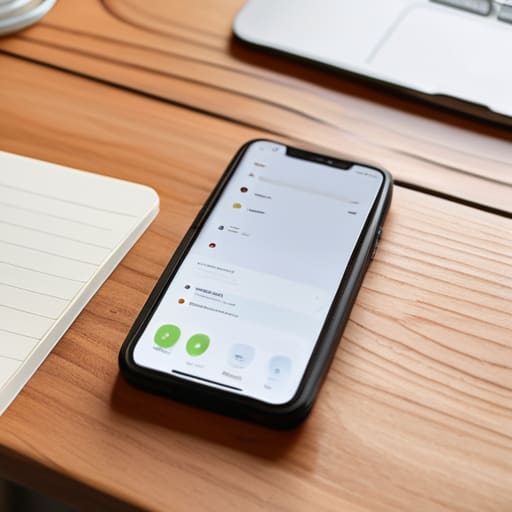
Sometimes, you don’t need a massive database; you just need to know what you have to do before lunch. Todoist is my go-to for that quick, no-nonsense hit of dopamine when I check off a task. It’s incredibly fast to input a thought before it escapes your brain, which is why I often bridge the gap between my physical notebook and this app.
Google Calendar: The Non-Negotiable Foundation
If it isn’t on the calendar, it’s probably not happening. I view my calendar as the hard boundaries of my day. I don’t just use it for meetings; I use it for “time blocking,” which means I actually schedule time to sit down and focus on deep work or even just to grab a coffee.
Forest: Reclaiming Your Focus
We’ve all been there—you sit down to work, and suddenly you’ve spent forty minutes scrolling through random Reels. Forest is a clever way to gamify your focus. You plant a virtual tree, and if you leave the app to check social media, that tree withers and dies. It sounds silly, but the psychological sting of killing a digital plant actually works.
Obsidian: For the Deep Thinkers
As someone with a systems engineering background, I’m obsessed with how ideas connect. Obsidian isn’t just a note-taking app; it’s a way to build a “second brain.” It uses a graph view that shows how different notes link to one another, which is incredible for spotting patterns in your own thinking over time.
Trello: Visualizing the Workflow
If you’re a visual person like me, seeing your tasks move from “To Do” to “Doing” to “Done” is incredibly satisfying. Trello uses a Kanban board style that makes the entire lifecycle of a project feel tangible. It’s great for breaking down big, intimidating goals into smaller, manageable cards.
Slack: Managing the Noise
Let’s be real: Slack can be a total productivity killer if you let it. It’s designed to be the center of communication, but the constant pings can shred your concentration. The trick is to stop treating it like a live chat and start treating it like an asynchronous tool.
RescueTime: The Reality Check
Most of us think we’re much more productive than we actually are. RescueTime is the tool that gives you the brutal truth. It runs in the background and tracks exactly how much time you spend on productive apps versus how much time you waste on mindless browsing.
The Bottom Line
At the end of the day, there is no magic app that will suddenly fix a broken routine. Whether you’re leaning into a heavy-duty task manager, a sleek note-taking tool, or a simple focus timer, the goal remains the same: reducing the friction between your ideas and your actions. You don’t need to download all eight of these tools to see a difference; in fact, I’d advise against it. The real win comes when you pick one or two that actually fit your specific workflow and commit to them. Stop searching for the perfect digital setup and start building a system that actually works for your real, messy life.
I spent a long time falling into the trap of “productivity porn”—spending more time tweaking my app settings than actually doing the work. It’s a rabbit hole that leads straight to burnout. My advice? Use these tools to clear the mental clutter, but don’t let the tools become the work itself. Technology should be the wind at your back, not a weight around your neck. Focus on the output, stay consistent with your small habits, and remember that progress beats perfection every single time. Now, close this tab, pick one task, and just get started.
Frequently Asked Questions
How do I stop myself from spending more time tweaking my apps than actually doing the work?
The “optimization trap” is real. I call it productive procrastination. You feel like you’re working because you’re moving pixels around, but you’re actually just avoiding the hard stuff. My rule? If it takes more than twenty minutes to set up a new tool, it’s a distraction, not a solution. Build a “good enough” system, then lock it down. Stop chasing the perfect workflow and just start the work. Perfection is the enemy of progress.
Is it worth paying for premium subscriptions, or can I get by with just the free versions?
Honestly? Don’t go paying for everything upfront. Most people hit a “paywall wall” before they even realize if the tool actually fits their workflow. My rule of thumb: stick to the free versions until the friction of the limitations starts actively costing you more time than the subscription costs you money. If a tool becomes part of your daily system and the free tier is holding you back, then—and only then—is it worth the upgrade.
How do I sync all these different tools without my workflow becoming a fragmented mess?
The secret is to stop trying to make every app talk to every other app. That’s a rabbit hole that leads to nothing but broken automations and digital fatigue. Instead, pick one “source of truth”—usually your calendar or a single task manager—and let everything else feed into it. Use a bridge like Zapier or Make if you have to, but keep the connections minimal. If a sync feels too complex to set up, it’s probably not worth the mental bandwidth.
I already feel overwhelmed—how do I pick just one or two apps without adding more digital noise to my life?
Honestly, I get it. The “app trap” is real—you spend more time tweaking the system than actually doing the work. My rule of thumb? Pick the one that solves your biggest current headache. If your brain feels like a browser with fifty tabs open, grab a note-taking app. If your calendar is a mess, stick to a planner. Don’t hunt for the “perfect” setup. Just grab one, use it for a week, and see if it actually clears the fog.

