


I was sitting at my desk last Tuesday, surrounded by three different screens and a half-disassembled mechanical keyboard, when I realized I’d spent forty minutes just trying to move a single project folder from my laptop to my tablet. It’s one of those moments where you realize your “smart” ecosystem is actually just a collection of digital silos fighting against you. We’ve been sold this lie that everything is “seamlessly integrated” in the cloud, but when you actually need to know how to transfer files between devices without a subscription or a massive headache, the reality is usually just a mess of broken links and slow upload speeds.
I’m not here to sell you on some expensive, proprietary ecosystem or a bloated software suite that promises the world. My goal is much simpler: I want to give you the actual workflows that work for me, stripped of the marketing fluff. I’ve tested the cables, the cloud services, and the local network hacks so you don’t have to. By the end of this, you’ll have a few battle-tested systems to move your data quickly, letting you get back to the work that actually matters.
Table of Contents
Fastest Way to Move Large Files Without the Lag
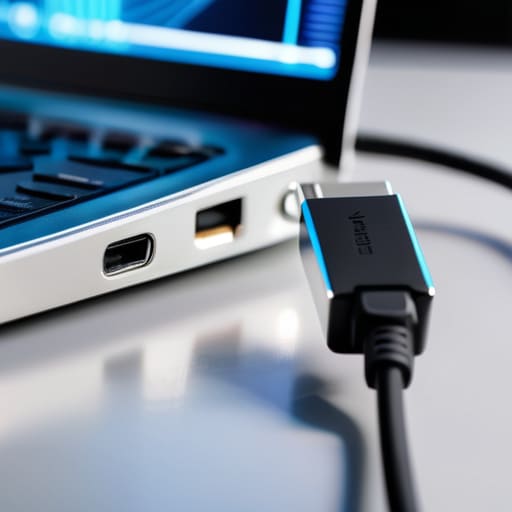
If you’re trying to move a massive 4K video folder or a bloated project directory, skip the wireless stuff. I’ve tried various wireless file sharing methods when I’m feeling lazy, but once you hit a certain file size, the connection starts stuttering, and you’re just sitting there watching a progress bar crawl. It’s a massive drain on your mental bandwidth. For anything substantial, a direct USB cable file transfer is still king. It’s old school, sure, but the stability and raw speed of a wired connection mean you aren’t fighting your hardware halfway through the process.
When you’re dealing with heavy lifting, I always look for the path of least resistance. If you can’t plug in, your next best bet is utilizing a high-speed external SSD. It’s a physical bridge that bypasses the bottleneck of your local Wi-Fi. I’ve found that relying solely on cloud storage synchronization for massive files is a recipe for frustration; you’re at the mercy of your upload speed, which is usually the weakest link in the chain. If you want the fastest way to move large files without the lag, stop relying on the airwaves and go with a physical connection. It’s about choosing the right tool for the specific job.
Wireless File Sharing Methods That Actually Work
If you’re tired of hunting for a specific dongle every time you need to move a photo, wireless is the way to go. For most of my daily workflows, I lean heavily on cloud storage synchronization. It’s the ultimate “set it and forget it” system. Whether it’s Google Drive or iCloud, having your files live in the ether means they’re just there when you switch from your laptop to your phone. It’s not the fastest way to move massive 4K video files, but for documents and casual shots, it eliminates the friction entirely.
The real headache usually starts when you’re dealing with different ecosystems—specifically transferring data between Android and iPhone. We’ve all been there, staring at a screen wondering why the native tools feel like they’re working against us. If AirDrop or Quick Share isn’t cutting it, don’t waste an hour troubleshooting. I usually just pull up a browser-based service like Snapdrop or use a dedicated messaging app to send the file to myself. These cross-platform file sharing tools are lifesavers because they don’t care what OS you’re running; they just get the job done so you can get back to your actual work.
My Go-To Rules for Keeping File Transfers Painless
- Audit your files before you start. Don’t waste bandwidth moving old screenshots or junk files you’ll never open again; clean your folder first so you’re only moving what actually matters.
- Check your connection stability. If you’re doing a massive transfer, plug into Ethernet or stay close to the router—nothing kills my momentum like a file transfer hanging at 99% because the Wi-Fi flickered.
- Use a dedicated “Transfer Folder.” Instead of hunting through a messy directory, move everything into one single, clearly named folder before you start the process. It makes the “arrival” side much easier to manage.
- Verify the integrity of the transfer. Once it’s done, spot-check a few large files to make sure they aren’t corrupted. It takes ten seconds and saves you an hour of troubleshooting later.
- Automate the repetitive stuff. If you find yourself moving the same types of files every week, set up a cloud sync or a script. Stop doing manual labor for tasks that a system should be handling for you.
Cutting Through the Digital Noise
At the end of the day, transferring files shouldn’t feel like a chore or a technical puzzle you’re destined to lose. Whether you decided to go with a high-speed physical connection to bypass the lag or opted for a seamless wireless method to keep things light, the goal is the same: minimizing friction. I’ve learned through my own obsession with systems that the “best” method isn’t always the most expensive one; it’s simply the one that fits your current workflow without causing a mental bottleneck. Pick the tool that matches your specific task, set it up once, and stop overthinking the process.
We spend so much of our lives fighting against our own tools, losing precious minutes to loading bars and incompatible formats. My advice? Don’t let these small technical hurdles become the reason you lose your momentum. Use these methods to clear the digital clutter, get your data where it needs to be, and then get back to the work that actually matters. We aren’t trying to build a perfect, seamless digital universe here—we’re just trying to build systems that work for us, instead of the other way around. Now, go reclaim your time.
Frequently Asked Questions
What’s the safest way to move sensitive files without worrying about security leaks?
If you’re moving anything sensitive—think tax docs or private work files—skip the cloud and the random USB sticks you found in a drawer. The gold standard is an encrypted external drive or a local transfer via a physical cable. If you absolutely have to use the internet, use a service with end-to-end encryption. Basically, if the data isn’t encrypted before it leaves your device, it’s not truly safe. Don’t cut corners on security.
How do I transfer stuff if I’m stuck using a Mac and a Windows PC at the same time?
The “cross-platform struggle” is real. I used to lose so much mental bandwidth just trying to get a simple folder from my Mac to my PC. Honestly, skip the complicated cloud setups if you’re moving a lot of data. Grab a physical external SSD—it’s the most reliable “analog” solution in a digital world. Just make sure you format it to ExFAT so both systems can actually read it without throwing an error.
Are cloud services actually worth the monthly subscription just for file transfers?
Honestly? It depends on your “file friction.” If you’re just moving a few PDFs once a month, a subscription is a total waste of mental and financial bandwidth. Stick to a physical drive or a quick wireless transfer. But, if you’re constantly jumping between a laptop and a tablet for work, that seamless sync is worth the cost. It’s not about the storage; it’s about buying back the time you’d spend manually moving files.
What should I do if my transfer keeps freezing halfway through a big folder?
There is nothing more frustrating than watching a progress bar hit 50% and just… stop. If your transfer keeps freezing, stop trying to move the whole folder at once. It’s likely a single corrupted file or a momentary connection hiccup killing the entire process.

