


I was sitting at my desk last Tuesday, trying to log a quick data entry task before a meeting, when my phone decided to take a literal nap in my hand. I tapped a simple app, and instead of opening, I got that agonizing, spinning loading icon—the digital equivalent of staring at a blank wall. It’s infuriating. Most “experts” will tell you that you need to drop $1,000 on the latest flagship model just to get decent performance, but honestly, that’s a total scam. You don’t always need new hardware; usually, you just need to figure out how to speed up your phone by stripping away the digital bloat that’s choking your processor.
I’m not here to give you a list of useless “cleaner” apps that actually just drain your battery more. My goal is to give you a systems-based approach to reclaiming your device’s speed. I’ve spent way too many hours digging through settings and analyzing background processes to find what actually moves the needle. We’re going to focus on high-impact, low-effort tweaks that clear the clutter and let your tech work for you, not against you. No fluff, no expensive upgrades—just practical optimization that works.
Table of Contents
Cut the Clutter With Smarter Smartphone Storage Management

Most people treat their phone storage like a junk drawer—they just keep shoving things in until something eventually stops working. But here’s the reality: when your storage hits that 90% threshold, your device starts struggling just to perform basic tasks. Effective smartphone storage management isn’t about being a minimalist; it’s about making sure your hardware isn’t choking on its own data. I’ve learned that if you don’t proactively manage your files, you’re essentially forcing your processor to work twice as hard just to find a tiny bit of breathing room.
A quick win I always recommend is to clear phone cache for your heavy hitters—think Instagram, TikTok, or Chrome. These apps hoard temporary data like digital hoarders, and clearing them out can instantly fix a lagging mobile device without you having to delete a single precious photo. While you’re at it, take a look at your “Large Attachments” in your messaging apps. We’ve all got those endless threads of memes and videos we don’t need. Cleaning these out isn’t just about space; it’s about reducing the overhead on your system so everything feels snappy again.
Clear Phone Cache to Remove the Digital Friction
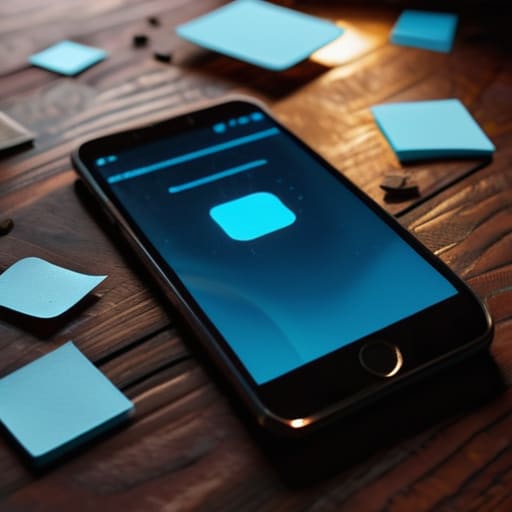
Think of your phone’s cache like a desk that’s been covered in sticky notes, old coffee cups, and random scraps of paper. Over time, these little bits of temporary data—images, scripts, and files meant to help apps load faster—actually start to pile up and create massive friction. When your system has to sift through all that digital junk just to perform a simple task, things start to drag. To clear phone cache effectively, you don’t need to go on a deep-cleaning spree of your entire OS; you just need to target the heavy hitters like your browser, social media apps, and streaming services.
I’ve noticed that when I ignore this, my phone starts feeling heavy and unresponsive. It’s not just about the storage space, though; it’s about the processing power. When you clear out that accumulated bloat, you’ll often notice a direct link between a cleaner system and better battery life and speed correlation. It’s one of those small, low-effort wins that makes a massive difference in how your device actually feels in your hand. It’s not about being a perfectionist; it’s just about removing the unnecessary drag so your tech stays out of your way.
5 More Ways to Kill the Lag and Reclaim Your Speed
- Stop letting background apps steal your CPU. Go into your settings and aggressively manage background app refresh. If an app doesn’t need to be pinging a server every five seconds while your phone is in your pocket, kill that permission. It saves battery and keeps your processor focused on what you’re actually doing.
- Audit your home screen and ditch the “widget bloat.” I know, seeing the weather, your calendar, and your stocks all at once looks productive, but every live widget is a tiny resource drain. Stick to a minimalist setup; if you need the info, swipe to the widget page, but don’t let them run constantly in the background.
- Turn off those useless animations. This is a classic systems engineering trick: reducing the visual overhead. In your developer options (or accessibility settings), scale down the window and transition animations. It won’t technically make your chip faster, but it makes the UI feel instant because you’re cutting out the “fluff” between taps.
- Update your OS, but don’t just blindly click “install.” Check the patch notes first. Sometimes a major update fixes stability issues, but occasionally a new OS version is too heavy for older hardware. Aim for the sweet spot: stay current enough to be secure, but don’t install a massive system overhaul if your hardware is already struggling to keep up.
- Manage your “System Services” and location settings. We’re constantly leaking data and processing power to GPS and location services. Set your apps to “While Using” instead of “Always.” It limits how often the phone has to wake up the hardware to ping a tower, which keeps everything running much leaner.
The Bottom Line
Look, we’ve covered a lot of ground here. From aggressively managing your storage to clearing out that invisible digital friction in your cache, the goal wasn’t to turn you into a full-time IT technician. It was about implementing a few high-leverage tweaks that stop your device from dragging you down. By trimming the excess and managing your data more intentionally, you’re not just making your phone faster; you’re actually reducing the micro-frustrations that eat away at your focus throughout the day. It’s about building a system where your tech serves you, rather than the other way around.
At the end of the day, your phone is just a tool—it shouldn’t be a source of stress. I’ve spent way too much time in my life fighting against clunky interfaces and lagging hardware, and I promise you, life is much better when your tools just work the way they’re supposed to. Don’t feel like you have to do everything at once. Just pick one of these habits, get it running smoothly, and reclaim a little bit of that mental bandwidth. We aren’t chasing some impossible standard of digital perfection; we’re just aiming for frictionless efficiency so you can get back to the things that actually matter.
Frequently Asked Questions
Is it actually worth getting a new battery if my phone is lagging, or is it just a software issue?
Honestly, it’s a toss-up, but check your battery health first. If your capacity is below 80%, your phone might be “throttling”—basically, the software intentionally slows down the processor to prevent the aging battery from crashing. If your battery is shot, a new one can feel like a total hardware reset. But if your health is fine and it’s still lagging? It’s likely just software bloat. Don’t buy hardware until you’ve cleared the digital clutter.
Will deleting all my apps really make a noticeable difference, or am I just overthinking it?
Honestly? It’s a bit of both. If you’re sitting on fifty apps you haven’t touched since 2022, then yeah, deleting them makes a massive difference. It’s not just about storage; it’s about reducing background processes and notifications that eat your battery and mental bandwidth. But if you’re talking about deleting your core tools, you’re just overthinking it. Focus on the “ghost apps”—the ones stealing resources while you aren’t looking. That’s where the real win is.
How much of this slowdown is just my phone being old versus actual settings I can change?
It’s a mix of both, honestly. There’s no denying that hardware ages—batteries degrade and processors struggle with newer, heavier OS updates. That’s the physical reality. But a huge chunk of that “old phone” feeling is actually just software friction. If your storage is maxed or your background processes are running wild, a three-year-old phone can feel like a decade-old brick. Let’s figure out if you need a new device or just better settings.
Do factory resets actually fix everything, or am I just creating more work for myself?
Look, a factory reset is the nuclear option. It’s the ultimate way to wipe away years of digital sludge and software glitches that basic cleaning just can’t touch. It will fix most performance issues, but it’s a massive time sink. If you haven’t backed up your data or synced your settings, you’re just trading a slow phone for hours of tedious setup. Try the smaller tweaks first; don’t reach for the reset button unless you’re truly desperate.

