


I spent three years of my undergrad convinced that if I just bought the right $50 noise-canceling headphones or downloaded another “aesthetic” Pomodoro app, I’d finally figure out how to focus while studying. It was a lie. I was just spending more time optimizing my setup than actually reading my textbooks, chasing this myth that focus is something you buy rather than something you build. The truth is, most of the “productivity hacks” you see on TikTok are just expensive distractions designed to make you feel productive while you’re actually just scrolling.
I’m not here to sell you a subscription to a meditation app or a fancy new planner. Instead, I’m going to show you how to strip away the digital noise and build a minimalist system that actually works with your brain, not against it. We’re going to focus on small, tactical adjustments to your environment and your workflow—the kind of stuff that actually moves the needle. No fluff, no perfectionism, just practical systems to help you get your work done so you can actually get on with your life.
Table of Contents
Mastering Cognitive Load Management Without the Stress

The biggest mistake I see people making is trying to swallow the whole ocean at once. You sit down, open five different tabs, and try to memorize a hundred pages in one sitting. That’s not studying; that’s a recipe for burnout. To actually get things done, you have to understand cognitive load management. Your brain has a finite amount of “RAM,” and if you’re constantly switching between a textbook, a Discord notification, and a lo-fi playlist, you’re essentially running too many background processes. You end up with zero processing power left for the actual material.
The fix isn’t some complex neuroscientific protocol; it’s about ruthless simplification. I’m a big believer in an effective study environment setup that treats your workspace like a controlled system. This means one task, one window, and zero digital clutter. If you feel that mental fog rolling in, don’t try to power through it—that’s how you end up staring at the same paragraph for twenty minutes. Instead, use the pomodoro technique for students to create artificial boundaries. Work in short, intense bursts, then actually step away. It’s much easier to maintain concentration when your brain knows there is a scheduled “system reboot” coming soon.
Minimizing Study Distractions by Stripping Away the Noise
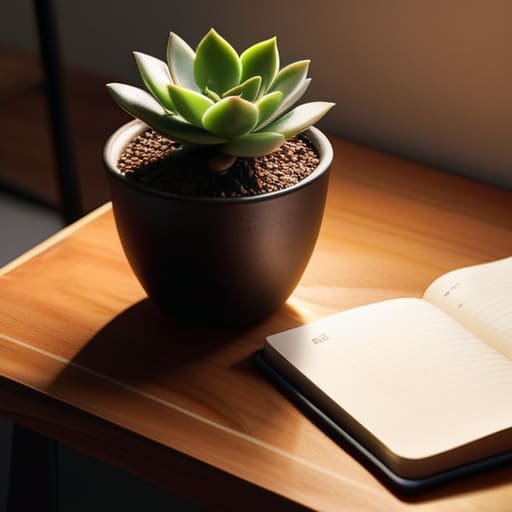
Look, we need to stop treating our environment like it’s a suggestion. If your phone is sitting face-up next to your laptop, you’ve already lost the battle. Every time that screen lights up, your brain performs a micro-calculation of “should I check this?”—and that tiny spike in mental energy is exactly what drains your battery before you even hit the hard stuff. Minimizing study distractions isn’t about having superhuman willpower; it’s about engineering your space so that willpower isn’t even required. I started doing this by physically moving my phone to another room. It sounds extreme, but the moment that visual cue is gone, my ability to sink into deep work triples.
Beyond the digital noise, you have to look at your physical setup. An effective study environment setup is less about aesthetics and more about sensory control. If you’re working in a loud cafe or a cluttered bedroom, your brain is constantly filtering out background chaos, which eats into your focus. I’ve found that using noise-canceling headphones with brown noise—not music with lyrics, which is just another layer of data to process—helps create a predictable sensory bubble. When you control the inputs, you stop leaking energy and start actually making progress.
Build Your Own Focus Infrastructure
- Stop relying on willpower and start using “Environment Anchors.” Pick one specific desk lamp or a specific lo-fi playlist that you only use when it’s time to grind. You’re essentially training your brain to recognize a Pavlovian signal that says, “The work starts now.”
- Use the “Closed-Loop Task” method. Instead of writing “Study Biology” on your to-do list—which is too vague and scary—write “Complete Chapter 4 practice questions.” Small, defined finish lines prevent that paralyzed feeling where you don’t know where to start.
- Implement a “Physical Brain Dump” station. Keep that notebook I mentioned earlier right next to your laptop. The second a random thought hits you—like needing to buy milk or checking a score—write it down immediately and get back to the page. Get it out of your head so it stops eating your RAM.
- Treat your phone like a hazardous material. Don’t just flip it face down; put it in another room. If it’s within arm’s reach, your brain is subconsciously spending energy not checking it. Remove the temptation entirely so you can actually relax into the deep work.
- Schedule “Aggressive Recovery” breaks. A break isn’t scrolling TikTok for twenty minutes—that’s just more digital noise. A real break is standing up, stretching, or staring out a window for five minutes. You need to actually clear your cache, not just switch to a different type of stimulation.
Systems Over Willpower
At the end of the day, focusing isn’t about having some superhuman level of discipline or a “better” brain than everyone else. It’s about the environment you build around yourself. We’ve covered how to manage your cognitive load so you aren’t redlining your mental engine, and how to strip away the digital noise that’s constantly begging for your attention. If you can implement even just two of these shifts—whether it’s clearing your desk or setting a strict timer—you’re already ahead of the curve. The goal isn’t to create a perfect, sterile study environment; it’s about building sustainable systems that reduce the friction between you and your work. Stop trying to out-hustle your distractions and start engineering your way around them.
I know how it feels when the sheer volume of what you need to learn feels like an uphill battle. I’ve been there, staring at a screen while my brain feels like it has fifty tabs open at once. But remember: you don’t need to solve the whole semester in one afternoon. You just need to win the next hour. Focus is a skill, and like any other skill, it gets easier the more you practice using the right tools. Don’t aim for a flawless streak; just aim for a system that works for you. Grab your notebook, pick one task, and just start. You’ve got this.
Frequently Asked Questions
How do I actually get started when I'm feeling too overwhelmed to even pick up a book?
When the overwhelm hits, stop trying to “study.” Your brain is stuck in a loop of perceived impossibility. Instead, use the “Five-Minute Rule.” Tell yourself you’re only going to open the book and read for exactly five minutes. That’s it. No pressure to retain everything, just a low-stakes entry point. Usually, the hardest part of any system is overcoming the initial friction of starting. Once the book is open, the momentum takes over.
What do I do when I've built a system but my brain still keeps drifting mid-session?
Look, I’ve been there. You’ve got the perfect Notion setup and a clean desk, but your mind is still wandering to a random Wikipedia rabbit hole. When that happens, stop fighting the drift and start labeling it. Keep that pocket notebook I always carry nearby. The second a distracting thought hits, write it down—one sentence, max—and tell yourself, “I’ll deal with this later.” It clears the mental cache without breaking your flow.
Is it better to push through the mental fog or just walk away and try again later?
Look, if you’re staring at the same paragraph for ten minutes, you’ve hit diminishing returns. Pushing through isn’t “grit”—it’s just inefficient. You’re burning mental fuel for zero output.
How can I keep these habits going once the initial motivation wears off?
Motivation is a lie. It’s a chemical spike that inevitably crashes, and if you rely on it, your system will fail. Instead, stop waiting to “feel” like studying and start leaning on your environment. This is where friction comes in. Make the bad habits hard (put the phone in another room) and the good habits effortless (leave your notebook open on your desk). Build systems that run on autopilot so you don’t have to.

