


I was sitting on my floor at 11:00 PM, surrounded by three different proprietary hubs, two half-finished instruction manuals, and a mounting sense of pure dread, wondering why I had turned my living room into a graveyard of expensive plastic. I just wanted my lights to turn off when I went to bed, but instead, I was stuck troubleshooting a firmware update for a smart plug that refused to recognize my Wi-Fi. Most people think learning how to set up a smart home requires a degree in electrical engineering or a massive budget, but the truth is actually the opposite: if your tech is making your life more complicated, you’ve already failed.
I’m not here to sell you on a futuristic lifestyle or a dozen gadgets you’ll forget you even own. My goal is to help you build a system that actually serves you, rather than becoming another digital chore on your to-do list. In this guide, I’m going to break down the essential steps for how to set up a smart home using a systems-first approach. We’ll focus on interoperability, choosing a single ecosystem, and picking tools that solve real problems so you can finally stop fighting your house and start enjoying your time.
Table of Contents
Guide Overview
Tools & Supplies
- Smartphone and stable Wi-Fi for device configuration
- Screwdriver (if installing smart switches or doorbells)
- Smart Hub or Voice Assistant (1 unit)
- Smart Bulbs or Plugs (3-5 units)
- Smart Security Camera (1 unit)
- Smart Sensors (2-3 units)
Step-by-Step Instructions
- 1. Audit your current digital footprint before buying a single bulb. I’ve seen so many people dive into this by buying random gadgets on Amazon, only to realize three weeks later that nothing talks to each other. Grab that pocket notebook of yours and write down what you actually want to solve. Do you want to stop waking up in a pitch-black room, or are you trying to make sure you never leave the house with the AC running? Focus on the problem first, not the shiny tech.
- 2. Pick your ecosystem and stick to it. This is where most people fail and create a digital mess. You need a “brain” for your house—whether that’s Apple HomeKit, Google Home, or Amazon Alexa. If you’re already deep in the iOS ecosystem, HomeKit is going to save you a massive amount of mental bandwidth. Once you pick a lane, try to keep your new purchases compatible with that specific platform so you aren’t juggling five different apps just to turn off a lamp.
- 3. Start with the “Low-Hanging Fruit” (Lighting and Plugs). Don’t try to automate your entire HVAC system on day one. Start with smart bulbs or smart plugs. They are cheap, easy to install, and provide that immediate sense of “okay, this actually works.” I personally love using smart plugs for things like coffee makers or desk lamps; it’s a simple win that makes the system feel useful immediately without requiring any actual wiring.
- 4. Prioritize reliable connectivity over fancy features. You can have the most expensive smart lock on the market, but if your Wi-Fi is spotty, it’s basically a paperweight. If you’re serious about this, look into devices that use Zigbee or Z-Wave protocols rather than just clogging up your 2.4GHz Wi-Fi band. It keeps your network lean and ensures your commands don’t hang in limbo while you’re trying to get things done.
- 5. Build “Scenes,” not just individual commands. Controlling one light bulb with your voice is a gimmick; controlling your entire environment is a system. Instead of saying “turn on the light,” set up a “Work Mode” scene that dims the overheads, turns on your desk lamp, and starts your focus playlist. This is how you actually reclaim your time—by making the environment adapt to your workflow rather than you manually adjusting every little thing.
- 6. Automate the boring stuff, but keep a manual override. The goal is to reduce friction, not create new chores. If your smart blinds only open when you tell them to, you haven’t optimized anything. Set them to trigger with the sunrise. However, never skip the manual option. If your internet goes down or a sensor glitches, you should still be able to walk over to a wall and flip a switch like a normal human being.
- 7. Iterate and prune the clutter. A smart home is a living system, and it’s going to need tuning. After a month, look at your logs or just pay attention to what you aren’t using. If you set up a smart sensor for the garage but find yourself ignoring the notifications, delete the automation. We aren’t building a museum of gadgets; we’re building a streamlined environment that serves you. If a piece of tech adds more noise than value, get rid of it.
Choosing Your Brain the Best Smart Home Hubs 2024
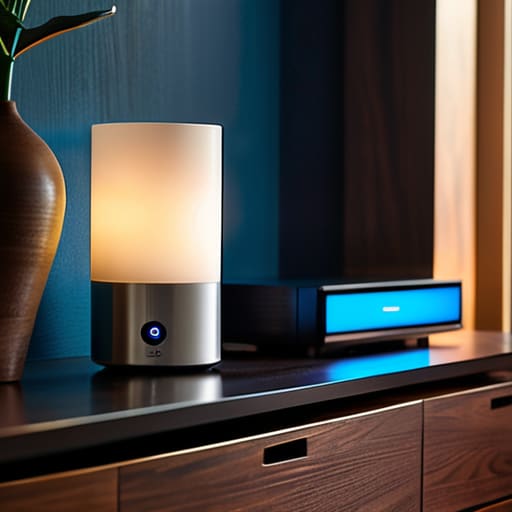
Think of your hub as the central nervous system of your entire setup. If you pick a weak brain, your devices will end up feeling like a bunch of disconnected gadgets rather than a cohesive system. When I’m looking at the best smart home hubs 2024 has to offer, I don’t look at the flashy marketing; I look at how well they handle smart home ecosystem compatibility. You don’t want to realize six months in that your favorite smart blinds won’t talk to your preferred lights. It’s a massive headache that turns a “convenient” home into a digital junk drawer.
If you’re someone who likes to tinker—kind of like how I spend my weekends messing with mechanical keyboard switches—you might lean toward something more robust like Home Assistant. It gives you total control, but it has a steeper learning curve. On the flip side, if you just want things to actually work without a PhD in systems engineering, sticking to the big players like Apple Home or Google Nest is usually the smarter move for most people. The goal here is seamless voice assistant integration so that when you say “Goodnight,” the house actually listens, rather than just leaving you staring at a spinning loading icon.
Smart Home Ecosystem Compatibility Without the Tech Headache
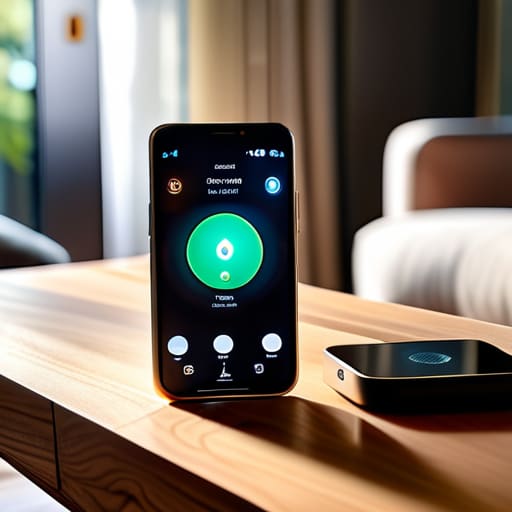
Here is the part where most people trip up: they buy a cool smart bulb here and a fancy camera there, only to realize six months later that nothing talks to each other. This is the trap of poor smart home ecosystem compatibility. You don’t want to end up with fifteen different apps on your phone just to turn off the lights and lock the front door. Before you hit “buy” on that next gadget, look for the logos. If you see Matter or Thread support, you’re usually in the clear. These are the new industry standards designed to make sure your gear actually plays nice together, rather than forcing you to become a part-time IT consultant just to dim the lights.
My rule of thumb is to pick a lane early. Whether you’re leaning heavily into Apple Home, Google Home, or Alexa, stick to that primary lane for your heavy lifting. This simplifies your voice assistant integration and keeps your automation routines from breaking every time there’s a software update. If you’re planning on automating home security systems, this is even more critical; you need your sensors, locks, and cameras to act as a single, cohesive unit. Don’t build a collection of gadgets; build a system that actually works for you.
Five Rules to Keep Your Smart Home from Becoming a Second Job
- Start with the “Problem-First” approach. Don’t buy a smart lightbulb just because it’s cool; buy it because you’re tired of fumbling for the switch in the dark when you walk into the kitchen at 2 AM. If it doesn’t solve a friction point in your daily routine, it’s just more digital clutter.
- Prioritize local control over cloud dependency. I’ve seen too many people get locked out of their own homes because their internet went down or a company’s server crashed. Look for devices that work on your local network—it’s faster, more private, and way more reliable.
- Don’t ignore your Wi-Fi bandwidth. Every new smart plug and sensor is another tiny device fighting for a slice of your router’s attention. If you’re planning on going beyond a few bulbs, invest in a decent mesh system or look into Zigbee/Thread devices to keep your main Wi-Fi clear for actual work.
- Automate the boring stuff, not the flashy stuff. A light that turns on when you enter a room is great, but a system that automatically lowers the thermostat and dims the lights when you trigger “Movie Mode” is a game changer. Aim for “set it and forget it” rather than “control it from your phone every five minutes.”
- Build in a “Manual Override” for everything. This is the golden rule. If your smart lock or your smart lights require a functioning smartphone and a stable connection just to perform their basic function, you haven’t built a smart home—you’ve built a liability. Always ensure the physical switches and keys still work.
Don't Overthink the Finish Line
Look, we’ve covered a lot of ground, from picking a hub that doesn’t make you want to pull your hair out to ensuring your ecosystem actually talks to itself. The goal here wasn’t to turn your apartment into a sci-fi movie set, but to build a foundation where your tech actually serves you. Remember: start with one room, pick devices that play nice together, and avoid the temptation to buy every shiny new gadget that hits the market. If you keep your setup focused on solving real friction points—like automating your lights so you aren’t fumbling in the dark—you’ve already won.
At the end of the day, your smart home is a living system, not a static monument. It’s going to evolve, and that’s perfectly fine. You don’t need a flawless, perfectly integrated masterpiece on day one; you just need a setup that gives you time back. Don’t let the pursuit of the “perfect” automation become another source of digital fatigue. Just build what works for your specific life, keep your systems lean, and get back to focusing on the things that actually matter. You’ve got this.
Frequently Asked Questions
How do I make sure my smart devices aren't secretly draining my Wi-Fi bandwidth?
Look, if your Netflix starts buffering the second your smart lights kick in, you’ve got a bandwidth leak. First, get your devices off your main Wi-Fi band. Use a dedicated 2.4GHz guest network or, better yet, a separate IoT VLAN if your router allows it. This keeps the “chatter” from your smart plugs away from your work laptop. If you’re going heavy on sensors, stop relying on Wi-Fi entirely and switch to Zigbee or Matter.
Is it actually worth buying expensive smart switches, or should I just stick to smart plugs for everything?
Look, if you’re just starting out, smart plugs are a great low-stakes way to test the waters. But if you want a system that actually feels seamless, smart switches are the move.
What happens to my home automation if my internet goes down for a few hours?
Here’s the honest truth: if your setup is entirely cloud-dependent, your house basically goes “dumb” the second your router dies. You won’t be able to use voice commands or app controls. To avoid this, I always prioritize local control. Look for devices that use Zigbee or Matter, and a hub that processes commands locally. That way, even if your ISP fails, your lights still turn on when you hit the switch.
How much of a privacy risk am I actually taking on by bringing all these smart devices into my living space?
Look, I’ll be straight with you: yes, there’s a risk. Every smart device is essentially a tiny computer with a microphone or a camera, and they’re all talking to a cloud somewhere. But you don’t have to live in a digital fortress to stay safe. It’s about minimizing the surface area. Stick to brands with solid privacy track records, use two-factor authentication religiously, and if a device doesn’t need to be on your main Wi-Fi, put it on a guest network.

