I remember sitting at my desk last year, surrounded by three half-empty coffee mugs and a stack of “professional” templates that looked more like graphic design projects than actual documents. I spent four hours trying to figure out how to write a resume that wouldn’t get eaten by an automated scanner, only to realize I was fighting against my own tools instead of actually showcasing my skills. The industry loves to sell you this idea that you need a $200 custom layout or a PhD in “personal branding” just to get an interview, but honestly? That’s just noise designed to drain your bank account and your mental bandwidth.
I’m not here to give you a lecture on career theory or sell you a fancy subscription service. Instead, I want to show you how to build a high-functioning system that communicates your value without the fluff. We’re going to strip away the over-engineered nonsense and focus on a minimalist, high-impact framework that actually gets read by humans and machines alike. My goal is simple: I want to help you stop obsessing over margins and start getting the results you actually deserve.
Table of Contents
Resume Writing for Beginners Stripping Away the Fluff
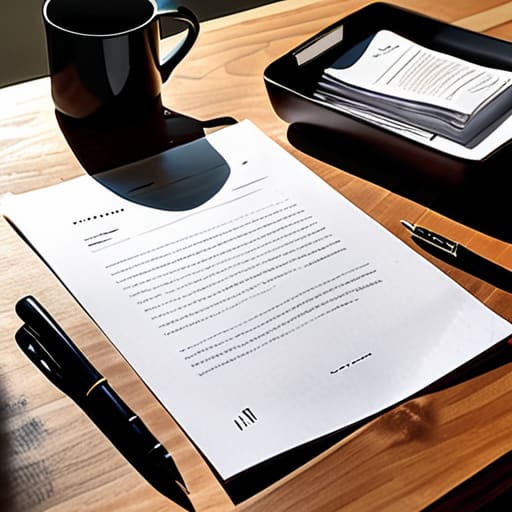
If you’re just starting out, the biggest mistake you can make is trying to sound like a corporate textbook. I see people do this all the time—using massive, empty words like “leveraged” or “utilized” just to fill space. It’s noise. When it comes to resume writing for beginners, your goal isn’t to impress a robot with fancy vocabulary; it’s to show a human being that you can actually do the job. Keep your language grounded. If you managed a team or handled a cash register, just say that.
Instead of padding your bullet points with fluff, focus on quantifying achievements on your resume. Don’t just tell me you “helped customers”; tell me you “assisted 50+ customers daily in a high-volume retail environment.” Numbers are the ultimate shortcut to credibility because they provide context that adjectives can’t touch.
Also, stop stressing over whether you should use a chronological vs functional resume layout. For most of us starting our careers, the chronological format is your best friend. It tells a clear, linear story of where you’ve been and what you’ve learned. Stick to a clean, single-column layout that’s easy to scan. If the layout is a mess, the recruiter won’t even make it to your experience section.
Chronological vs Functional Resume Choosing the Path of Least Resistance

When you’re staring at a blank document, the first big fork in the road is deciding on your layout. Most people get stuck in a loop of indecision here, but it really comes down to your specific history. If you have a steady climb of roles that actually make sense together, go with the chronological format. It’s the gold standard for a reason—it’s easy for a human to scan and, more importantly, it’s the most ATS friendly resume tip I can give you. Recruiters want to see your progression, and this layout makes that timeline crystal clear without them having to hunt for it.
On the flip side, if you’re pivoting careers or have some weird gaps in your timeline, you might be tempted by the functional approach. This focuses on skills rather than dates, but honestly? I’d be careful. While it feels like a shortcut, many automated systems struggle to parse it, and recruiters often find it a bit suspicious. My advice is to find the middle ground: a hybrid model. Use a strong resume skills section guide to highlight what you can actually do, but keep that chronological backbone intact. You want to show your value without making the reader feel like you’re trying to hide something.
Five ways to stop overthinking and start building
- Kill the “Objective” statement. Nobody cares what you want from them; they care about what you can do for them. Swap that generic paragraph for a punchy “Professional Summary” that highlights your actual value in two sentences or less.
- Use the “X-Y-Z” formula for your bullet points. Instead of saying “I managed social media,” try “Increased engagement by 20% (X) by implementing a new posting schedule (Y) over a three-month period (Z).” It turns a vague task into a measurable win.
- Optimize for the bots without losing your soul. Most companies use ATS (Applicant Tracking Systems) to scan for keywords. Don’t stuff your resume with nonsense, but do make sure the specific skills mentioned in the job description actually appear in your text.
- White space is your friend. If your resume looks like a solid wall of text, a recruiter is going to skip it. Use margins, bullet points, and clear headers to give the reader’s eyes a place to rest. If it’s hard to scan, it’s hard to hire.
- Audit your verb usage. Get rid of “responsible for” or “assisted with”—those are passive and weak. Use high-impact action verbs like orchestrated, developed, or streamlined. It shifts the focus from what you were supposed to do to what you actually achieved.
The Finish Line is Just a Starting Point
Look, we’ve covered a lot of ground, from cutting out the useless fluff to deciding whether a chronological or functional layout actually serves your specific career path. The main takeaway here is that your resume isn’t a biography; it’s a high-performance tool designed to do one thing: get you the interview. Don’t get bogged down in the infinite loop of “perfecting” every single bullet point or obsessing over whether you used the right synonym for “managed.” If you’ve stripped away the noise, chosen a structure that makes sense, and focused on your actual impact, you’ve already done more than 90% of the applicants out there. Just build the system, hit save, and move on.
I know the job hunt feels like an endless grind, and staring at a blank Google Doc can feel like staring into a void. But remember, this document is just a snapshot in time—it’s a bridge between where you are and where you want to be. It doesn’t define your worth, and it certainly doesn’t capture your full potential. Use these systems to stop fighting the process so you can spend your energy on the actual work that matters. You don’t need a flawless masterpiece; you just need a version that works well enough to open the next door. Now, go get it.
Frequently Asked Questions
How do I actually handle gaps in my work history without it looking like a red flag?
Look, gaps aren’t the death sentence they used to be. The mistake people make is trying to hide them; that just creates friction. Instead, own the narrative. If you were freelancing, traveling, or just taking time to reset, list it as a “Planned Career Break” or “Independent Project.” Keep the explanation brief and pivot immediately back to what you learned or the skills you sharpened. Don’t apologize for being human—just show that you’re ready to plug back in.
Do I really need to include a "Summary" or "Objective" section at the top, or is that just wasted space?
Honestly? For most of us, the “Objective” is dead weight. It’s usually just a polite way of saying, “I want a job,” which we already know. Skip it.
How much detail should I actually put into my bullet points before it starts looking like a wall of text?
Look, if a bullet point is longer than two lines, you’ve lost them. I treat my resume like a dashboard: I want high-signal data, not a data dump. Aim for one impactful sentence per bullet. Use the “Action + Result” formula—tell me what you did and why it mattered, then stop. If you’re staring at a wall of text, you aren’t communicating; you’re just venting. Keep it tight, keep it punchy, and keep moving.
Should I be tailoring my resume for every single job application, or is that a massive waste of time?
Look, I get the urge to just blast out a generic PDF and call it a day. It’s efficient, right? Wrong. If you aren’t tailoring, you’re basically shouting into a void. You don’t need to rewrite your whole life story for every role, but you do need to swap out a few key terms so the ATS (and the actual human reading it) sees you as a solution, not just another applicant. Aim for “smart tweaks,” not “total rewrites.”