


I spent three hours last Tuesday trying to “optimize” my digital workspace, only to realize I’d spent more time tweaking fonts and folder hierarchies than actually doing any real work. It’s the classic trap: we get seduced by the shiny new app or the complex productivity guru’s workflow, thinking that if we just find the ultimate set of note taking methods, our chaotic lives will suddenly snap into perfect order. But let’s be real—most of those high-tech setups are just expensive distractions designed to make you feel productive while you’re actually just procrastinating.
I’m not here to sell you on a subscription service or a complicated setup that requires a degree in systems engineering to maintain. Instead, I want to show you how to strip away the digital noise and find a system that actually serves your brain. I’ve tested the heavy hitters and the minimalist hacks, and I’m going to share the only note taking methods that actually stick when life gets messy. We aren’t aiming for a flawless aesthetic; we’re just building simple, reliable systems that let you get back to what actually matters.
Table of Contents
The Cornell Note Taking System for Real Results
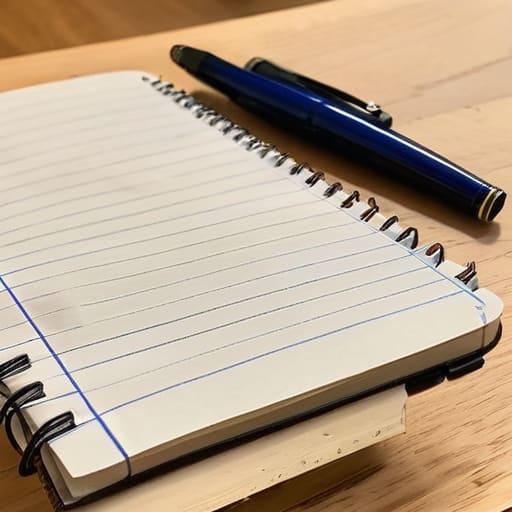
If you’re tired of looking at a page of messy scribbles that make zero sense two days later, the Cornell note taking system is probably the most logical pivot you can make. I used to think it was just some rigid academic gimmick, but once I applied the structure to my systems engineering coursework, it clicked. You basically divide your paper into three distinct zones: a narrow column for cues/questions, a wide area for your actual notes, and a summary box at the bottom. It forces you to stop being a passive stenographer and actually start processing the information as it happens.
The real magic isn’t just in the layout, though; it’s in how it forces you to engage with active listening techniques. Instead of frantically trying to transcribe every single word a speaker drops, you’re listening for the core concepts that deserve a spot in that main notes section. When you sit down later to review, you aren’t just re-reading; you’re using those cue questions to test yourself. It’s a built-in feedback loop that turns a static page into a dynamic study tool. It’s not about being pretty—it’s about making sure the data is actually retrievable when you need it.
Digital vs Handwritten Notes Choosing Your Tool
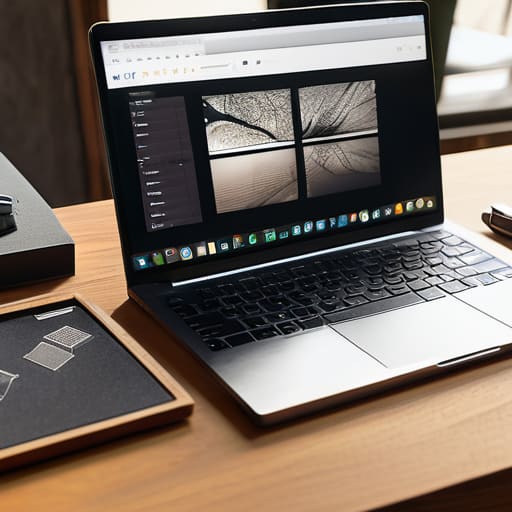
I spend half my day staring at spreadsheets and the other half scribbling in my pocket notebook, so I’ve spent a lot of time weighing the pros and cons of digital vs handwritten notes. If you’re like me, you probably crave the speed of a laptop, and let’s be real—searching for a keyword in Notion is a lifesaver when you’re trying to find a specific detail from a meeting three weeks ago. Digital tools are unbeatable for sheer organization and scaling your knowledge base.
But here’s the catch: typing can sometimes turn you into a passive observer. You end up transcribing words verbatim without actually processing them. That’s where my notebook comes in. When I’m in a deep-dive session or a lecture, I find that the physical friction of a pen forces me to use better active listening techniques. You can’t write every single word, so your brain is forced to summarize and synthesize information on the fly. It’s less about capturing everything and more about actually understanding what’s being said. Honestly, the best system isn’t about picking a side; it’s about knowing which tool fits the specific task at hand.
5 Ways to Stop Making Notes That Just Sit There
- Stop trying to transcribe everything word-for-word. You aren’t a court reporter. If you’re writing down every single syllable, you aren’t actually processing the information; you’re just acting as a human photocopier. Focus on the “why” and the “how,” not just the “what.”
- Build a “Review Loop” into your week. A note is useless if it’s buried in a digital folder or a messy notebook. Spend ten minutes every Sunday scanning your notes from the week. If it’s still important, move it to a task list or a permanent system. If it’s garbage, delete it.
- Use a “Capture First, Organize Later” workflow. One of the biggest productivity killers is trying to make your notes look pretty while you’re still in the middle of a meeting or a lecture. Just get the raw data down fast. You can worry about the formatting and the tags when you actually have the mental bandwidth to sit down and clean them up.
- Create a shorthand that actually makes sense to you. You don’t need a complex system of symbols, but having a few personal “codes”—like an asterisk for a follow-up action or a question mark for something that needs more research—will save you a massive amount of time when you’re scanning through later.
- Match the method to the energy level. If you’re feeling burnt out and your brain is fried, grab a physical notebook and a pen. The tactile connection helps focus. If you’re in high-gear mode and need to link ideas across different projects, go digital. Don’t force a tool that feels like a chore.
Finding Your Flow
Look, we’ve covered a lot of ground here, from the structured rigor of the Cornell method to the age-old debate of digital versus analog. If you take anything away from this, let it be this: there is no “holy grail” of note-taking. Whether you’re building a complex second brain in Notion or just scribbling quick thoughts in a physical notebook while waiting for coffee, the goal is the same. You need a way to capture information so it doesn’t die in the vacuum of your short-term memory. The best system isn’t the one with the most features; it’s the one that you actually use consistently without it feeling like a second job.
At the end of the day, don’t let the search for the “perfect” setup become just another form of procrastination. I spent way too long tweaking my digital folders and keyboard switches instead of actually doing the work. Stop over-engineering your process and just start writing things down. Your brain is for having ideas, not for storing them. Pick a method, give it a week, and see if it lightens your mental load. If it doesn’t, ditch it and try something else. We’re just building systems that work for us, not the other way around.
Frequently Asked Questions
I’ve tried different systems before and always quit after a week—how do I actually make a method stick?
The reason you’re quitting isn’t a lack of willpower; it’s because you’re trying to build a skyscraper when you just need a stool. You’re likely over-engineering the system before you even understand your own workflow. My advice? Start stupidly simple. Pick one method, use it for exactly ten minutes a day, and stop worrying about “perfect” formatting. If a system feels like a chore, it’s a bad system. Strip it back until it’s frictionless.
Is there a way to combine digital speed with the memory benefits of handwriting?
Honestly, I spent way too long trying to choose between a stylus and a keyboard before I realized you don’t have to. The sweet spot? Hybrid workflows. I use a tablet with a stylus for my initial “brain dumps” during meetings—it keeps that tactile connection that helps things stick—and then I immediately digitize those notes into my system. It gives you the cognitive boost of handwriting without the “where did I write that?” panic later.
How much time should I actually be spending organizing my notes versus just taking them?
Look, if you’re spending more time color-coding tags and moving digital blocks around than actually learning, you’re not “organizing”—you’re procrastinating. I call this “productivity theater.”
At what point does a note-taking system become too complex and start hurting my productivity instead of helping it?
It happens the second you spend more time “organizing” your notes than actually reading them. If you’re spending your Sunday nights color-coding tags, setting up complex folder hierarchies, or hunting for the perfect aesthetic font instead of just capturing information, you’ve crossed the line. A system is a tool, not a hobby. If the friction of maintaining the system is higher than the effort of the task itself, scrap it and simplify.

