


I still remember the exact moment my stomach dropped: sitting in my dorm room, staring at a laptop screen that refused to boot, realizing three years of unorganized projects and photos were just… gone. It wasn’t a dramatic movie moment; it was just a quiet, hollow feeling of absolute defeat. Most tech gurus will try to sell you on expensive, multi-layered enterprise solutions or complex cloud architectures that require a degree just to navigate, but honestly? That’s just noise. Learning how to back up your data shouldn’t feel like a second job or a massive monthly subscription fee. It should be a set-it-and-forget-it system that actually protects your life without draining your mental bandwidth.
I’m not here to give you a lecture on theoretical cybersecurity or push some overpriced software. Instead, I’m going to show you the exact, low-friction systems I use to keep my files safe while I focus on everything else. We’re going to strip away the jargon and focus on practical, repeatable workflows that work for real people with busy lives. By the end of this, you won’t have a perfect, impenetrable fortress, but you’ll have a reliable safety net that lets you sleep at night.
Table of Contents
The 3 2 1 Backup Strategy for Real Life
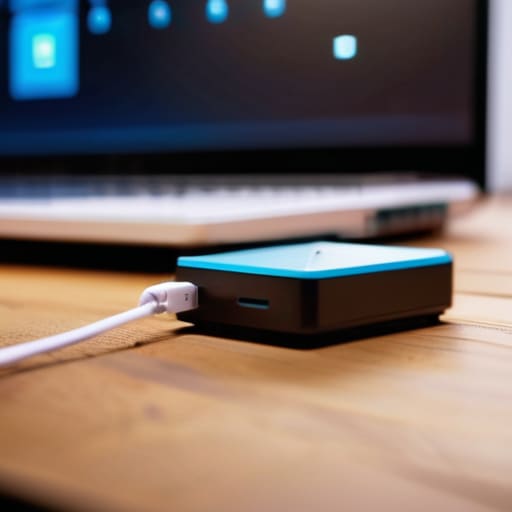
Look, I’m not here to sell you on complex enterprise-grade disaster recovery planning that requires a degree to manage. I just want you to have a safety net. The gold standard I live by is the 3-2-1 backup strategy, and honestly, it’s much simpler than it sounds. The breakdown is this: keep three copies of your data, use two different types of media, and keep one copy off-site. It sounds like a lot of moving parts, but once the system is running, it’s basically invisible.
In practice, this means you shouldn’t rely solely on your laptop’s internal drive. I usually keep my most important files on my machine, a physical external hard drive for quick local access, and a secondary copy in the cloud. This creates the data redundancy you need so that if your laptop takes a dive or your house loses power, your digital life doesn’t just vanish.
The real trick to making this stick is automation. If you have to remember to plug something in every Friday, you’re going to forget. I prefer using automated data backup solutions that run in the background while I’m busy doing literally anything else. Set it up once, let it run, and then get back to your life.
Choosing Between External Hard Drive vs Cloud Storage

This is usually where people get stuck, and honestly, it’s a bit of a false dichotomy. You don’t actually have to pick a side; you just need to understand the trade-offs. If you go the external hard drive route, you’re looking at physical ownership. It’s fast, there are no monthly subscription fees, and you aren’t relying on your ISP to upload massive files. But, it’s also physically vulnerable. If you drop it, or if your house has a plumbing issue, that data is toast. I personally keep a drive on my desk for quick, manual transfers, but I wouldn’t rely on it as my only safety net.
Cloud storage is the opposite beast. It’s built for convenience and automated data backup solutions that run in the background while you sleep. You don’t have to remember to plug anything in, which is a huge win for anyone who struggles with consistency. The downside? You’re paying a “convenience tax” every month, and you’re essentially trusting a giant corporation with your digital life. When I’m weighing external hard drive vs cloud storage, I look at it through the lens of friction. If a system is too hard to maintain, you won’t do it. Use the cloud for the “set it and forget it” peace of mind, and use a drive for your heavy-duty, local stuff.
5 Small Moves to Stop Data Anxiety
- Automate the boring stuff. If you have to manually drag and drop files every Sunday, you won’t do it. Set up a scheduled sync or use a tool that runs in the background so your backup happens while you’re actually living your life.
- Test your restores. A backup is just a pile of useless bits if you can’t actually open the files when things go sideways. Once every few months, try pulling a random folder from your backup just to make sure it actually works.
- Mind the “Update Trap.” When you get a new phone or laptop, don’t just assume your old data is floating in the ether. Make it a ritual to verify your latest cloud sync before you wipe your old device or trade it in.
- Label your physical gear. If you’re using external drives, don’t just let them sit in a drawer like anonymous black boxes. Put a physical sticker on them or a note in your phone so you know exactly what’s on which drive without plugging them all in.
- Don’t over-engineer it. You don’t need a triple-redundant server setup in your closet. Start with one cloud service and one physical drive. A simple system you actually use is infinitely better than a complex one you abandon after a week.
Stop Overthinking, Start Protecting
Look, I know the technical side of this can feel like a massive chore, but it really comes down to a few simple choices. You don’t need a server room in your basement or a PhD in cybersecurity to stay safe. Whether you decide to go with the tactile reliability of an external hard drive or the “set it and forget it” convenience of the cloud, the most important thing is that you actually do it. Stick to that 3-2-1 rule we talked about—three copies, two different media types, one offsite—and you’ve already done more than 90% of people. The goal isn’t to build an impenetrable fortress; it’s just to ensure that a spilled coffee or a lost laptop doesn’t wipe out years of your digital life.
At the end of the day, my obsession with these systems isn’t about the hardware; it’s about the mental bandwidth they free up. When you know your files are secure, you stop that low-level background anxiety from humming in your brain every time you see a system update or a strange error message. You stop worrying about “what if” and start focusing on what you’re actually creating, earning, or experiencing. Don’t wait for a crisis to realize your system is broken. Build the safety net now so you can live your life without looking over your shoulder.
Frequently Asked Questions
How often do I actually need to run these backups without it becoming a part-time job?
Look, if you’re trying to back up your files every single day, you’re going to burn out by week two. That’s not a system; that’s a chore.
Is it worth paying for a subscription service, or should I just stick to a one-time hardware purchase?
Honestly, it’s not an “either/or” situation—it’s about finding a balance that doesn’t drain your bank account or your sanity. If you hate monthly bills, a physical drive is great for quick, local access. But if you want “set it and forget it” peace of mind, a subscription handles the heavy lifting of offsite security for you. My move? Use a drive for your big, heavy files and a cheap cloud sub for your most critical stuff.
What happens if my physical hard drive dies while I'm trying to back up to it?
Honestly, it’s a nightmare scenario, but let’s be real: if your drive dies mid-transfer, the data currently being moved is likely toast. The “source” file on your computer should remain untouched, but the “copy” on the failing drive is probably corrupted. This is exactly why I’m so obsessed with redundancy. If you don’t have a second backup waiting in the wings, you’re playing a high-stakes game of chicken with your digital life.
How do I know if my backups are actually working and not just sitting there corrupted?
Look, a backup is just a pile of useless bits if you can’t actually open the files when things go sideways. Don’t just “set it and forget it.” Every few months, do a quick “fire drill.” Pick one random folder from your backup and try to open a few files. If they load, you’re good. If not, your system is broken. It takes five minutes, but it saves you from a total meltdown later.

