


I’m so tired of seeing those “aesthetic” desk setups on social media—you know the ones, with the $500 designer lamps, perfectly curated succulents, and enough cable management to make a systems engineer weep. It’s all a lie. Most of that stuff is just expensive clutter that actually increases your cognitive load. I spent my early twenties thinking that if I just bought the right mechanical keyboard or the most expensive ergonomic chair, I’d finally unlock some magical flow state. But I learned the hard way that knowing how to build a productive workspace isn’t about how much money you drop on gear; it’s about removing the friction between your brain and your work.
I’m not here to sell you a lifestyle or a shopping list of overpriced tech. Instead, I want to show you how to build a setup that actually supports your mental bandwidth without breaking the bank. We’re going to focus on high-leverage, low-cost systems—things like intentional zones, minimizing digital noise, and organizing your physical tools so they stop getting in your way. My goal is to help you create a space that is built for function, not for Instagram. Let’s strip away the fluff and get to the systems that actually work.
Table of Contents
Smart Ergonomic Office Setup Tips for Real Comfort
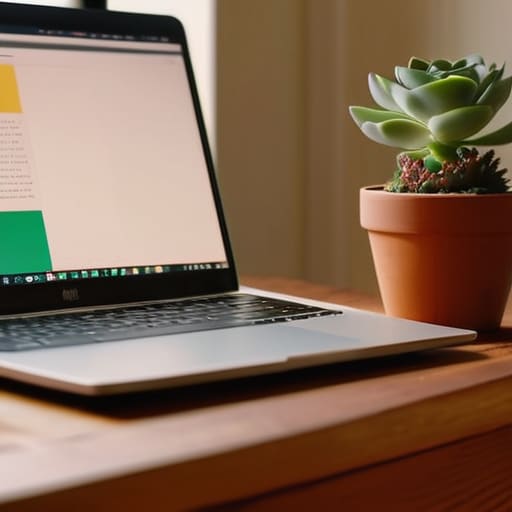
Look, I’m not here to tell you to go out and spend three grand on a Herman Miller chair just because some tech influencer said so. That’s not optimization; that’s just expensive clutter. Real comfort comes from adjusting what you already have to fit your actual body, not some “ideal” posture you saw in a textbook. Start with your screen height—if you’re hunching over your laptop like a gargoyle, your neck is going to pay for it by 3 PM. Get a cheap laptop stand or even just a stack of sturdy books to bring that display to eye level. It’s one of those simple ergonomic office setup tips that makes a massive difference in how much energy you have left at the end of the day.
Once your physical alignment is sorted, focus on the sensory stuff. I’ve found that improving focus with environment often comes down to how your eyes interact with your space. If you’re working under a single, harsh overhead light, you’re going to feel drained fast. Try to layer your light; a small desk lamp with a warm bulb can do wonders for reducing eye strain. Also, keep your most-used tools—your mouse, your notebook, your coffee—within an easy arm’s reach. If you’re constantly leaning or stretching to grab something, you’re breaking your flow and inviting tension. Keep it tight, keep it close, and let your body stay neutral.
Essential Desk Accessories for Productivity Without the Fluff
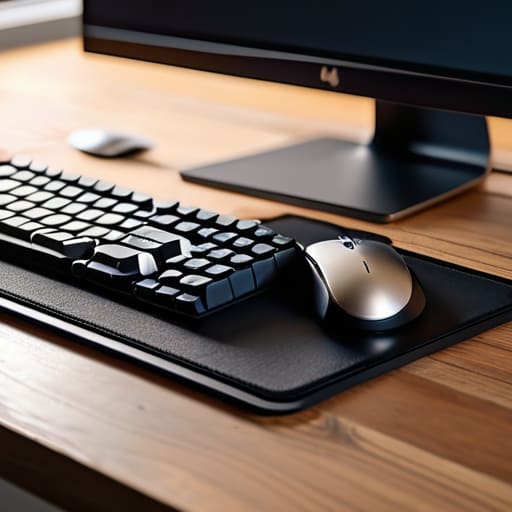
Look, I’ve seen enough “aesthetic” desk setups on TikTok to know that most of them are actually productivity nightmares. If your desk is covered in designer trinkets that serve no purpose, you aren’t optimizing; you’re just decorating. To me, the best essential desk accessories for productivity are the ones that disappear into your workflow. I’m talking about a high-quality mechanical keyboard that gives you tactile feedback and a solid mouse that doesn’t feel like a toy. These aren’t luxuries; they are the primary interfaces between your brain and your work. If your tools feel clunky, your mental friction increases.
Beyond the hardware, you need to focus on minimizing desk distractions through physical organization. I’m a big believer in the “one-in, one-out” rule for my desk surface. I keep a single, dedicated notebook for my brain dumps and a slim desk mat to define my workspace boundaries. If you find yourself constantly hunting for a pen or a charging cable, you’ve already lost the battle for focus. Instead of buying more gadgets, look into simple workspace organization hacks like cable management sleeves or a dedicated docking station. The goal is to clear the visual noise so your brain has nothing to do but actually execute the task at hand.
5 Systems to Stop Your Desk From Becoming a Mental Sinkhole
- Digital declutter your desktop. If your monitor is covered in random screenshots and “final_v2” files, your brain is processing that mess every time you look up. Spend ten minutes at the end of every Friday clearing your desktop and dumping those stray files into a single “Archive” folder.
- Implement a “one-in, one-out” rule for physical clutter. If you bring a new gadget or a stack of notebooks to your desk, something else has to go. Keeping the physical surface clear prevents that low-level visual noise from draining your focus.
- Zone your workspace. If you can, separate your “deep work” area from your “admin/casual” area. Even if it’s just a different lighting setup or a specific coaster for your coffee, giving your brain a physical cue that “we are now in focus mode” makes a massive difference.
- Optimize your cable management before you lose your mind. I used to think messy cables were fine until I realized they made cleaning impossible and created a visual sense of chaos. Use some simple velcro ties—not those plastic clips that break—to keep everything tucked away and out of sight.
- Set up a physical “brain dump” station. Keep your notebook right next to your keyboard. When a random thought or a “don’t forget to buy milk” distraction hits while you’re working, write it down immediately and get back to the task. Don’t let it live in your head or in a distracting browser tab.
Stop Overthinking, Start Setting Up
At the end of the day, building a productive workspace isn’t about buying every expensive gadget on a tech influencer’s wishlist. It’s about the fundamentals: getting your ergonomics right so your back doesn’t ache by 2 PM, and choosing tools that actually serve your workflow rather than just adding digital or physical clutter. We talked about everything from proper monitor height to stripping away the fluff so you can focus on the work that matters. If you prioritize a setup that minimizes friction and maximizes comfort, you’ve already won half the battle. Remember, the goal is to create an environment where your tools stop getting in your way and start supporting your focus.
My advice? Don’t wait for the “perfect” setup to arrive in a cardboard box. Perfection is a trap that leads to endless scrolling and zero doing. Start with what you have, tweak one thing at a time, and listen to how your body and mind react to the changes. Your workspace should be a living system that evolves as your career and habits grow. You don’t need a minimalist masterpiece to be effective; you just need a functional foundation that lets you breathe. Now, close the tabs, clear the desk, and go get to work.
Frequently Asked Questions
How much space do I actually need to be productive if I'm working from a tiny apartment?
Look, you don’t need a dedicated home office to get things done. If you’re cramped in a studio, stop trying to force a massive desk into a corner where it doesn’t belong. Focus on a “micro-zone” instead. A small, high-quality surface and a decent chair are enough. The key is mental separation: when you’re at that spot, you’re working. When you leave it, the workday is dead. Systems over square footage, always.
Is it worth spending the extra money on high-end gear, or can I just make do with what I have?
Look, I get the temptation to go full “tech influencer” and drop a grand on a custom setup. But honestly? Don’t do it yet. Most high-end gear is just expensive friction if you haven’t mastered your basic workflow. Start with what you have. If your current chair is killing your back or your mouse is lagging, that’s when you invest. Buy for utility, not for the aesthetic. Optimization is about function, not flexing.
How do I stop my workspace from becoming a graveyard for random cables and clutter?
Look, I used to have a “cable nest” under my desk that looked like a tech graveyard. It was a mess, and honestly, it was killing my focus. The fix isn’t buying a fancy organizer; it’s about one-in, one-out. Get some Velcro ties—not plastic zip ties, those are a pain to change—and route everything along the desk legs. If you don’t use a cable daily, tuck it away or ditch it. Keep the surface clear so your brain can stay clear.
How do I mentally "leave" my desk when my workspace is in the same room where I sleep?
This is the ultimate battle for mental bandwidth. When your desk is three feet from your pillow, your brain never truly enters “off” mode.

