I believe that life shouldn't feel like a constant uphill battle against your own tools and habits. My goal is to strip away the complexity so you can focus on what actually matters. We aren't aiming for perfection; we're just aiming for systems that work.

Optimizing Your Linkedin Profile to Attract Recruiters

Stop wasting your time on those “guru” courses that promise to turn your profile into a lead-generation machine overnight. I used to think that mastering LinkedIn meant treating my profile like a high-stakes marketing campaign, obsessing over every single keyword and algorithm hack I read about online. But honestly? Most of those generic linkedin profile tips you see floating around are just noise designed to make you feel like you’re doing something wrong. They add layers of unnecessary complexity that actually end up burying your real personality under a mountain of corporate jargon.

I’m not here to give you a checklist of things to do just for the sake of checking boxes. Instead, I want to show you how to build a system that actually works without draining your mental bandwidth. I’m going to share the specific, stripped-down tweaks I used to transition from a confused grad to a functioning analyst, focusing on high-impact changes that cut through the clutter. We aren’t aiming for a perfect, polished facade; we’re just aiming to build a profile that actually reflects who you are and gets you noticed by the right people.

Table of Contents

Mastering Personal Branding on Linkedin Without the Fluff

Mastering Personal Branding on Linkedin Without the Fluff

Look, I get it. The term “personal branding” sounds like something reserved for influencers or people with massive egos, but in reality, it’s just about clarity. You don’t need a curated aesthetic or a dramatic backstory to make an impact. When I’m looking at my own profile, I don’t care about the fluff; I want to know what you actually do and what problem you solve. One of the easiest ways to start is by following a few basic linkedin profile picture best practices. Forget the professional studio shoot if it feels fake—just grab a clean, well-lit shot where you actually look like yourself. If your photo looks like a stiff corporate headshot from 2005, you’re already losing people before they even read your headline.

Beyond the visuals, you have to feed the machine without letting it consume you. A huge part of personal branding on LinkedIn is simply making sure you’re searchable. This means being intentional with your skills section. Don’t just list every software you’ve ever touched; focus on the core competencies that define your role. It’s about signal over noise. When you curate your skills and endorsements strategically, you aren’t just checking boxes—you’re building a roadmap that tells recruiters and collaborators exactly where you fit in the ecosystem.

Linkedin Profile Picture Best Practices for Real People

Linkedin Profile Picture Best Practices for Real People

Look, I’m not going to tell you to go out and hire a professional photographer for a thousand dollars. That’s not a system; that’s a luxury. For most of us, the goal is just to look like a real, capable human being. When I’m looking through my feed, I instantly skip over anyone using a grainy selfie from a wedding or a cropped photo where you can still see their cousin’s shoulder. You want a clear, high-resolution shot with a neutral background so the focus stays on your face. Natural light is your best friend here—just stand near a window and let the sun do the heavy lifting.

When it comes to linkedin profile picture best practices, remember that your face is your first handshake. Aim for a tight crop from the shoulders up. If you’re too far away, you disappear; if you’re too close, it feels invasive. I’ve found that a slight, genuine smile does more for your personal branding on linkedin than any expensive suit ever could. It makes you look approachable, which is the whole point of professional networking. You aren’t trying to win a modeling contest; you’re just trying to signal that you’re someone people actually want to work with.

5 quick wins to stop your profile from feeling like a ghost town

  • Fix your headline immediately. Stop using just your job title like “Junior Analyst.” Nobody searches for that. Instead, use a simple formula: [What you do] + [The problem you solve] + [A hint of personality]. It turns a static label into a searchable value proposition.
  • Ditch the “About” section wall of text. I used to write these like academic essays, and honestly, nobody reads them. Break it up. Use short paragraphs, bullet points for your core skills, and write it in the first person. If it sounds like a robot wrote it, people will keep scrolling.
  • Optimize your skills section for the algorithm, not your ego. Don’t list every single thing you’ve ever touched. Pick the top 10-15 that actually define your current career path. It’s better to be highly relevant in a few areas than mediocre in twenty.
  • Turn on “Creator Mode” if you actually want to be found. It changes your profile layout to focus more on what you talk about rather than just where you worked. It’s a small toggle, but it makes your profile feel more like a platform and less like a static resume.
  • Use the “Featured” section as your highlight reel. Most people leave this blank, which is a massive waste of real estate. Pin a project you’re proud of, a link to your portfolio, or even a post that got good engagement. Give people something to click on so they stay on your page longer.

The Bottom Line

Look, we’ve covered a lot of ground here, but if you walk away with nothing else, remember this: your LinkedIn profile isn’t a digital monument to your ego; it’s a functional tool designed to open doors. You don’t need a polished, corporate-speak masterpiece to be successful. You just need a clear headline, a photo that doesn’t look like a hostage negotiation, and a summary that actually tells people how you solve problems. Strip away the buzzwords, focus on the value you bring to the table, and stop trying to play a character that isn’t you. Once you have these core systems in place, the platform starts working for you instead of becoming another source of digital fatigue.

At the end of the day, optimization is a marathon, not a sprint. Don’t feel like you have to overhaul your entire professional identity by tomorrow morning. Just pick one thing—maybe it’s updating that outdated job description or finally swapping out that blurry headshot—and get it done. The goal isn’t to achieve some arbitrary standard of “LinkedIn perfection”; the goal is to build a system that works so you can get back to the actual work that matters. Now, close the tab, grab your notebook, and go execute.

Frequently Asked Questions

How much of my actual personality should I let into my "About" section without looking unprofessional?

Look, your “About” section shouldn’t read like a dry resume or a robot’s manual. If it’s just a list of skills, people skip it. I treat mine like a bridge: give them the professional facts, but add the “why” behind them. Mention a specific problem you love solving or a niche interest that informs your work. Aim for about 20% personality. It makes you a human being, not just another profile in the feed.

Do I really need to pay for LinkedIn Premium just to get my profile seen by the right people?

Honestly? No. Don’t fall for the “pay-to-play” trap right out of the gate. Premium is a shiny tool, but it’s not a magic wand for visibility. If your profile is optimized and you’re actually engaging with people in your niche, the algorithm will find you. Save that cash for a better mechanical keyboard or a decent coffee subscription. Focus on building a solid foundation first; the features won’t fix a broken system.

How often should I actually be updating my skills and experience so the algorithm doesn't ignore me?

Look, you don’t need to treat your profile like a daily news feed. That’s a fast track to burnout. I treat it more like a software update: quarterly. Every three months, I sit down, look at my recent wins, and swap out outdated skills for what I’m actually doing now. It keeps the algorithm from flagging you as “stale” without turning your career into a full-time job. Keep it steady, not constant.

Is it worth the effort to customize my URL, or is that just another productivity trap?

It’s definitely worth the five minutes it takes. Think of it as cleaning up your digital footprint. A URL like `linkedin.com/in/leovancekaufman` looks a lot cleaner on a resume or email signature than a random string of numbers and letters. It’s not about vanity; it’s about professional friction. If it makes you easier to find and looks sharper, do it. If you’re staring at it for an hour, then yes, it’s a trap.

Tracking Your Expenses to Spot Hidden Waste

I used to think that mastering my finances meant downloading every “premium” budgeting app on the market and color-coding a spreadsheet with twenty different categories. I spent hours every Sunday night staring at my screen, feeling more exhausted than when I started, only to realize I was just performing productivity rather than actually being productive. Most of the advice you see online about how to track your spending is way too bloated; it turns a simple task into a second full-time job that you’ll inevitably quit after three weeks because it’s just too much friction.

I’m not here to sell you on a complex system or a subscription service that promises to automate your entire life. Instead, I want to show you how to build a minimalist framework that actually sticks. I’ve stripped away the fluff to focus on a few low-friction methods that prioritize clarity over perfection. We’re going to find a way for you to see exactly where your money is going so you can stop guessing and start making intentional decisions with your bandwidth.

Table of Contents

Ditching the Chaos With Budgeting Apps for Beginners

Ditching the Chaos With Budgeting Apps for Beginners

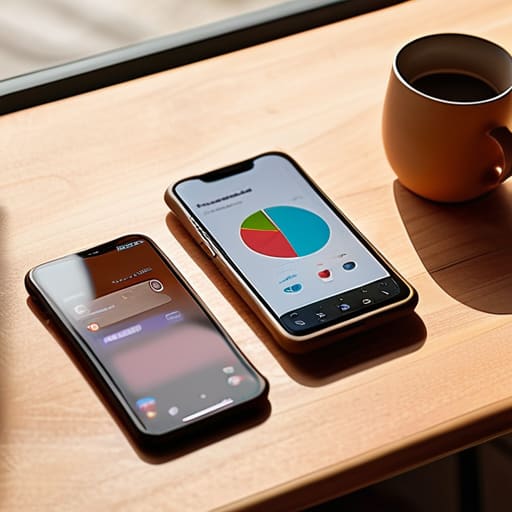
Look, I get it. The idea of manually logging every single coffee or transit fare feels like a second job you didn’t apply for. If you try to do it all in a notebook, you’ll probably give up by Wednesday. This is exactly why I lean so heavily on technology to do the heavy lifting. Using budgeting apps for beginners isn’t about being a math whiz; it’s about automating the boring stuff so you can actually see the patterns in your behavior without the manual labor.

Most of these tools sync directly with your accounts, which is a game-changer for managing personal finances without the constant mental load. Instead of staring at a pile of crumpled receipts, you get a real-time dashboard that tells you exactly where your money is leaking. My rule of thumb is to pick one app and stick with it for at least a month. Don’t get caught up in “feature creep” or trying to find the perfect, most complex setup. You just need a system that handles tracking daily expenses in the background while you actually live your life. The goal isn’t to become an accountant; it’s to build enough financial awareness to make better choices without feeling like you’re being punished.

Simple Tracking Daily Expenses Without the Headache

Simple Tracking Daily Expenses Without the Headache

If apps feel too automated or disconnected for you, I get it. Sometimes you need to actually feel the transaction to make it stick. I’ve found that the most effective way to master tracking daily expenses isn’t through a complex software suite, but through a low-friction habit. For me, that means the “end-of-day brain dump.” Before I close my laptop or head to bed, I take two minutes to glance at my banking app and jot down anything I spent that day into my physical pocket notebook.

There is something about the tactile act of writing it down that builds a level of financial awareness an algorithm just can’t replicate. You aren’t just logging numbers; you’re acknowledging your choices. If you prefer staying digital but want more control than an app provides, try using a basic monthly budget template in Google Sheets or Notion. Don’t try to categorize every single cent—that’s a recipe for burnout. Just focus on the big buckets: food, transport, and “the stuff I probably didn’t need.” Once you stop treating your money like a black box, you’ll start seeing exactly where you can trim the fat without feeling deprived.

Five ways to stop the leak without losing your mind

  • Pick one “source of truth” and stick to it. Whether it’s a dedicated banking app, a simple Notion page, or my trusty pocket notebook, the biggest mistake is trying to track things in three different places. Pick one method that feels the least intrusive and make that your single home for data.
  • Schedule a weekly “finance sync.” Don’t try to audit your life every single night; you’ll burn out by Tuesday. Instead, set aside 15 minutes every Sunday morning—maybe while you’re having your coffee—to just look at the numbers. It keeps the data fresh without it becoming a second job.
  • Categorize by “Need” vs. “Want,” not by store name. I don’t care if you spent $50 at Target; I care if that was groceries or a new desk lamp. Grouping things into broad buckets like ‘Fixed Costs’ and ‘Lifestyle’ makes it way easier to see exactly where you have room to pivot.
  • Automate the boring stuff. If your bank allows you to export CSV files or auto-categorize transactions, use it. My goal is always to reduce the number of manual entries I have to make. The less friction there is between spending money and recording it, the more likely you are to actually do it.
  • Forgive the “oops” moments. You’re going to have a week where you forget to log a dinner or blow your budget on something impulsive. Don’t let one bad week turn into a month of ignoring the system entirely. Just reset the next day. We’re building a system, not a prison.

Bringing It All Together

At the end of the day, tracking your spending isn’t about becoming a math whiz or living a life of extreme deprivation. It’s about choosing between the tools that actually work for you—whether that’s a streamlined app or a quick note in your pocket notebook—and the chaos of wondering where your paycheck went. We’ve covered how to ditch the manual headache and how to set up systems that catch your daily expenses without making it feel like a second job. The goal here isn’t to achieve flawless accounting; it’s simply to build enough visibility so that your money starts serving your life, rather than the other way around.

I know it feels overwhelming to start, especially when the numbers look messy or you feel like you’ve already blown your budget for the month. But remember, we aren’t aiming for perfection; we’re just aiming for systems that work. Don’t let the fear of doing it “wrong” stop you from doing it at all. Start small, stay consistent, and give yourself some grace when things get off track. Once you strip away the noise and actually see the patterns, you’ll realize that financial clarity is one of the fastest ways to reclaim your mental bandwidth. You’ve got this.

Frequently Asked Questions

How much time should I actually be spending on this every week without it becoming a second job?

Look, if you’re spending more than 15 to 20 minutes a week on this, your system is broken. Tracking shouldn’t be a marathon; it’s just a quick maintenance check. I aim for a five-minute “brain dump” every evening to log anything I missed, plus one solid 10-minute review on Sundays to see the big picture. If it starts feeling like a chore, strip the process back. We want visibility, not a second job.

Is it better to track every single cent, or is it okay to just group things into broad categories?

Look, if you try to track every single cent, you’re going to burn out in two weeks. That’s not a system; that’s a second job. I’m all about optimization, and obsessing over a $2 coffee is a waste of your mental bandwidth. Group things into broad categories—Groceries, Rent, Fun—and focus on the big numbers. Aim for the signal, not the noise. If the big picture looks good, you’re winning.

What do I do if I miss a few days of tracking—do I just scrap the whole month and start over?

Look, don’t do that. The second you scrap the whole month, you’ve turned a minor slip-up into a total system failure, and that’s how bad habits actually stick. Just pick up where you are right now. If you missed three days, leave them blank or just estimate them if you can. The goal isn’t a perfect data set; it’s building the habit of showing up. Just restart today. No big deal.

How do I stop feeling guilty or anxious every time I have to look at my actual spending numbers?

Look, I get it. Staring at those numbers can feel like looking at a report card you failed. But here’s the thing: those numbers aren’t a judgment on your character; they’re just data. In systems engineering, we don’t get mad at a glitch; we just find where the friction is. Stop treating your bank statement like a moral compass and start treating it like a diagnostic tool. Once you detach the emotion, the anxiety starts to fade.

Building a Budget That Fits Your Real Life

I remember sitting at my desk three years ago, staring at a color-coded spreadsheet that felt more like a math exam than a financial plan. I had spent hours trying to track every single cent, convinced that if I just found the right “perfect” template, my anxiety would disappear. But all I did was create a digital cage that felt impossible to maintain. Most of the advice you find online about how to make a budget is designed for people with endless free time and zero impulse control—it’s bloated, overly complex, and ultimately exhausting.

I’m not here to sell you on a complicated lifestyle overhaul or a high-priced finance app that does half the work for you. My goal is to show you how to build a system that actually survives contact with reality. We’re going to strip away the fluff and focus on a few high-leverage moves that protect your mental bandwidth while keeping your bank account in check. We aren’t aiming for some pristine, perfect balance sheet; we’re just aiming for systems that work for your actual, messy life.

Table of Contents

Ditch the Complexity With the 503020 Rule Explained

Ditch the Complexity With the 503020 Rule Explained

Look, I get it. When I first started looking into personal finance management, I tried those hyper-granular spreadsheets that tracked every single cent. It was exhausting, and honestly? I quit after a week. If a system feels like a second job, you’re never going to stick with it. That’s why I’m a huge advocate for the 50/30/20 rule explained in its simplest terms: it’s about proportions, not perfection.

Instead of agonizing over whether a coffee cost you $4.50 or $5.00, you just bucket your after-tax income into three big categories. 50% goes to your needs—rent, utilities, groceries—the stuff you have to pay to keep your life running. 30% is for your wants; this is your “life happens” fund for dinners out or that new mechanical keyboard keycap set I’ve been eyeing. Finally, 20% goes straight toward your future, whether that’s debt repayment or building an emergency fund.

The beauty of this approach is that it removes the decision fatigue. You aren’t constantly questioning every purchase; you’re just checking if you’re still within your percentage boundaries. It’s a high-level framework that gives you the freedom to actually live your life without the constant guilt of wondering if you’re breaking the bank.

Simplifying Your Personal Finance Management Without the Stress

Simplifying Your Personal Finance Management Without the Stress

The biggest mistake I see people make is treating personal finance management like a high-stakes math exam. We get this idea that we need to account for every single cent down to the penny, or we’ve somehow failed. That mindset is exactly what leads to burnout. If you try to build a system that’s too rigid, you’ll eventually abandon it the moment life gets messy—and life always gets messy. Instead of aiming for surgical precision, focus on building a framework that allows for some breathing room.

One way to lower the stakes is to stop obsessing over manual entry and start looking at automation. I’m a big fan of using budgeting spreadsheet templates to get a bird’s-eye view of where the money goes, but you don’t need to spend hours every weekend reconciling receipts. If you can automate your savings transfers and set up alerts for your major bills, you’ve already won half the battle. The goal isn’t to become a human calculator; it’s to create a reliable feedback loop that tells you if you’re on track without draining your mental bandwidth.

5 Low-Friction Moves to Keep Your Budget from Falling Apart

  • Automate the boring stuff. If you have to manually move money into savings every single month, you’re eventually going to forget or “forget” on purpose. Set up auto-transfers for your savings and bill payments the day after your paycheck hits. Let the system do the heavy lifting so you don’t have to rely on willpower.
  • Use the “One-Account” rule for discretionary spending. I used to lose track of my “fun money” because it was buried in a massive checking account. Now, I have a separate account just for eating out, hobbies, and random stuff. When that debit card hits zero, the fun stops until next month. It’s a hard boundary that saves me from a lot of math.
  • Build a “buffer” into your fixed costs. Life isn’t a static spreadsheet. Your electric bill will spike in the summer, and your car will eventually need a repair. Don’t budget down to the last cent; leave a little breathing room in your “needs” category so a single unexpected expense doesn’t wreck your entire month’s momentum.
  • Audit your subscriptions like they’re junk mail. We all do it—we sign up for a streaming service or a premium app and then let it sit there draining $15 a month. Once a quarter, I go through my transaction history and ruthlessly cut anything I haven’t used in the last 30 days. It’s the easiest way to find “found money.”
  • Forgive yourself when you mess up. This is the big one. You’re going to have a week where you overspend on takeout or an impulse buy. Most people treat a budget mistake like a failed mission and just give up entirely. Don’t do that. Just reset the system the next morning and keep moving. We’re aiming for a working system, not a perfect one.

Stop Overthinking, Start Operating

Look, we’ve covered a lot, but if you walk away with nothing else, remember this: budgeting isn’t about restricting your life; it’s about directing your resources toward what actually moves the needle. Whether you’re leaning on the 50/30/20 rule to keep things simple or using a more granular tracking system, the goal is the same. You want to move away from that constant, low-level anxiety of wondering where your paycheck went and move toward a system where you are the one in control. Don’t get bogged down in the minutiae of every single cent. Focus on the macro-trends, automate what you can, and keep your system flexible enough to handle the chaos of real life.

At the end of the day, a budget is just a tool—it’s not a moral judgment on your lifestyle. I spent way too much time in my early twenties feeling guilty about every coffee purchase, but once I built a system that actually worked, that guilt just… evaporated. You don’t need a perfect spreadsheet or a PhD in finance to get this right. You just need to start building the framework today. Stop waiting for the “perfect” time to get your finances in order and just aim for a system that works for your current reality. You’ve got this.

Frequently Asked Questions

What do I do if my "needs" are way more than 50% of my income?

Look, I’ve been there. If your needs are hitting 60% or 70%, the 50/30/20 rule isn’t a command; it’s just a benchmark. Don’t beat yourself up. Instead, do a quick audit. Is it a temporary spike (like a car repair) or a structural issue (like rent)? If it’s structural, you have two levers: trim the non-essentials or find ways to boost the income side. We aren’t chasing an ideal ratio; we’re just looking for a sustainable one.

How do I handle irregular income if I'm freelancing or working on commission?

The “feast or famine” cycle is a total mental drain. When your income jumps around, you can’t rely on a standard monthly budget. Instead, I use a “Baseline Buffer” system. Figure out your absolute minimum monthly survival number—rent, food, utilities—and treat that as your target. Anything earned above that goes into a dedicated “Hill” account. When the lean months hit, you draw from the Hill to level everything out.

Is it better to track every single coffee purchase or just look at the big picture at the end of the month?

Look, if you try to track every single $5 latte, you’re going to burn out by Tuesday. That’s not a system; that’s a second job. I’ve been there, and it’s a recipe for digital fatigue. Focus on the big picture first. Categorize your major spending buckets and check in weekly. If your “wants” category is blowing up, then—and only then—dive into the granular details to see where the leak is.

Should I prioritize paying off debt or building an emergency fund first?

Look, I get the urge to just nuking your debt immediately, but don’t do that. If you go all-in on debt and then your car breaks down, you’re just going to end up back in the debt cycle. It’s a loop you don’t want to be in. Build a “starter” emergency fund first—think one month of basic expenses. Once that safety net is set, then you can pivot your full energy to crushing that debt.

How to Stay Productive While Avoiding Burnout

I remember sitting at my desk at 11:00 PM, the only light in the room coming from my dual monitors, feeling that familiar, hollow ache in my chest. I had just spent three hours color-coding a Notion database and optimizing my Pomodoro timer, yet my actual task list hadn’t moved an inch. I was doing all the “right” things, but I was still exhausted, chasing a version of success that felt more like a treadmill than a career. We’ve been sold this lie that being productive without burnout requires a complex ecosystem of expensive apps and rigid, military-grade schedules, when in reality, most of those “hacks” are just more digital noise making us feel even more scattered.

I’m not here to sell you a lifestyle overhaul or a 20-step morning ritual that takes two hours to complete. Instead, I want to share the stripped-back systems I’ve built using my engineering background to actually reclaim my headspace. We’re going to focus on low-friction habits and realistic workflows that respect your mental bandwidth. My goal is to help you build a setup that actually works for your life, so you can stop fighting your tools and start focusing on what matters.

Table of Contents

Spotting the Signs of Mental Exhaustion Before They Win

Spotting the Signs of Mental Exhaustion Before They Win.

The problem with most of us is that we treat our brains like machines that can just be overclocked indefinitely. We think if we just find the right app or a better Pomodoro timer, we’ll suddenly be invincible. But your brain doesn’t work like a CPU; it’s more like a battery that leaks power if you don’t manage it right. I used to think I was just “getting into a flow state” when I was actually just hitting a wall of pure, unadulterated fatigue.

You need to learn to recognize the signs of mental exhaustion before they turn into a full-blown crash. For me, it’s not usually a dramatic meltdown; it’s the subtle stuff. It’s that feeling when a simple Slack notification triggers an immediate sense of dread, or when you find yourself staring at a spreadsheet for twenty minutes without actually processing a single cell of data. If you’re noticing that your usual work-life balance strategies are suddenly failing or you’re feeling increasingly cynical about tasks you used to enjoy, that’s your system signaling a critical error. It’s not a lack of willpower; it’s a lack of fuel.

Ditching Perfectionism for Systems That Actually Work

Ditching Perfectionism for Systems That Actually Work

The biggest mistake I see people make is treating their productivity like a math equation where more input always equals more output. We try to optimize every single minute, thinking if we just find the perfect app or the ultimate color-coded calendar, we’ll finally feel “on top of it.” But that’s a trap. Perfectionism is just a high-functioning form of procrastination that leads straight to a wall. Instead of chasing a flawless schedule, I’ve learned to focus on energy management vs time management. It doesn’t matter if you have an empty hour on your calendar if your brain is too fried to actually use it.

Stop trying to build a fortress of rigid rules. A system that breaks the moment you have a bad night’s sleep isn’t a system—it’s a burden. I started moving away from strict time-blocking and toward more flexible frameworks that account for my actual capacity. This shift is one of the most effective work-life balance strategies I’ve ever implemented because it allows for the friction of real life. We need systems that are resilient enough to bend without snapping. Build loops that allow you to course-correct when things get messy, rather than punishing yourself for not being a machine.

Five Low-Friction Habits to Protect Your Bandwidth

  • Stop treating your “To-Do” list like a holy text. If you didn’t get to it today, it’s not a failure; it’s just data. Move it to tomorrow or delete it entirely. If it’s been sitting there for three weeks, you don’t actually need to do it.
  • Use “Time Boxing” instead of a never-ending list. Give yourself a hard window—say, 45 minutes—to tackle a deep-work task, then force yourself to step away. It turns your focus into a sprint rather than a marathon that never ends.
  • Build a “Shutdown Ritual” to signal to your brain that the workday is actually over. Close your tabs, write down the top three things for tomorrow in your notebook, and physically shut your laptop. You need a clear boundary between ‘work mode’ and ‘human mode.’
  • Audit your digital noise. If an app or a notification isn’t actively helping you move toward a goal, mute it. I spent way too much time reacting to pings that didn’t matter; reclaim that mental space by being aggressive with your “Do Not Disturb” settings.
  • Prioritize “Energy Management” over time management. Some tasks require high-octane brainpower, and some are just mindless admin. Don’t try to tackle your hardest engineering problem at 4 PM when your battery is at 5%. Match your hardest tasks to your highest energy windows.

The Bottom Line

Look, we’ve covered a lot of ground here. We talked about catching those early warning signs of burnout before they turn into a full-blown crash, and we moved away from that toxic obsession with perfection in favor of building actually sustainable systems. The goal isn’t to turn your life into a rigid, high-performance machine that breaks the second things get messy. It’s about creating a framework—a few simple, reliable habits—that protects your energy while still letting you move the needle on the things that matter. Remember, a system is only successful if it works when you’re tired, not just when you’re feeling motivated.

At the end of the day, I want you to stop viewing rest as a reward you have to earn after a grueling week. Rest is a functional requirement for doing good work. If you don’t schedule time to unplug, your body will eventually schedule it for you, and it won’t be pretty. Don’t aim for a flawless streak of productivity; just aim for a way of working that doesn’t leave you feeling like a hollow shell by Friday night. You’re more than your output, and your mental bandwidth is your most valuable asset. Protect it like your life depends on it—because, in a way, it does.

Frequently Asked Questions

How do I tell the difference between just being a little tired and actual, deep-seated burnout?

Look, there’s a massive difference between needing a long nap and needing a life overhaul. Being “tired” is usually situational—you crush a big project, you feel drained, you sleep it off, and you’re back in the game. Burnout is different. It’s that heavy, cynical feeling that won’t lift even after a weekend off. If you’re starting to resent the very things you used to love, that’s not fatigue; that’s your system redlining.

I already have a massive to-do list; how do I actually prioritize without feeling like I'm ignoring important stuff?

Look, the “everything is important” mindset is exactly how you end up paralyzed. When my to-do list looks like a mountain, I stop looking at the whole thing and use a simple triage system. I pick three “non-negotiables” for the day—tasks that actually move the needle—and everything else goes into a “later” bucket. If it doesn’t fit the three, it doesn’t get my mental energy today. Stop managing tasks; start managing your capacity.

How much "unplugging" is actually necessary to see a difference in my focus?

Look, you don’t need to disappear into a cabin in the woods for a week to see results. That’s not realistic for most of us. For me, it’s about micro-recoveries. If you can’t carve out even 20 minutes of “analog time”—no phone, no notifications, just a notebook or a walk—you’re never going to reset your baseline. Aim for small, consistent windows of disconnection. It’s about frequency, not duration.

What do I do when my job or my boss expects me to be "always on" even when I'm trying to set boundaries?

This is where the “always on” culture hits hardest. If your boss expects instant replies at 9 PM, you can’t just wish it away—you have to manage the expectation. I started using “status signaling.” I don’t just go dark; I set my Slack status to “Deep Work” or “Offline until 8 AM.” It’s about training people on how to access you. If you respond to every late-night ping, you’re teaching them that your boundaries don’t exist.

Improving Gut Health With These Simple Steps

I used to think that fixing my digestion meant buying every $60 probiotic powder and “superfood” supplement that trended on my feed. It was a total waste of money and mental bandwidth. I was treating my body like a broken piece of software that just needed more expensive patches, but the truth is that most of the wellness industry is just selling noise. I spent months chasing expensive trends when I should have been looking at the actual systems under the hood. If you’re tired of the hype, you’re not alone—learning the actual gut health basics shouldn’t require a PhD or a massive budget.

I’m not here to give you a list of impossible dietary restrictions or a 12-step morning ritual that takes an hour to complete. My goal is to strip away the complexity and focus on a few high-leverage adjustments that actually move the needle. We’re going to look at how to build a sustainable system for your gut that fits into a busy life, without the constant feeling of burnout. We aren’t aiming for a perfect, sterile diet; we’re just aiming for systems that work.

Table of Contents

Recognizing the Signs of Poor Gut Health

Recognizing the Signs of Poor Gut Health

The thing about our bodies is that they rarely scream; they mostly just whisper. You won’t wake up one day with a flashing red light telling you your system is failing. Instead, it’s usually a slow, annoying grind. Maybe you’re feeling uncharacteristically sluggish by 2 PM, or your skin is breaking out despite a solid skincare routine. Even more subtle is that constant, low-level brain fog that makes you feel like you’re operating through a thick layer of cotton wool. This is often a direct result of the gut-brain axis connection—the literal communication highway between your digestive tract and your head. When things are out of whack down below, your mental clarity is usually the first thing to pay the price.

Beyond the mental fog, there are the more obvious physical cues. If you’re constantly bloating after meals or dealing with unpredictable bathroom habits, your body is sending you a status report. These are classic signs of poor gut health that we often try to ignore or mask with caffeine and quick fixes. I used to think I was just “naturally bloated,” but looking back, it was my system’s way of telling me my internal ecosystem was totally off-kilter. It’s not about being perfect; it’s about learning to listen to the data your body is providing before a small glitch becomes a full-blown system crash.

Understanding Why Microbiome Balance Importance Matters

Understanding Why Microbiome Balance Importance Matters

Think of your gut not just as a digestive tube, but as a complex, living ecosystem. When I look at it through a systems engineering lens, it’s all about equilibrium. You have trillions of microbes living in there, and the microbiome balance importance can’t be overstated because when one group of bacteria starts outcompeting the others, the whole system glitches. It’s not just about bloating or discomfort; it’s about the systemic ripple effects that hit your energy levels and even your mood.

This is where the gut-brain axis connection comes into play. It’s wild to think that the communication line between your gut and your head is a two-way street. If your internal environment is a mess, your mental clarity and stress resilience usually take the hit too. I’ve noticed that when my gut is off, my ability to focus on deep work just evaporates. We aren’t trying to build a sterile, perfect environment—that’s impossible. We’re just trying to maintain a functional baseline where the good microbes have enough resources to do their jobs without being sidelined by the bad ones.

5 Low-Effort Shifts to Get Your Gut Back on Track

  • Stop chasing “superfoods” and just focus on variety. You don’t need an expensive supplement routine; you just need to eat more different types of plants. Aim for 20–30 different plant-based foods a week—think nuts, seeds, veggies, and even spices. It’s less about any one magic ingredient and more about feeding a diverse crowd of microbes.
  • Prioritize fiber, but don’t go zero to sixty overnight. Fiber is the fuel your gut bacteria actually crave, but if you suddenly eat nothing but beans and kale, you’re going to feel bloated and miserable. Scale up slowly and drink plenty of water so your system can actually process the increase.
  • Add a little fermented “kick” to your meals. You don’t need to drink gallons of kombucha. Just incorporating small amounts of fermented stuff—like a spoonful of kimchi with dinner, some Greek yogurt for breakfast, or a bit of sauerkraut—can introduce beneficial bacteria without making it feel like a chore.
  • Watch the “ultra-processed” trap. I’m not saying you can never have a bag of chips, but the more ingredients a food has that you can’t pronounce, the more likely it is to disrupt your microbiome. Try to stick to single-ingredient foods most of the time to keep the inflammation down.
  • Manage your stress, because your gut and brain are literally talking to each other. If you’re constantly in fight-or-flight mode, your digestion is going to take a hit. It sounds cliché, but even five minutes of stepping away from your screens or doing a quick brain dump in my notebook can help settle your nervous system and your gut.

Stop Overthinking It and Just Start

Look, I know we just went through a lot of science, but here’s the bottom line: your gut isn’t some mysterious black box you need to solve with a PhD. It’s just a system. If you’ve been feeling sluggish, bloated, or just generally “off,” those are your body’s way of sending you a notification that the current setup isn’t working. Whether it’s recognizing those warning signs or understanding how your microbiome actually functions, the goal isn’t to overhaul your entire life overnight. It’s about identifying the small leaks in your daily routine—like a lack of fiber or too much processed junk—and plugging them. You don’t need a perfect diet; you just need consistent, manageable adjustments that keep your internal engine running smoothly.

At the end of the day, I’m not asking you to become a wellness influencer or spend three hours a day prepping organic kale. That’s a recipe for burnout, and that’s exactly what we’re trying to avoid. Treat your gut health like any other system you want to optimize: start small, test what works, and iterate. If you can just focus on making one better choice today—maybe more water or one extra serving of fermented food—you’re already winning. Don’t aim for a flawless system; just aim for systems that actually work for your real, busy life. You’ve got this.

Frequently Asked Questions

Do I actually need to buy expensive probiotic supplements, or can I get what I need from regular food?

Look, I’m all about optimization, but I’m also against wasting money on hype. You don’t need a $50 bottle of fancy pills to fix your gut. Most of the time, you can get everything you need through “food first” systems. Think fermented stuff like kimchi, kefir, or even just a bit of Greek yogurt. If you can nail the food side, supplements are usually just an expensive afterthought. Keep it simple.

How long does it actually take before I start noticing a difference in how I feel?

Look, I’m a systems guy, so I get the urge to track every data point immediately. But biology doesn’t follow a sprint logic; it’s more like a slow system reboot. Most people start feeling the “fog” lift in about two to four weeks. You might see minor shifts in digestion sooner, but for the real wins—energy levels and mental clarity—give it a solid month. Don’t quit just because you don’t feel a miracle by Tuesday.

Is there a specific way to track my symptoms so I'm not just guessing what's working?

Stop guessing and start logging. I’m a big believer in the “brain dump” method—don’t overcomplicate this with a fancy app if it feels like a chore. Grab a physical notebook or a simple Notes file. Track three things: what you ate, your energy levels, and your gut symptoms (bloating, discomfort, etc.) on a scale of 1-5. After two weeks, look for the patterns. It’s about finding the data, not being perfect.

Can my stress levels and mental burnout mess with my gut health even if my diet is solid?

Short answer: Absolutely. You can eat all the fermented foods and fiber you want, but if your nervous system is stuck in “fight or flight,” your gut is going to pay the price. Stress literally reroutes blood flow away from your digestive system to your muscles. It’s like trying to run a high-end software update while your CPU is overheating—the system just glitches. If you’re burnt out, your gut health will likely follow.

A Weekend Plan to Declutter Your Digital World

I remember sitting at my desk at 11:00 PM last Tuesday, staring at a desktop so cluttered with unsorted screenshots and “final_v2_FINAL” files that I actually felt a physical tightness in my chest. It wasn’t just about the mess; it was the mental tax of knowing I couldn’t find anything when it actually mattered. Most productivity gurus will tell you that you need a $50/month subscription to some complex ecosystem or a complete life overhaul to fix this, but that’s total nonsense. Learning how to clean up your digital life shouldn’t require a degree in systems engineering or a massive budget; it just requires a few sensible, repeatable habits that stop the bleeding.

I’m not here to sell you on a “perfect” aesthetic or a hyper-optimized setup that takes more time to maintain than it actually saves. My goal is to give you the no-nonsense frameworks I use to keep my own digital environment from turning into a chaotic junk drawer. We’re going to strip away the fluff and focus on systems that actually work for real people with real jobs. No hype, no expensive software rabbit holes—just practical steps to reclaim your focus.

Table of Contents

Mastering Digital Hygiene Practices That Actually Stick

Mastering Digital Hygiene Practices That Actually Stick

Look, we’ve all been there: you sit down to work, but you spend the first twenty minutes fighting through a mountain of unread notifications and a desktop that looks like a digital junk drawer. The problem isn’t that you’re lazy; it’s that you haven’t built a system. To stop the cycle, you need to treat digital hygiene practices like brushing your teeth. It’s not a one-time deep clean; it’s a daily maintenance habit. Start small. Every Friday afternoon, spend ten minutes doing a “brain dump” into your notebook and clearing out your downloads folder. It sounds trivial, but it prevents that heavy sense of managing digital overwhelm from creeping in over the weekend.

Once you’ve stabilized the chaos, focus on the high-friction areas—specifically your phone and your inbox. For your phone, stop the madness of cleaning up smartphone clutter by deleting every app you haven’t touched in a month. If you haven’t used it since the last solar eclipse, it’s just taking up mental space. When it comes to your inbox, forget the myth of a perfect “inbox zero” every single hour. Instead, aim for a sustainable triage system: archive anything you don’t need to act on immediately and unsubscribe from every retail newsletter that’s currently hijacking your attention. Build systems that work for you, not against you.

Cloud Storage Organization Tips for Systems That Work

Cloud Storage Organization Tips for Systems That Work

Most people treat their Google Drive or iCloud like a digital junk drawer, just tossing files in and hoping they’ll resurface when needed. That’s a recipe for stress. If you’re constantly hunting for that one PDF from three months ago, your system is broken. My approach is simple: stop building massive, nested folder trees that take ten clicks to navigate. Instead, I use a broad-to-narrow hierarchy. Start with five or six high-level buckets—like “Work,” “Personal,” “Finances,” and “Archive”—and keep everything else inside them. If a folder gets too crowded, only then do you create a subfolder. It’s about reducing the cognitive load of deciding where a file belongs.

Another thing I’ve learned from my engineering background is that automation beats willpower every single time. Don’t rely on yourself to manually sort every photo or document. Use these cloud storage organization tips to your advantage by setting up automated rules. For example, I use tools to automatically move certain email attachments straight to a dedicated “Receipts” folder. This is a huge part of managing digital overwhelm; if you can offload the decision-making process to a system, you stop wasting mental energy on trivial organization. Keep it lean, keep it shallow, and let the software do the heavy lifting.

The Low-Friction Tactics for Daily Digital Maintenance

  • Audit your notification settings once a week. If an app isn’t helping you make a decision or complete a task in real-time, it doesn’t deserve to buzz in your pocket. Turn off everything except the essentials.
  • Treat your desktop like a physical desk. If you leave random files scattered everywhere, you’re creating mental drag. At the end of every Friday, clear the desktop completely—either file it, delete it, or move it to a “To Process” folder.
  • Unsubscribe from the noise. We all have those newsletters we “might read someday” but never do. If you haven’t clicked an email from a sender in a month, hit unsubscribe. Don’t just archive it; kill the source.
  • Use a single “Inbox” for everything. Whether it’s a physical notebook or a digital app, stop having ten different places for random thoughts. Pick one capture system and stick to it so your brain doesn’t have to work overtime trying to remember where you put that idea.
  • Implement a “One-In, One-Out” rule for your apps. Every time you download a new tool or game, look at your home screen and delete something you haven’t touched in ninety days. Keep your digital real estate lean.

Final Thoughts on Building Your System

Look, we’ve covered a lot of ground here—from the granular habits of digital hygiene to building a cloud structure that doesn’t feel like a black hole. If you take nothing else away from this, remember that the goal isn’t to achieve some mythical state of “zero inbox” or a perfectly curated desktop that looks like a tech magazine spread. It’s about reducing the friction between you and your work. By cleaning up your files, tightening your notification settings, and organizing your storage, you aren’t just tidying up folders; you are reclaiming your mental bandwidth so you can actually focus on the things that matter.

At the end of the day, these systems are meant to serve you, not the other way around. Don’t get paralyzed trying to fix everything in a single weekend. Just pick one area—maybe it’s your desktop or that overflowing downloads folder—and start there. Life is messy, and your digital world will inevitably get cluttered again, but that’s okay. The point is that you now have the framework to reset when things get loud. Stop fighting your devices and start building a digital environment that actually works for you. You’ve got this.

Frequently Asked Questions

How do I start cleaning up years of digital clutter without feeling completely overwhelmed?

Don’t try to tackle the whole mountain at once; you’ll burn out by lunch. Instead, use the “One-Folder-A-Day” rule. Pick one specific, manageable mess—like your desktop or your “Downloads” folder—and commit to just fifteen minutes of sorting. If you try to reorganize your entire life in one weekend, you’re going to quit. Aim for small, consistent wins. It’s about building a system, not performing a one-time digital deep clean.

Is there a way to automate some of this organization so I'm not constantly re-doing it every month?

Look, I get it. If you have to manually move files every month, the system is broken. You shouldn’t be the janitor of your own hard drive.

How do I decide what's actually worth saving and what's just digital dead weight?

Think of your digital storage like a physical backpack. If you’re carrying a rock just because “you might need it someday,” you’re just slowing yourself down. I use a simple rule: if I haven’t opened it in six months and it isn’t a legal, financial, or irreplaceable memory, it’s dead weight. Don’t let “just in case” become a graveyard for files that actually steal your mental bandwidth. If it doesn’t add value, delete it.

What’s the best way to handle old, unused accounts and subscriptions that are just draining my mental energy (and my bank account)?

The “ghost subscription” drain is real. It’s not just the money; it’s the mental clutter of knowing those open loops exist. Start with a “Financial Audit Sweep”: pull your bank statements from the last 30 days and ruthlessly cancel anything you haven’t touched in a month. For old accounts, don’t just delete the app—actually go into the settings and deactivate the profile. If you don’t use it, kill it. Clear the deck.

Finding Focus in an Age of Constant Distraction

I spent most of last Tuesday staring at a blinking cursor, feeling that familiar, itchy tension in my chest while my phone buzzed incessantly next to my mechanical keyboard. I had three tabs open for “deep work” music, a productivity app subscription I forgot to cancel, and a color-coded calendar that looked beautiful but meant absolutely nothing because I couldn’t actually do the work. We’ve been sold this lie that learning how to focus better requires a $500 ergonomic setup or a complex ritual of mindfulness and biohacking. Honestly? Most of those “hacks” are just more digital noise designed to make you feel like you’re being productive when you’re actually just optimizing your distraction.

I’m not here to sell you on a lifestyle overhaul or a complicated new methodology that takes more time to manage than the actual tasks at hand. Instead, I want to share the stripped-back, systems-based approach I use to protect my mental bandwidth when the world feels too loud. I’m going to show you how to build simple, sustainable workflows that actually stick. We aren’t aiming for some mythical state of perfect zen; we’re just aiming for systems that work so you can finally get your time back.

Table of Contents

Simple Brain Fog Remedies to Clear the Static

Simple Brain Fog Remedies to Clear the Static

When my brain feels like it’s running on 1% battery and a dozen browser tabs are open at once, I don’t reach for more caffeine. I’ve learned the hard way that pushing through the haze just leads to bad decisions and more burnout. Instead, I look for quick brain fog remedies that reset my system without a massive time investment. For me, the most effective move is a tactical “sensory reset.” This usually means stepping away from every glowing screen, grabbing my notebook, and doing a quick five-minute brain dump. Getting those looping thoughts out of my head and onto paper physically lowers the cognitive load, making it much easier to find my footing again.

Once the mental clutter is cleared, I focus on minimizing digital distractions to prevent the fog from rolling back in. I’ll put my phone in a different room—out of sight, out of mind—and use a simple timer to commit to just twenty minutes of focused effort. It’s not about a marathon session; it’s about proving to my brain that we can handle one single task without jumping to the next shiny object. If you’re feeling stuck, stop fighting the static and just try to reduce the noise first.

Real World Productivity Hacks for Concentration

Real World Productivity Hacks for Concentration techniques.

Once you’ve cleared the mental static, you need a framework to actually stay in the zone. I’ve learned the hard way that willpower is a finite resource—if you rely on it to resist every notification, you’re going to lose. Instead, I lean heavily on deep work techniques to protect my headspace. My go-to is the “phone in another room” rule. It sounds primitive, but minimizing digital distractions at the hardware level is infinitely more effective than trying to ignore a vibrating device sitting right next to your keyboard.

I also treat my focus like a scheduled appointment rather than a vague intention. I use a modified version of time-blocking where I commit to 90-minute sprints followed by a mandatory five-minute “analog break”—no screens, just stretching or grabbing water. This isn’t about being a productivity robot; it’s about using productivity hacks for concentration that respect your biology. If you try to grind for four hours straight, your output quality will tank. By building these small, structured intervals into your day, you’re not just working harder; you’re building a system that actually sustains your momentum without leading to that mid-afternoon crash.

Systems Over Willpower: 5 Ways to Protect Your Focus

  • Kill the notifications before they kill your flow. I stopped trying to “resist” my phone and just started using Focus Modes to nuking every single distraction during work hours. If it isn’t a phone call from my mom or my boss, it doesn’t exist until 5:00 PM.
  • Use a “Parking Lot” for intrusive thoughts. Whenever I’m deep in a task and suddenly remember I need to buy laundry detergent or check a random Wikipedia page, I don’t do it. I scribble it in my physical pocket notebook and get back to work. It clears the mental cache without breaking my rhythm.
  • Single-task by design, not by effort. Multitasking is a lie our brains tell us to feel productive while we’re actually just context-switching ourselves into exhaustion. Pick one thing, set a timer, and commit to that one specific output.
  • Optimize your physical environment to signal “work mode.” For me, it’s putting on my noise-canceling headphones—even if I’m not listening to anything. It’s a tactile trigger that tells my brain the “distraction” phase of the day is officially over.
  • Build in “low-stimulus” breaks. When I feel my focus slipping, I don’t reach for my phone to scroll TikTok—that just adds more noise. Instead, I step away from the screen, grab some water, or just stare out the window for five minutes. You have to let your brain idle to keep it from overheating.

The Bottom Line

Look, we’ve covered a lot of ground here—from clearing out that mental fog to setting up actual, functional workflows that don’t feel like a second job. The takeaway isn’t that you need to overhaul your entire life overnight. It’s about recognizing that focus isn’t some magical superpower you’re born with; it’s a byproduct of the environment you build and the habits you protect. Whether it’s using a physical notebook to dump your distractions or implementing small, tactical hacks to manage your energy, the goal is to reduce the friction between you and your work. Stop waiting for the “perfect” moment of clarity and just start building systems that actually work for your specific brain.

At the end of the day, don’t let the pursuit of peak productivity become another source of burnout. I spent years trying to optimize every single minute of my day until I realized that the most productive thing I could do was actually give myself permission to disconnect. You aren’t a machine, and you shouldn’t try to act like one. Focus on progress, not perfection. If you can reclaim even twenty minutes of deep, uninterrupted thought today, you’re already winning. Just take the first step, keep it simple, and let the rest fall into place.

Frequently Asked Questions

How do I deal with the sudden urge to check my phone even when I know I'm in a deep work session?

That urge is just a dopamine craving, plain and simple. Your brain is looking for an easy exit from the friction of hard work. Instead of fighting the impulse with pure willpower—which always fails—change your environment. Put your phone in another room. If it’s not in your line of sight, you remove the micro-decision of whether or not to check it. If you must have it near, flip it face down and use a physical notebook to jot down the distracting thought so you can deal with it later. Get it out of your head and onto the page.

What do I do when I feel like I've hit a wall and my brain just won't cooperate anymore?

When you hit that wall, stop trying to power through it. That’s just a recipe for burnout and bad work. If your brain is refusing to cooperate, it’s usually a signal that your cognitive load is maxed out. Step away. Go for a ten-minute walk without your phone, do a quick brain dump in your notebook to clear the mental clutter, or just stare at a wall. Reset the system before you try to reboot.

Is it actually possible to focus for long periods, or should I just accept that my attention span is trashed?

Look, I get it. Between the infinite scroll and the constant pinging, it feels like our brains are permanently fried. But here’s the truth: your attention span isn’t “trashed,” it’s just poorly trained. It’s like a muscle. You wouldn’t walk into a gym and expect to bench 300 lbs on day one, so don’t expect an hour of deep work immediately. Stop aiming for marathon sessions and start building the capacity for focus, one small, intentional block at a time.

How do I build these systems without spending more time "organizing" my life than actually doing the work?

The trap is “productivity porn”—spending three hours tweaking a Notion template instead of actually working. I call it productive procrastination. To avoid this, follow the 80/20 rule: if a system takes more than ten minutes to set up, it’s too complex. Use “low-fidelity” tools first. Grab your notebook or a basic task list. If the system doesn’t serve the work, it’s just more noise. Build for utility, not aesthetics.

Cloud Computing Explained in Plain English

I remember sitting in my tiny apartment last year, staring at a spinning loading icon while my external hard drive let out a death rattle. I was losing months of project files, and all the “tech guru” tutorials online were making it sound like I needed a degree in systems engineering just to save my data. Most people explain what is cloud computing by throwing around buzzwords like “distributed architecture” or “on-demand scalability,” which honestly feels like a massive waste of everyone’s time. It’s all just marketing fluff designed to make a simple concept feel more intimidating than it actually is.

I’m not here to give you a textbook definition or sell you on some expensive enterprise suite you don’t need. My goal is to strip away the jargon and show you how this tech actually functions in your daily life—from keeping your photos safe to making your workflow feel seamless. We’re going to look at the practical reality of the cloud so you can stop worrying about your hardware and start focusing on your actual work. No hype, no complexity, just systems that work.

Table of Contents

Simplifying Cloud Storage and Computing Architecture

Simplifying Cloud Storage and Computing Architecture.

When you start peeling back the layers of cloud storage and computing architecture, it’s easy to get lost in the jargon. But if we look at it through a systems lens, it’s really just about how much of the “heavy lifting” you want to do yourself. Think of it like building one of my mechanical keyboards: you can buy a pre-built one that works right out of the box (that’s SaaS), or you can buy the individual switches, plates, and PCBs and assemble it yourself (that’s more like IaaS or PaaS). You’re choosing exactly how much control you need versus how much time you want to spend tinkering with the guts of the system.

The real magic happens when you leverage on-demand computing resources to scale your life or your business without the physical headache. Instead of buying a massive server that sits in your closet gathering dust, you’re essentially renting slices of high-performance power only when you actually need them. Whether you’re looking at a public vs private cloud comparison to decide where your data lives, or just trying to figure out which deployment model fits your workflow, the goal remains the same: reducing friction. We’re just trying to build a setup that supports our goals rather than becoming a project in itself.

The Real Value of on Demand Computing Resources

The Real Value of on Demand Computing Resources

The real magic isn’t just that your files are “somewhere else”—it’s the agility you gain. In my engineering studies, we spent way too much time worrying about hardware specs and whether a server would crash under a sudden spike in traffic. With on-demand computing resources, that anxiety basically evaporates. Instead of buying a massive, expensive server that sits idle 80% of the time, you just rent exactly what you need, right when you need it. It’s like switching from owning a car that sits in your garage to using a ride-sharing app; you only pay for the miles you actually travel.

This flexibility is where the true benefits of cloud infrastructure come into play for both startups and solo freelancers. You can scale your processing power up to handle a massive project launch and then scale it back down the second the work is done. This prevents that “digital bloat” where you’re paying for capacity you aren’t even using. Whether you’re navigating the nuances of IaaS, PaaS, or SaaS, the goal is the same: removing the friction between having an idea and actually executing it. You stop being a hardware manager and start being a builder again.

5 Ways to Stop Fighting Your Tech and Start Using the Cloud

  • Stop treating cloud storage like a junk drawer. Instead of dumping every random screenshot into Google Drive or iCloud, create a strict folder hierarchy. Use the cloud to centralize your active projects, not to create a digital graveyard that makes searching impossible.
  • Leverage “Pay-as-you-go” to protect your bank account. The biggest perk of cloud computing is that you don’t have to buy a $2,000 server just to run a small website or a personal database. Scale up when you need the power, and scale down when you don’t. It’s about keeping your overhead lean.
  • Automate your backups so you can actually forget about them. I used to stress constantly about losing files if my laptop died. Now, I set up automated syncs to the cloud. Set it, forget it, and reclaim that mental bandwidth for things that actually matter.
  • Use the cloud to decouple your work from your hardware. I don’t care if I’m on my desktop, my tablet, or a borrowed laptop at a coffee shop—if my workflow is cloud-based, my environment stays consistent. It’s about making your tools follow you, not the other way around.
  • Audit your “Digital Bloat” regularly. Cloud services make it too easy to subscribe to things you don’t use. Every few months, go through your cloud-connected apps and subscriptions. If a service isn’t actively making your life more efficient or your work easier, cut it loose.

The Bottom Line

At the end of the day, cloud computing isn’t just some abstract tech buzzword or a way for giant corporations to rent servers. It’s about removing the friction from your digital life. We’ve looked at how it shifts the heavy lifting of hardware management to someone else, how it scales instantly when you need it, and how it turns massive computing power into a utility, much like your electricity or water. Instead of worrying about hard drive space or local processing limits, you’re essentially outsourcing the complexity so you can focus on the actual work—or the actual life—you’re trying to build.

My advice? Don’t get bogged down in the technical weeds or feel like you need to be a systems engineer to leverage these tools. The cloud is just a way to give yourself more breathing room. Whether you’re a freelancer needing extra storage or a professional trying to streamline a workflow, the goal is to use these systems to reclaim your mental bandwidth. We aren’t looking for the most complex setup possible; we’re just looking for the one that works so you can stop fighting your tools and start focusing on what actually matters.

Frequently Asked Questions

Is my data actually safe in the cloud, or am I just handing it over to someone else?

Here’s the truth: you aren’t just “handing it over,” you’re outsourcing the responsibility. Is it safe? Technically, yes—often safer than your laptop’s dying hard drive. But “safe” doesn’t mean “set and forget.” You’re trading total control for massive security infrastructure. The real risk isn’t the cloud provider losing your files; it’s you using a weak password or leaving a digital door unlocked. Security is a shared system, not a magic shield.

How much is this actually going to cost me in the long run compared to just buying my own hardware?

Here’s the deal: buying your own hardware is a massive upfront hit—the “CapEx” trap. You pay for everything on day one, including the stuff you won’t even use yet. With the cloud, you’re paying for what you actually use. It feels like a monthly subscription, which can creep up on you, but you’re trading that big, scary initial cost for flexibility. You stop paying for hardware that gathers dust and start paying for scale.

Do I need to be some kind of tech genius to manage cloud services, or is it pretty plug-and-play?

Look, I’ll be real: you don’t need a CS degree to get started. For most of us, it’s more about understanding the logic than writing code. If you can navigate a well-designed app or manage a complex spreadsheet, you can handle the basics. Think of it like driving—you don’t need to be a mechanic to get from A to B. Just start small, use the intuitive interfaces, and let the automation do the heavy lifting.

What happens if my internet goes down—am I completely locked out of my own work?

The short answer? It depends on your setup, but yeah, it can feel like hitting a brick wall. If you’re working entirely in a browser-based tool like Google Docs or a heavy SaaS platform, you’re basically offline. However, I always build “offline buffers” into my workflow. I use apps with local caching or keep a quick markdown file in my notebook for brain dumps. Don’t let a router glitch kill your momentum.

How to Bounce Back After Being Laid Off

I remember sitting at my desk three years ago, the sudden silence of a Slack channel after a mass exit feeling heavier than any actual noise. My heart was hammering against my ribs, and all I could think about was the sheer chaos of my bank account and my suddenly empty calendar. Most “career gurus” will tell you that knowing how to survive a layoff is about “manifesting abundance” or spending thousands on a high-end career coach. Honestly? That’s garbage. When the floor drops out from under you, you don’t need toxic positivity or expensive seminars; you need a functional system to stop the bleeding and keep your head above water.

I’m not here to give you a pep talk or a list of vague platitudes. My goal is to strip away the panic and give you a structured, engineering-minded approach to navigating this mess. I’m going to walk you through the exact, low-friction steps I use to stabilize my finances, audit my skills, and rebuild my routine without burning out in the process. We aren’t aiming for a perfect comeback by Monday; we are just building systems that work so you can regain control of your life.

Table of Contents

Managing Layoff Anxiety Through Simple Daily Systems

Managing Layoff Anxiety Through Simple Daily Systems

When the news hits, your brain goes into overdrive. It’s easy to spend twelve hours a day doomscrolling or spiraling into “what if” scenarios, but that’s a fast track to burnout. I’ve found that the only way I can handle managing layoff anxiety is by externalizing the chaos. Instead of letting every fear float around in my head, I dump them into my notebook. Once it’s on paper, it’s a task, not a catastrophe. I try to treat my day like a system: I set a hard start time for “work” (like job hunting or skill building) and, more importantly, a hard stop time. Without those boundaries, your entire identity starts to feel like it’s tied to your employment status, and that’s a dangerous place to be.

Structure provides a sense of agency when everything else feels out of control. I recommend breaking your day into small, non-negotiable blocks. Spend one hour on the heavy lifting—like financial planning after job loss or reviewing your budget—then step away. Don’t try to solve your entire future by lunch. By focusing on micro-wins, like finally organizing your files or reaching out to one former colleague, you build the momentum needed to tackle the bigger stuff. We aren’t looking for a perfect routine; we’re just looking for a rhythm that keeps you from sinking.

Securing Your Safety Net and Unemployment Benefits Eligibility

Securing Your Safety Net and Unemployment Benefits Eligibility

Once the initial shock wears off, you need to switch from “emotional mode” to “operations mode.” This is where most people stumble because they’re too overwhelmed to look at the math, but your first priority is checking your unemployment benefits eligibility. Don’t wait for the dust to settle to start the application process; in many states, the clock starts ticking the moment your employment officially ends. I always tell myself to treat this like a systems audit—gather your final pay stubs, your termination letter, and any documentation regarding your reason for departure. Having this data organized in one place prevents that frantic, mid-panic searching when you’re trying to file online.

While you’re navigating the bureaucracy, take a breath and look closely at what’s on the table regarding your exit. If you were offered a settlement, don’t just sign it immediately because you feel pressured. Look into severance package negotiation tips—even a small tweak to your payout or an extension of health insurance coverage can buy you much-needed breathing room. This isn’t about being greedy; it’s about securing your runway so you can make your next career move from a position of stability rather than desperation. Keep your notebook handy, log every conversation, and stay clinical. Control the variables you can.

The Tactical Playbook: 5 Moves to Make Right Now

  • Audit your recurring subscriptions immediately. I know it feels small, but when the paycheck stops, every $15/month streaming service or unused app subscription is a leak in your boat. Go through your bank statement and cut anything that isn’t mission-critical. It’s about preserving your runway.
  • Update your LinkedIn, but don’t just “open” it. Optimize it. Instead of a generic “Open to Work” banner, refine your headline to actually reflect the systems you build or the problems you solve. Think of it as a landing page for your professional brand—make it clear, concise, and searchable.
  • Build a “Low-Friction” job search routine. Don’t try to apply to 50 jobs in one sitting; you’ll burn out by Tuesday. Set a timer for 90 minutes a day. Focus on quality over quantity—reach out to one person for a coffee chat or tailor one application deeply. Systems beat intensity every time.
  • Document your wins while they’re fresh. Your brain is going to be foggy from the stress, so grab your notebook and write down every major project, metric, or problem you solved in your last role. You’ll need these specific data points for your resume and interviews once the initial shock wears off.
  • Reconnect with your “dormant” network. This isn’t about asking for a job right away—it’s about signaling you’re still around. Send a quick, low-pressure text or DM to a few former colleagues just to catch up. Most of the best opportunities don’t live on job boards; they live in people’s heads.

The System is Your Safety Net

At the end of the day, surviving a layoff isn’t about predicting the future or having a perfect, flawless plan. It’s about the small, repeatable actions you take when things feel chaotic. We’ve talked about stabilizing your mental health through daily routines, securing your immediate financial safety net, and making sure your paperwork is airtight. If you focus on these foundational systems, you stop reacting to the crisis and start managing it. You don’t need to solve your entire career path by Tuesday; you just need to keep the momentum moving one small, structured step at a time.

I know how heavy this feels. I’ve seen the burnout and the digital noise, and I know that when your professional identity is suddenly stripped away, it’s easy to feel lost. But remember: your job was just a component of your life, not the entire system. This is a massive disruption, sure, but it’s also a chance to recalibrate your settings. Use this time to build something better—not just a better resume, but a better way of operating. You aren’t starting from scratch; you’re starting from experience. Keep your head down, trust your systems, and just keep moving forward.

Frequently Asked Questions

How do I actually explain a layoff to recruiters without sounding like I’m making excuses?

Here’s the thing: recruiters aren’t looking for a sob story, they’re looking for clarity. Don’t over-explain or get defensive. Treat it like a data point, not a personal failure. Use the “Context-Action-Result” framework. Say something like, “My previous company underwent a structural reorganization due to a shift in market strategy, which impacted my role. I’m now using this transition to focus on [Skill/Role].” Keep it brief, keep it neutral, and move on.

Should I be updating my entire LinkedIn profile immediately, or is that overkill?

Don’t go into a deep-dive overhaul immediately. If you’re still in the “shock” phase, a massive profile rewrite is just a way to procrastinate on the harder stuff. Instead, just do a quick “sanity check.” Update your headline and ensure your current role reflects your most recent wins. That’s it. Get the basics solid so you’re discoverable, then save the heavy lifting for when your head is actually clear. Focus on visibility, not perfection.

How do I manage my budget and "burn rate" so I don't panic about my savings?

Stop guessing how long your money will last. You need to calculate your “burn rate”—that’s just your total monthly expenses subtracted from your current savings. Open your banking app, grab my pocket notebook, and list every recurring sub and fixed cost. Once you know your monthly outflow, you’ll know exactly how many months of runway you actually have. Seeing the real number on paper turns a vague panic into a manageable math problem.

Is it better to go full-time on the job hunt, or should I keep a side hustle/freelance project going to keep my skills sharp?

Keep the side hustle moving. Going full-time on the job hunt sounds productive, but it’s a recipe for burnout and “application fatigue.” If you spend eight hours a day staring at LinkedIn, your mental bandwidth will crater. A freelance project or a small side gig acts as a structural stabilizer. It keeps your skills sharp, provides a tiny bit of cash flow, and—most importantly—gives you a sense of agency when the job market feels out of control.

Zero-cost Self-care Ideas for Your Mental Health

I used to think self-care meant buying expensive candles or spending a whole Sunday at a spa, but honestly? That just felt like another chore on my to-do list. Growing up around parents who were constantly redlining, I learned early on that burnout isn’t something you can fix with a single bubble bath; it’s a systemic failure of how we manage our energy. Most of the self care ideas you see floating around social media are just performative fluff that actually adds to your digital fatigue rather than solving it. We don’t need more aesthetic rituals; we need practical ways to stop the mental leak.

In this post, I’m stripping away the nonsense to give you eight low-maintenance, high-impact strategies that actually fit into a chaotic schedule. These aren’t about achieving some perfect state of zen, but about building small, sustainable systems that protect your bandwidth when life gets loud. I’m going to show you how to reclaim your headspace using a few simple tweaks to your daily routine that actually work in the real world. Let’s get into it.

Table of Contents

The Digital Sunset

A person practicing The Digital Sunset.

Most people treat their phones like an extra limb, but that constant stream of notifications is basically background noise for your brain that never actually stops. I realized that my cortisol levels were spiked every time I checked a work email at 10 PM. Instead of trying to delete every app, I just implemented a “digital sunset” where all screens go dark sixty minutes before bed.

Low-Friction Movement

Practicing low-friction movement for daily wellness.

We’ve been sold this lie that wellness requires a grueling hour-long HIIT session or a specialized gym membership. When I was grinding through my first year as an analyst, I didn’t have the mental energy for a “workout,” let alone a lifestyle overhaul. I had to pivot to what I call low-friction movement—things that take less than ten minutes and require zero prep.

The "Brain Dump" Protocol

My biggest source of anxiety used to be that feeling of “forgetting something important” while I was trying to relax. It turns out, your brain is great at processing information but terrible at storing it long-term without stress. I started carrying a small pocket notebook everywhere specifically to offload these intrusive thoughts.

Curated Consumption

We tend to think of “content” as free, but the mental cost of mindless scrolling is incredibly high. I noticed that my mood was directly tied to the specific accounts I followed, and half of them were just noise and comparison traps. I did a hard audit of my feeds and unfollowed anything that made me feel like I was falling behind.

Single-Tasking Sessions

Multitasking is a total myth; it’s really just your brain rapidly switching between tasks and losing efficiency every single time. This “context switching” is incredibly draining and is a fast track to burnout. I started scheduling short, intentional windows where I do exactly one thing at a time.

Environmental Optimization

Your physical space is a direct reflection of your mental state, and a cluttered desk usually leads to a cluttered mind. I’m a bit of a nerd when it comes to my setup—I love my mechanical keyboard and my specific lighting—but it’s not about aesthetics. It’s about creating a functional ecosystem that supports your workflow.

Scheduled Non-Negotiables

If you don’t schedule your downtime, your work or your obligations will naturally expand to fill every available second. I used to think “relaxing” was something that happened if I finished my tasks early, but that never actually happened. Now, I treat my downtime as a hard deadline in my calendar.

The Power of "No"

The most effective self-care tool I’ve ever discovered isn’t a product or an app; it’s the ability to say “no” to things that don’t align with your current capacity. We often overcommit because we’re afraid of letting people down, but that’s a recipe for resentment and eventual collapse.

The Bottom Line

Look, I’m not here to tell you that these eight ideas are some magical cure-all for a chaotic life. They aren’t. But if you look closely, they all share a common thread: they are designed to reduce friction. Whether it’s setting a hard digital sunset to stop the midnight scrolling or finally setting up that single, repeatable morning routine, the goal is to stop the constant mental leak. You don’t need to do all of this by Tuesday. In fact, trying to implement every single one of these at once is a fast track to burnout. Just pick one thing—the one that feels the least like a chore—and integrate it into your current workflow. The point isn’t to add more tasks to your to-do list; it’s to build systems that protect your energy rather than draining it.

At the end of the day, self-care isn’t some aesthetic, curated experience you see on a polished social media feed. It’s often unglamorous, quiet, and incredibly practical. It’s the decision to choose a functional habit over a fleeting distraction because you know your future self will thank you for it. We aren’t aiming for some idealized version of a perfect, balanced life; we are just aiming for sustainable momentum. Stop fighting against your own biology and your own tools. Start small, keep your systems simple, and remember that progress is better than perfection every single time.

Frequently Asked Questions

How do I actually stick to these habits when my work schedule goes completely sideways?

Look, when the schedule breaks, the “perfect” version of your routine is dead. Stop trying to force it. Instead, use the “Minimum Viable Habit” rule. If your 30-minute workout isn’t happening because of a crisis at work, do five pushups. If you can’t meditate, just take three deep breaths while your coffee brews. The goal isn’t the intensity; it’s keeping the neural pathway alive so the system doesn’t collapse entirely.

I don't have a lot of extra cash—can I do this without buying a bunch of expensive wellness products?

Honestly? Please don’t. The wellness industry is basically a giant trap designed to make you feel like you can’t relax unless you buy a $50 candle or a specific brand of matcha. Most of the “self-care” stuff that actually moves the needle is free. It’s about systems, not stuff. Better sleep, a quick walk, or just putting your phone in another room—those things cost zero dollars and work way better than any overpriced gadget.

How much time should I actually be spending on this stuff before it starts feeling like just another chore on my to-do list?

The second you start checking a box just to say you did it, you’ve lost. If your “self-care” feels like a heavy obligation or something you’re dreading, you’re over-engineering it. Aim for the “minimum viable dose.” Whether it’s five minutes of breathing or twenty minutes of reading, the goal is to reset your system, not add more data to your mental backlog. If it feels like a chore, scale it back immediately.

What's the best way to know if these systems are actually working or if I'm just spinning my wheels?

Look, if you’re just adding more tasks to your to-do list, you aren’t self-caring; you’re just optimizing your burnout. The real test isn’t how “productive” you feel, but how much friction is gone. Are you sleeping better? Is that mid-afternoon brain fog lifting? If your new “system” feels like another chore you’re failing at, scrap it. A system is working when it starts to feel invisible.