Designing a Nighttime Routine for Better Sleep

I used to spend way too much money on “sleep optimization” gadgets—weighted blankets, expensive magnesium supplements, the whole nine yards—only to end up staring at my ceiling at 2:00 AM with my brain still running a thousand background processes. The wellness industry loves to sell us these complex, multi-step rituals that feel more like a second job than actual rest. But here’s the truth: if your attempt at how to create a wind down routine requires a PhD in biohacking or a massive budget, it’s fundamentally broken. We don’t need more gear; we need better systems.

I’m not here to give you a curated list of aesthetic lifestyle habits that look great on a Pinterest board but fail the moment you have a stressful Tuesday. Instead, I want to show you how to build a practical, low-friction framework that actually works with your biology, not against it. We’re going to strip away the fluff and focus on a few high-leverage tweaks that help you shut off the mental noise so you can actually reclaim your sleep. No perfection required—just a few simple steps to help you stop fighting your own brain.

Table of Contents

Ditch the Chaos for Systems That Actually Work

Ditch the Chaos for Systems That Actually Work

Most people approach their evening like they’re trying to solve a complex engineering problem with zero data. They scroll through TikTok until their eyes burn, then wonder why their brain feels like it’s running a marathon at 2 AM. That’s not a sleep problem; it’s a system failure. Instead of trying to force yourself into these rigid, perfectionist sleep hygiene practices you see on wellness influencers’ feeds, think about it like a controlled shutdown sequence for a computer. You wouldn’t just pull the plug on a server mid-process; you’d run a script to save your work and close out the background tasks.

Your brain needs that same transition period. This isn’t about adding more “to-dos” to your night; it’s about reducing the friction between your chaotic day and actual rest. I’ve found that the most effective way to start is by reducing blue light exposure at least thirty minutes before you hit the pillow. It’s a small, low-effort tweak, but it signals to your biology that the workday is officially over. We aren’t looking for a lifestyle overhaul here—we’re just looking for a few low-stakes habits that stop the mental noise from following you into bed.

Simple Sleep Hygiene Practices for Real People

Simple Sleep Hygiene Practices for Real People

Look, I’m not going to tell you to meditate for an hour or buy a $500 weighted blanket. That’s not realistic for most of us. Instead, let’s talk about basic sleep hygiene practices that don’t feel like a second job. The biggest culprit in my experience is the “doomscroll loop.” We think we’re relaxing, but we’re actually just spiking our cortisol. Try reducing blue light exposure by setting your phone to grayscale or, better yet, putting it in another room 30 minutes before you hit the pillow. It’s a small friction point, but it’s a massive win for your brain.

Once you’ve put the phone away, you need a way to signal to your nervous system that the “workday” is officially over. This is where calming evening activities come in. I’m talking about low-stakes stuff: reading a physical book (yes, like my parents), prepping your coffee for tomorrow, or even just tidying your desk. These aren’t just chores; they are preparing your body for sleep by creating a predictable sequence of events. When you repeat these small actions, your brain eventually learns that this specific sequence means it’s time to shut down.

My Low-Friction Blueprint for Shutting Down

  • The “Brain Dump” Protocol: Before you even touch your pillow, grab that physical notebook I’m always obsessing over and scribble down every single task, worry, or random thought swirling in your head. If it’s on paper, your brain doesn’t have to spend the next three hours looping it in the background.
  • Digital Sunset (The Non-Negotiable Version): You don’t need to live in a cave, but try setting a hard “no-scroll” boundary 30 minutes before bed. If you can’t ditch the phone entirely, at least switch to grayscale mode—it makes the apps look boring and strips away that dopamine-loop pull.
  • Low-Stakes Input: Stop consuming high-intensity content like news or work emails right before bed. Switch to something low-stakes—a physical book, a podcast you’ve already heard, or even just some lo-fi beats. We’re looking for “background noise” for your brain, not a mental workout.
  • Temperature Control as a System: My engineering brain loves this one. Your body needs a drop in core temperature to signal it’s time to sleep. Keep your room cool, or even better, take a quick warm shower; the subsequent cooling process acts like a biological “off” switch.
  • One Single Anchor Habit: Don’t try to overhaul your entire life in one night. Pick one tiny, repeatable action—like making a cup of herbal tea or stretching for two minutes—and do it every single night. This becomes your psychological cue that the workday is officially dead.

Stop Aiming for Perfection

Look, we’ve covered a lot, but the biggest takeaway is this: you don’t need a ten-step, Pinterest-perfect ritual to see results. It’s about the small, repeatable wins—dimming the lights, putting the phone in another room, or just giving your brain a chance to actually decompress without a screen in your face. Whether you’re building a strict sequence or just trying to reclaim twenty minutes of peace, the goal is to create a reliable buffer between the chaos of your workday and the rest your body needs. If you miss a night or fall back into a scrolling rabbit hole, don’t sweat it. Just reset the system the next evening.

At the end of the day, these routines aren’t about adding more “to-dos” to your list; they are about protecting your bandwidth. We live in a world designed to keep us constantly plugged in and perpetually exhausted, so choosing to unplug is a radical act of self-optimization. You aren’t trying to win an award for the best sleeper; you’re just trying to build a life that feels sustainable. Start small, keep your systems simple and functional, and let the rest take care of itself. You’ve got this.

Frequently Asked Questions

What if I can't stick to a routine because my work schedule is totally unpredictable?

Look, I get it. If you’re working shifts or dealing with constant fires at work, a rigid “every night at 10 PM” routine is a fantasy. Don’t try to force a schedule that doesn’t exist. Instead, build a “modular routine.” Think of it like a checklist of three non-negotiables—maybe dimming lights, no phone, and five minutes of reading. No matter when your day actually ends, you just run that sequence. Focus on the order, not the clock.

How much time should I actually spend winding down before it starts feeling like another chore on my to-do list?

Look, if you’re scheduling a “60-minute mindfulness ritual,” you’ve already lost. That’s just another task on a list that’s already too long.

Is it really worth putting my phone away if I just use it for white noise or a meditation app?

Honestly? It’s a slippery slope. I get it—you’re just using it as a tool, not a distraction. But here’s the systems-engineering reality: your brain doesn’t distinguish between “white noise” and the potential for a random notification to hijack your dopamine. If that phone is within arm’s reach, you’re still mentally tethered to the noise. Use a dedicated white noise machine or an old iPod instead. Separate the utility from the distraction.

How do I stop my brain from racing about tomorrow's tasks the second I try to close my eyes?

That’s the “open loop” problem. Your brain thinks if it doesn’t remind you about that 9 AM meeting, you’ll fail. Stop fighting it. Grab that physical notebook I always carry and do a “brain dump.” Write down every single nagging task, worry, or idea currently spinning in your head. Once it’s on paper, your brain gets the signal that the data is safely stored and it can finally stop processing. Close the book, close your eyes.
Ways to Declutter Your Digital World

I remember sitting at my desk last Tuesday, staring at a desktop screen so choked with random screenshots and “final_v2” files that I couldn’t even see my wallpaper. My heart rate actually spiked—not because of work, but because of the visual noise. We’ve been sold this lie that a proper digital declutter requires a massive, weekend-long overhaul involving expensive productivity apps and complex folder hierarchies. Honestly? That’s just more noise. Most of those “minimalist setup” videos on YouTube are just aesthetic distractions that actually add more mental load instead of removing it.

I’m not here to sell you on a perfect, curated digital life that looks good on Instagram but is impossible to maintain. My goal is to give you a few low-friction systems that actually stick, even when your life gets chaotic. I’ve spent way too much time engineering my own workflows to figure out what actually works and what’s just busywork. We’re going to strip away the fluff and focus on practical tactics to reclaim your focus, so your devices start serving you instead of the other way around.

Table of Contents

Stop the Chaos by Organizing Digital Files

Stop the Chaos by Organizing Digital Files

Most of us treat our desktop folders like a junk drawer—just tossing everything into a “Misc” folder and praying we can find that one PDF when it actually matters. But that chaos isn’t just an eyesore; it’s a constant drain on your focus. When you’re organizing digital files, don’t aim for some complex, multi-layered hierarchy that takes an hour to maintain. Instead, I use a simple “Action vs. Archive” system. If you haven’t touched a file in three months, it goes into an archive folder. If it’s active, it stays in a dedicated workspace. Keeping it this lean prevents that feeling of being overwhelmed every time you open a new window.

I’ve also realized that file management isn’t just about your laptop; it’s about your mobile ecosystem too. We spend half our lives on our phones, yet our storage is usually a graveyard of blurry screenshots and apps we haven’t opened since 2022. Implementing a few basic smartphone organization tips—like clearing out your downloads folder once a week or moving unused apps into a hidden folder—can make a massive difference. It’s about creating a digital environment that supports you rather than one that constantly demands your attention just to find a single document.

Finding Mental Clarity Through Digital Detox

Finding Mental Clarity Through Digital Detox.

Honestly, organizing your files is only half the battle. You can have the cleanest desktop in the world and still feel like your brain is running fifty tabs at once. For me, the real shift happens when I address the constant, low-level hum of digital noise. We’ve been conditioned to react to every buzz and ping, but that constant state of hyper-vigilance is a fast track to burnout. I started focusing on managing notification fatigue by aggressively silencing everything that wasn’t a human being trying to reach me. It wasn’t about being antisocial; it was about deciding when I wanted to engage with the world, rather than letting my phone dictate my focus.

Achieving true mental clarity through digital detox isn’t about throwing your devices in a lake and moving to a cabin; it’s about setting boundaries that actually stick. I’ve found that even small, intentional shifts—like keeping my phone in another room during my first hour of work or ruthlessly unsubscribing from junk email—can drastically lower my baseline anxiety. It’s about building digital wellness habits that protect your headspace. When you stop the endless scroll and the reactive pinging, you finally give your brain the room it needs to actually think, rather than just react.

5 Quick Wins to Stop the Digital Noise

  • Kill your notifications—and I mean actually kill them. Go into your settings and turn off everything that isn’t from a real human being trying to reach you. If it’s an app telling you there’s a sale or a “reminder” that isn’t time-sensitive, it’s just digital noise stealing your focus.
  • The “One-In, One-Out” rule for apps. Every time you download a new tool or a shiny new productivity app, you have to delete an old one. It stops your phone from becoming a graveyard of abandoned subscriptions and half-baked ideas.
  • Clean up your desktop every Friday afternoon. Don’t let those random screenshots and “temporary” files pile up into a mountain of chaos. Spend five minutes dragging them into folders or just hitting delete. It makes Monday morning feel way less heavy.
  • Audit your email subscriptions once a week. If you haven’t opened a newsletter in a month, stop pretending you’re going to read it eventually. Unsubscribe immediately. Your inbox should be a tool, not a chore list.
  • Set up a “Brain Dump” folder for your digital files. Instead of stressing about where a random PDF belongs right this second, throw it in one designated folder. Once a week, move those files to their permanent homes. It keeps the momentum going without the decision fatigue.

The Bottom Line

Look, I know this feels like a lot. Between restructuring your messy file hierarchies and actually stepping away from the screen for a mental reset, it’s easy to feel overwhelmed before you even start. But remember: the goal isn’t to become a digital monk or have a perfectly curated desktop with zero icons. It’s about building systems that actually work for you, rather than you working for them. Whether you’re just clearing out your Downloads folder or setting a hard boundary on phone usage after 8 PM, every small tweak reduces that constant, low-level friction in your day. We’re just trying to stop the uphill battle against our own tools.

At the end of the day, your devices should be leverage, not anchors. They are meant to amplify your life, not consume your entire capacity to exist in the real world. I still keep my physical notebook for a reason—sometimes, the best way to optimize your digital life is to step entirely out of it for a moment. Don’t aim for a flawless, sterile setup; just aim for a little more breathing room. Reclaim your bandwidth, focus on the things that actually move the needle, and let the rest of the digital noise fade into the background. You’ve got this.

Frequently Asked Questions

How do I actually start without getting overwhelmed by the sheer volume of stuff?

Look, I get it. Staring at 10,000 unread emails or a desktop covered in random screenshots feels like looking at a mountain you can’t climb. Don’t try to tackle the whole thing in one weekend; you’ll just burn out.

Is there a way to keep my files organized without spending hours every week maintaining them?

The secret is to stop trying to build a perfect library and start building a “landing zone.” Don’t waste time creating fifty subfolders; you’ll never maintain them. Instead, use a “Current Projects” folder for everything active and a “Dump” folder for everything else. Once a month, spend fifteen minutes moving files from the Dump to permanent storage. It’s not about being tidy; it’s about keeping the friction low enough that you actually stick to it.

How do I handle the "fear of deleting" when I'm not 100% sure I'll need a specific photo or document later?

Look, I get it. That “just in case” anxiety is real. But here’s the truth: most of what we hoard is just digital noise. If you’re paralyzed by the fear of deleting, stop trying to decide “yes” or “no” and start using a “Maybe” folder. Dump the uncertain stuff there, set a calendar reminder for three months from now, and if you haven’t touched it by then, kill it. Don’t let a ghost file steal your bandwidth.

How do I balance staying connected for work while still maintaining a digital detox?

Look, I get it. In my role, if I’m offline, I’m missing something. But you can’t be “on” 24/7 without burning out. The trick isn’t total disconnection; it’s setting hard boundaries. I use “Focus Modes” on my phone to kill work notifications after 7 PM. If it’s truly an emergency, they can call. If it’s not a phone call, it can wait until my morning brain dump. Protect your headspace first.

Why Tackling Your Hardest Task First Changes Everything

I remember sitting at my desk at 2:00 PM last Tuesday, staring at a single, massive spreadsheet that felt like it was actively mocking me. I had spent the last three hours “optimizing” my workspace, cleaning my mechanical keyboard, and reorganizing my digital folders, all to avoid the one task that actually mattered. I was caught in that classic loop of productive procrastination, where you do everything except the thing that’s actually weighing you down. It’s the exact reason most people fail when they try to implement the eat the frog method; they treat it like some mystical productivity ritual instead of what it actually is: a brutal, necessary confrontation with your own resistance.

I’m not here to sell you a $50 planner or a complex life-hacking system that requires three hours of setup. I want to show you how to strip away the fluff and actually use the eat the frog method to reclaim your mental bandwidth. We’re going to talk about how to identify your “frog,” how to stop the cycle of avoidance, and how to build a system that actually works for a busy life. No perfectionism, no hype—just a straightforward way to get the heavy lifting out of the way so the rest of your day doesn’t feel like a constant uphill battle.

Table of Contents

Ditching the Complexity of Traditional Time Management for Professionals

Ditching the Complexity of Traditional Time Management for Professionals.

I’ve spent way too many hours staring at color-coded calendars and complex Kanban boards, thinking that if I just found the “perfect” app, my productivity would magically fix itself. It’s a trap. Most traditional time management for professionals feels like a second job—you spend more time organizing the work than actually doing it. We get caught up in the aesthetics of a perfect planner, but all we’re really doing is performing productivity theater. It’s exhausting, and honestly, it’s just another way to avoid the actual heavy lifting.

The reality is that most systems fail because they ignore how our brains actually work. We treat every task like it has the same weight, which leads to us “clearing the decks” with easy, low-value emails just to feel a sense of progress. But that’s just a sophisticated way of stalling. Instead of getting lost in a sea of minor checkboxes, I’ve started leaning into deep work principles. I realized that if I don’t protect my peak mental energy for the hardest task, I’m just spinning my wheels. It’s not about having a complex system; it’s about having the discipline to stop managing your time and start managing your energy.

Why Brian Tracys Productivity Technique Actually Sticks

Why Brian Tracy's Productivity Technique Actually Sticks

The reason this Brian Tracy productivity technique actually sticks is that it respects how our brains actually function. Most of us spend our mornings playing “productive whack-a-mole”—answering low-stakes emails or tidying up our desktops just to feel like we’re doing something. But that’s a trap. It’s just a sophisticated way of avoiding the heavy lifting. By forcing yourself to confront that one massive, intimidating project first thing, you aren’t just checking a box; you’re eliminating the mental tax that follows you around all day.

When you nail that first big task, the momentum shift is massive. It taps into basic deep work principles: once the hardest part is behind you, your cognitive load drops significantly. You stop dreading the afternoon because the “big bad” is already handled. For anyone looking at time management for professionals, the secret isn’t about working more hours; it’s about prioritizing daily tasks that actually move the needle. It’s about moving from a state of constant reaction to a state of intentional action, ensuring your energy goes toward progress rather than just staying busy.

How to actually make this work without burning out

  • Pick your “frog” the night before. Don’t waste your peak morning brainpower staring at a blank to-do list trying to decide what matters. Write it down in your notebook before you close your laptop, so you can hit the ground running.
  • Shrink the frog if it looks too big. If “Finish Q3 Report” feels paralyzing, you’re going to procrastinate. Break it down into something stupidly simple, like “Open report template and draft the intro.” Once you start, the momentum usually takes over.
  • Protect your focus window. This isn’t the time for Slack notifications or checking emails. Put your phone in another room or on Do Not Disturb. If you’re tackling the big stuff, you need deep work, not a series of micro-interruptions.
  • Accept the “messy middle.” Your first pass at a hard task is probably going to suck. That’s fine. The goal isn’t a perfect first draft; it’s just getting the heavy lifting out of the way so you aren’t dreading it for the next six hours.
  • Reward the win, but keep it low-key. Once the frog is eaten, take five minutes to actually step away from the screen. Grab a coffee or just breathe. It’s about reinforcing the habit of finishing hard things, not just jumping straight into the next fire.

Stop Overthinking and Start Doing

Look, we’ve covered a lot here, but the core takeaway is simple: stop letting your most daunting tasks loom over you like a dark cloud all day. By using the “Eat the Frog” method, you aren’t just checking a box; you’re actively reducing your cognitive load and preventing that mid-afternoon slump caused by procrastination anxiety. We talked about why traditional time management often fails because it’s too rigid, and how Brian Tracy’s approach works because it prioritizes momentum over perfection. It’s about identifying that one high-impact task—the one you’re most likely to avoid—and deciding that it gets your best energy first thing in the morning.

At the end of the day, I don’t care if you use a fancy digital planner or a beat-up physical notebook like I do. The goal isn’t to become a productivity robot; it’s to build a system that actually serves your life instead of draining it. If tackling your “frog” first thing in the morning gives you the mental breathing room to actually enjoy your evening without that nagging sense of guilt, then you’ve already won. Don’t wait for the perfect Monday or a complete life overhaul to start. Just pick your frog for tomorrow, tackle it, and see how much lighter your headspace feels.

Frequently Asked Questions

What if my "frog" changes every single day—how do I know which task to pick?

That’s the part where most people trip up—thinking the “frog” is a fixed object. It isn’t. Your frog is just whatever task is currently causing you the most mental friction. I use a simple rule: if a task is making you procrastinate by cleaning your desk or checking Slack, that’s your frog for the day. Don’t overthink the hierarchy. If it feels heavy, eat it first. The goal is momentum, not a perfect ranking system.

Does this actually work if I'm someone who thrives on a bit of chaos or spontaneous energy?

Honestly? If you’re a chaos-driven person, the idea of a rigid schedule probably sounds like a nightmare. But here’s the thing: “Eat the Frog” isn’t about becoming a robot; it’s about containment. You can keep your spontaneous energy for the afternoon, but you use that one heavy lift in the morning to stop the guilt from trailing you all day. It’s not about controlling your chaos—it’s about making sure the chaos doesn’t control you.

How do I stop myself from procrastinating on the big task just to do "productive procrastination" (like cleaning my desk) instead?

Look, I’ve been there. I’ve spent forty minutes organizing my desk drawers just to avoid opening a single spreadsheet. It feels like work, but it’s actually just a sophisticated way of hiding. To break the loop, you have to lower the barrier to entry. Don’t try to “finish” the big task; just commit to five minutes of it. Once the friction of starting is gone, the urge to clean your room usually fades.

What happens if I eat the frog first thing and then completely run out of steam by noon?

That’s the classic “productivity hangover,” and honestly, it’s a sign your system is unbalanced. If you’re crashing by noon, you’re likely treating the “frog” like a marathon instead of a sprint.

Practical Ways to Hit Your Daily Water Goals

I spent three weeks trying to follow one of those “optimal hydration” influencers who insisted I needed a $60 smart bottle that syncs to my phone just to track my intake. It was a total joke. Between the constant notifications and the sheer complexity of the setup, I ended up more stressed than hydrated. We’ve turned a basic biological necessity into this high-maintenance chore, and frankly, I’m over it. If you’re searching for how to drink more water without needing a degree in data science or a massive budget, you’re in the right place.

I’m not here to give you a lecture on cellular osmosis or tell you to buy more gear. My approach is much simpler: we’re going to build low-friction systems that actually fit into a busy schedule. I’ve spent years obsessing over how to optimize my own workflows, and I’ve applied that same systems-engineering mindset to my health. I’m going to share the exact, no-nonsense tactics I use to stay hydrated without it feeling like another item on an endless to-do list. We aren’t aiming for a perfect biological machine; we’re just aiming for systems that work.

Table of Contents

Recognizing the Warning Signs of Dehydration

Recognizing the Warning Signs of Dehydration.

Most people wait until they feel parched to realize they’re running on empty, but by then, you’re already playing catch-up. I used to think a dry mouth was the only red flag, but it’s way more subtle than that. If you find yourself hitting a massive afternoon slump or feeling that weird, fuzzy brain fog that makes your spreadsheets look like gibberish, your body is likely screaming for fluids. These are classic signs of dehydration that we often mistake for just being “tired” or “stressed.”

Another thing I noticed during my engineering studies was how much physical discomfort can actually be tied to fluid levels. If you’re getting those nagging tension headaches or feeling unusually irritable, don’t just reach for more caffeine—that might actually make things worse. Instead, pay attention to your focus levels. I’ve found that building better hydration habits for energy is much more effective than chasing a third espresso. If your concentration is slipping and your mood is tanking, it’s a signal to stop the grind for five minutes and just go find a glass of water. Your brain literally needs it to function.

Finding Your Personal Daily Water Intake Requirements

Finding Your Personal Daily Water Intake Requirements

Look, if you’ve spent any time on wellness TikTok, you’ve probably seen those “8 glasses a day” rules. Honestly? That’s a massive oversimplification. As someone who looks at everything through a systems lens, I hate arbitrary metrics. Your daily water intake requirements aren’t a fixed number written in stone; they are a moving target based on your body weight, your activity level, and even the humidity in your apartment. If you’re grinding through a heavy lifting session or running errands in the heat, your baseline is going to shift.

Instead of chasing a generic number, I suggest you start by listening to your own biological feedback loops. I used to try and force myself to hit a specific gallon goal every morning, but it felt like a chore rather than a system. Now, I just focus on adjusting based on output. If you’ve been sitting at your desk for six hours straight, you’re likely more dehydrated than you realize. A good way to calibrate is to look at your energy levels; if you feel that mid-afternoon slump, it’s often a sign to up your intake rather than reaching for more caffeine. Stop treating hydration like a math problem and start treating it like tuning a machine—it’s all about finding that sweet spot where you feel most efficient.

Low-Friction Systems to Keep You Hydrated

  • Stop relying on willpower. Grab a high-quality, insulated bottle that you actually enjoy holding and keep it in your line of sight. If it’s tucked away in a bag or a cupboard, you’re going to forget it exists. Out of sight, out of mind is a real problem for our brains.
  • Use “habit stacking” to make it automatic. Don’t try to remember to drink water out of thin air; tie it to something you already do. Drink a glass right after you brush your teeth, or take a few sips every time you finish a meeting. It turns a conscious effort into a background process.
  • If plain water feels like a chore, flavor it—but keep it simple. Toss in some frozen berries, a slice of cucumber, or a squeeze of lemon. You’re looking for a way to make the experience more pleasant without turning it into a sugary juice habit that spikes your insulin.
  • Set digital boundaries with your hydration. If you’re the type to get lost in deep work, use a simple app or even a recurring calendar invite to nudge you. But don’t go overboard with constant notifications; you want a gentle reminder, not another source of digital noise.
  • Don’t aim for the “perfect” gallon a day. If you’re currently drinking almost nothing, aiming for three liters is a recipe for burnout. Just aim to drink one more glass than you did yesterday. We’re building a system here, and systems need to be scalable, not overwhelming.

Stop Overthinking the Hydration Math

At the end of the day, staying hydrated isn’t about mastering some complex biological equation or hitting a rigid, arbitrary gallon goal. It’s about recognizing when your body is sending you those subtle, nagging signals—like a midday headache or that weird brain fog—and having a simple system in place to respond. Whether you’re tracking your specific needs based on your activity level or just keeping a favorite bottle on your desk to make it effortless, the goal is to move from manual effort to automatic habit. Don’t let the pursuit of a “perfect” routine become another source of digital fatigue or mental clutter.

I know how it feels to want to optimize every single aspect of your life, but sometimes the biggest wins come from the smallest adjustments. You don’t need a high-tech smart bottle or a complex spreadsheet to get this right; you just need to stop fighting against your own biology. Start small, be consistent, and let these systems run in the background so you can focus your energy on the things that actually move the needle for you. Remember, we aren’t aiming for a perfect hydration score—we’re just building systems that work for our real, messy lives.

Frequently Asked Questions

Does it actually matter if I drink my water all at once or spread it out throughout the day?

Look, I get the temptation to just chug a liter in one go to “get it over with,” but your body isn’t a bucket—it’s a system. If you flood it all at once, you’re mostly just stressing your kidneys and heading straight to the bathroom. To actually stay hydrated, you need steady input. Think of it like a slow trickle rather than a flash flood. Spread it out. Small, consistent sips keep your levels stable without the bloat.

Can I replace plain water with things like tea or sparkling water, or is that cheating?

It’s definitely not cheating. I used to get hung up on the “pure water only” rule, but that’s just a recipe for burnout. Tea, coffee, and even sparkling water all count toward your total hydration. The only caveat? Watch the sugar in flavored stuff and the caffeine if it’s making you jittery. If a sparkling water makes you actually want to drink more, use it. Systems work better when they’re enjoyable, not a chore.

How do I stop feeling like I'm constantly running to the bathroom every twenty minutes?

Look, I get it. It feels like you’ve traded productivity for a constant loop of bathroom breaks. Most likely, you’re “chugging” rather than “sipping.” When you slam a huge glass of water at once, your body can’t absorb it fast enough, so it just sends it straight to your bladder. Try switching to small, consistent sips throughout the hour. It’s less about total volume and more about steady, manageable absorption.

Are there any specific tools or apps that actually help, or is that just more digital noise?

Honestly? Most of them are just more digital noise. If an app sends you a ping every hour, you’ll eventually just start swiping them away without thinking. That’s just adding to the mental clutter. If you want a system, keep it low-friction. Use a physical bottle with markings, or set one single, recurring alarm on your phone. Don’t over-engineer it; if the tool requires constant maintenance, it’s failing you.

Troubleshooting Slow Wifi at Home

I was mid-sprint on a project last Tuesday, trying to push a final update before a deadline, when my connection just… died. Not a total blackout, but that agonizing, spinning loading circle that makes you want to throw your laptop across the room. I sat there, staring at the router, feeling that familiar surge of digital fatigue my parents used to talk about. It’s incredibly frustrating because we’re told the answer is always “buy a more expensive mesh system” or “upgrade your entire plan,” but most of the time, you don’t need a bigger bill—you just need to know how to fix slow wifi without the marketing fluff.

I’m not here to sell you on a $500 hardware upgrade that you probably don’t even need. My goal is to strip away the technical jargon and give you a few actually actionable systems to reclaim your bandwidth. We’re going to look at the physical placement, the channel congestion, and the settings that are likely throttling your speed right now. I’m not aiming for a perfect, laboratory-grade setup; I just want to help you build a system that actually works so you can get back to what matters.

Table of Contents

Stop Guessing and Check Your Internet Speed Test Results

Stop Guessing and Check Your Internet Speed Test Results.

Before you start tearing cables out of your walls or buying expensive new gear, you need some actual data. I’ve spent way too many hours troubleshooting things based on a “feeling” that the internet was slow, only to realize the issue was something completely unrelated. The first thing I do is run an internet speed test results check—not just once, but several times in different rooms. You need to establish a baseline. If you’re getting 300 Mbps sitting next to the router but it drops to 5 Mbps in your bedroom, you don’t have an ISP problem; you have a coverage problem.

Once you have those numbers, look for the gap between what you’re paying for and what you’re actually receiving. If the numbers are consistently low everywhere, it might be time to update router firmware or call your provider. But if the speed is only tanking in specific spots, you’re likely dealing with physical obstacles or signal degradation. This is where you stop guessing and start looking at the math. Knowing whether your bottleneck is the raw signal coming into the house or just a weak connection between your device and the router is the only way to build a system that actually works.

The Simple Art of Strategic Wifi Router Placement Tips

The Simple Art of Strategic Wifi Router Placement Tips

Look, I’ve spent way too many late nights staring at a loading icon, thinking it was my ISP’s fault, only to realize the problem was literally sitting in my hallway behind a heavy oak cabinet. Most people treat their router like a piece of furniture—something to be tucked away in a corner or hidden behind the TV. That is a massive mistake. WiFi signals are basically light waves; they don’t like traveling through solid objects like concrete walls, metal, or even large mirrors. If you want to actually see an improvement, you need to treat your router like a central hub. Get it off the floor, move it to a central location in your home, and try to keep it in an open, elevated space.

One of my favorite quick wins is learning how to reduce wireless interference from other household electronics. Things like microwaves, baby monitors, and even your neighbor’s heavy-duty tech can mess with your signal. If your setup is still struggling despite better placement, you might need to change wifi frequency band settings—switching your high-bandwidth devices to the 5GHz band can work wonders. It’s not about buying the most expensive gear; it’s about optimizing the environment you already have so your tech actually does its job.

5 Quick Wins to Stop the Lag

  • Switch to the 5GHz band. If you’re still on 2.4GHz, you’re basically trying to drive a Ferrari through a crowded parking lot. It’s prone to interference from everything—microwaves, baby monitors, even your neighbor’s tech. Switch to 5GHz for more speed and less noise.
  • Update your router’s firmware. I know, it sounds like a chore, but ignoring those updates is like running outdated software on your laptop. Manufacturers push these to patch bugs and optimize signal stability. Check your router’s admin panel and hit update.
  • Clean up your “ghost” devices. Go into your router settings and see who’s actually on your network. If you have three old tablets and a smart fridge you don’t even use hogging bandwidth, kick them off. Every device is a tiny drain on your total capacity.
  • Change your WiFi channel. If you live in an apartment, your neighbors’ WiFi is likely screaming over yours on the same frequency. Use a free WiFi analyzer app to find a “clear” channel and manually set your router to it. It’s like finding a lane on the highway that isn’t jammed.
  • Reboot the system (the old-school way). It’s a cliché for a reason. Unplugging your router for 30 seconds clears out the cache and resets the connection to your ISP. If your tech is acting sluggish, a hard power cycle is the fastest way to clear the digital cobwebs.

Getting Your Digital Life Back on Track

Look, we’ve covered a lot of ground here, but it really boils down to a few logical steps. We started by stripping away the guesswork with a proper speed test to see what you’re actually paying for. Then, we tackled the physical reality of your space by moving that router out of the closet and into a spot where it can actually breathe. It’s not about buying the most expensive, shiny new mesh system on the market; it’s about optimizing the hardware you already own through smarter placement and better troubleshooting. If you implement even just two of these shifts, you’ll notice a massive difference in how your devices actually behave.

At the end of the day, your internet shouldn’t be a source of daily friction. It’s supposed to be the invisible utility that powers your work, your hobbies, and your downtime. When your connection is lagging, it’s not just a technical glitch—it’s a drain on your mental bandwidth and your focus. Don’t let a bad signal turn into a bad mood. Fix the system, stop the frustration, and get back to the things that actually matter to you. You’ve got this.

Frequently Asked Questions

Is my old router actually the problem, or is it just my service provider?

It’s the age-old question: is it the gear or the provider? Honestly, it’s usually a bit of both, but here’s how I triage it. If your speed is slow on every single device in the house, it’s likely your ISP or a line issue. But if your phone is flying while your laptop struggles in the bedroom, your router is the bottleneck. If your hardware is more than four years old, it’s probably time for an upgrade.

How much do all these smart devices in my house actually slow down my connection?

Honestly? It’s a massive factor. Think of your WiFi like a highway: every smart bulb, plug, and camera is another car taking up a lane. Even if they aren’t “using” much data, they’re still consuming bandwidth and creating signal noise. If you’ve got thirty devices fighting for attention, your laptop is going to feel the lag. It’s not just about speed; it’s about congestion. You’ve got to manage the crowd.

Should I be using the 2.4GHz or 5GHz band for my gaming setup and work laptop?

If you’re gaming or working on a laptop, go with 5GHz every single time. Think of 2.4GHz like a slow, crowded highway—it reaches further, but it’s bogged down by interference from microwaves and neighbors. 5GHz is like a dedicated express lane. It’s much faster and has way less latency, which is non-negotiable for gaming. Just make sure you’re relatively close to the router; if you’re three rooms away, you might need to reconsider.

Will getting a WiFi extender actually help, or is it just a temporary band-aid?

Honestly? It’s usually a band-aid. Most extenders just grab a weak signal and rebroadcast it, which can actually increase latency and clutter your bandwidth. If you’re just trying to get a signal in a corner of the bedroom, it works. But if you want a real system that actually scales, look into a Mesh WiFi setup instead. It’s a bit more upfront, but it solves the root problem rather than just masking it.

A Better Way to Organize Your Computer Desktop

I was staring at my screen at 2:00 AM last Tuesday, trying to find a single spreadsheet for a project due in four hours, and I realized I was actually sweating. My desktop wasn’t just messy; it was a digital graveyard of “Final_v2_REAL_final.pdf” files and random screenshots that felt like they were physically crowding my brain. We’ve been sold this lie that learning how to organize your desktop requires some complex, high-end software or a complete digital overhaul that takes all weekend. Honestly? That’s just more noise. Most of those “aesthetic” productivity setups you see on social media are just performative clutter that actually slows you down.

I’m not here to give you a lecture on digital minimalism or tell you to spend five hours color-coding folders you’ll never open. Instead, I’m going to show you the exact, low-friction systems I use to keep my workspace functional without it feeling like a second job. We’re going to strip away the fluff and focus on systems that actually work for a busy life. By the end of this, you won’t have a perfect digital museum, but you will have a desktop that stops fighting you and starts working for you.

Table of Contents

Simple Digital Decluttering Techniques for Real Life

Simple Digital Decluttering Techniques for Real Life.

First, let’s get real: you aren’t going to build a perfect, color-coded archive overnight. Instead of trying to overhaul everything at once, start with some basic digital decluttering techniques that actually stick. My go-to move is the “Inbox Zero” approach, but for your desktop. If a file has been sitting there for more than a week without being touched, it doesn’t belong on your primary screen. Move it into a “Process Later” folder or, if it’s truly junk, just delete it. I’ve found that keeping my workspace clear isn’t about being a neat freak; it’s about reducing the visual noise that drains my focus before I even start my first task.

Once you’ve cleared the surface, you need a way to keep it that way without it feeling like a second job. This is where a basic folder hierarchy structure comes in. Don’t overcomplicate it with fifty subfolders. I usually stick to four or five high-level categories—like “Work,” “Personal,” “Finances,” and “Archive”—and let everything else live inside those. To make searching actually work, I’ve started using simple file naming conventions (think: YYYY-MM-DD_ProjectName). It feels a bit nerdy, but honestly, being able to find a document in five seconds instead of five minutes is the ultimate win for your mental bandwidth.

Building an Efficient File Management System That Works

Building an Efficient File Management System That Works

Once you’ve cleared the immediate visual noise, you need a logic that actually sticks. Most people fail because they try to build a massive, complex folder hierarchy structure that feels like a second job to maintain. I used to do that—creating nested folders within nested folders until I couldn’t find a single PDF without a scavenger hunt. Now, I stick to a “shallow” system. Think of your main directories like rooms in a house: Work, Personal, Finance, and Archive. If a file doesn’t fit into one of those big buckets, it probably doesn’t belong on your drive in the first place.

The real secret to efficient file management systems, though, isn’t where you put things—it’s how you name them. If your desktop is full of files named `final_v2_REAL_final.pdf`, you’ve already lost. I’ve trained myself to use strict file naming conventions that prioritize dates and context. Something like `2024-05-12_ProjectName_Draft` works every single time. It makes the search bar your best friend instead of your enemy. You don’t need a perfect digital museum; you just need a system where you can find what you need in under ten seconds without breaking your flow.

Five Low-Friction Rules for a Cleaner Workspace

  • Kill the “Miscellaneous” Folder: We all have that one folder where files go to die. Instead, use a “Processing” folder for things you need to deal with today, and move everything else into your permanent system once it’s sorted.
  • The One-Screen Rule: If you have to scroll through icons to find a file, your desktop is too crowded. Aim to keep your actual wallpaper visible; if you can’t see it, it shouldn’t be on the desktop.
  • Use Shortcuts, Not Copies: Stop cluttering your desktop with multiple versions of the same document. Keep the master file in your organized folder structure and just right-click to “Create Shortcut” (or Alias) on the desktop for quick access.
  • Adopt a Naming Convention That Actually Makes Sense: Stop naming files “final_v2_REALLY_FINAL.pdf.” Use a simple `YYYY-MM-DD_ProjectName_Description` format. It feels tedious for ten seconds, but it saves you hours of searching later.
  • The Friday Reset: Every Friday afternoon, spend five minutes clearing your desktop. Drag those random screenshots and downloads into their proper homes. It’s a small gift to your Monday-morning self so you don’t start the week in a state of digital panic.

The End of the Digital Mess

Look, we’ve covered a lot of ground here, from the initial purge to setting up a folder hierarchy that actually makes sense. The goal wasn’t to turn your computer into some sterile, high-tech museum, but to build a foundation where you aren’t hunting for that one specific PDF for twenty minutes every morning. Remember: use the decluttering techniques to clear the noise, and stick to the file management system so the chaos doesn’t just crawl back in next week. It’s about creating a repeatable workflow that serves you, rather than you serving your files.

At the end of the day, a clean desktop is just a tool to help you get to the good stuff faster. Whether that’s crushing a project at work, finally starting that side hustle, or just closing your laptop at 5:00 PM without a lingering sense of digital dread, the system is there to protect your mental bandwidth. Don’t get caught up in trying to make it look “aesthetic” for the sake of it. Just build something that works for your brain. Now, close those fifty open tabs, clear the clutter, and go do something real.

Frequently Asked Questions

I’ve already organized my files, but my desktop still feels cluttered—how do I handle all those random screenshots and temporary downloads?

Honestly, those screenshots are the digital equivalent of mail piling up on your entryway table. They feel urgent for five minutes, then they just become visual noise. My rule? The “Friday Purge.” Every Friday afternoon, I clear my desktop entirely. If a screenshot is actually important, it gets moved to a permanent folder or my notebook. If not, it’s deleted. Don’t let temporary files become permanent mental clutter. Just kill them.

How much time should I actually be spending on "maintenance" so this system doesn't just fall apart again in two weeks?

Look, the biggest mistake people make is treating maintenance like a massive quarterly project. That’s how you burn out and end up back in digital chaos. Instead, aim for the “Five-Minute Reset.” Spend five minutes at the end of every workday clearing your desktop and moving downloads to their proper homes. If you do that, plus a quick ten-minute sweep on Friday afternoons, you’ll never have to spend a whole Saturday “fixing” your files again.

Is there a way to keep my desktop clean without losing the ability to find things quickly when I'm in a rush?

The short answer is yes, and it starts with ditching the “folder hunt.” If you’re in a rush, you shouldn’t be clicking through five layers of subfolders. Use a “Quick Access” or “Favorites” sidebar for whatever you’re working on this week. For everything else? Lean on your OS search tool (Spotlight or Windows Search). Name your files descriptively—”Invoice_March_Vance” beats “Scan_123″—and let the search bar do the heavy lifting for you.

Should I be using cloud storage like Google Drive or iCloud for my main organization, or is it better to keep everything local on my machine?

Honestly, don’t treat this like an “either/or” situation. I use a hybrid approach. Keep your active, heavy-duty projects on your local drive—speed matters when you’re in the flow. But for everything else? Get it into the cloud. Use Google Drive or iCloud as your safety net and your bridge between devices. If your laptop dies tomorrow, you shouldn’t lose your entire life. Sync the essentials, keep the junk local, and stay flexible.

Effective Saving Tips for Low-income Households

I’m so tired of seeing those “get rich quick” finance gurus tell you to just “stop buying avocado toast” as if that’s the secret to solving systemic poverty. It’s condescending, and frankly, it’s a lie. When you’re living paycheck to paycheck, you aren’t looking for a magic trick or a lifestyle overhaul; you’re looking for a way to stop the bleeding. I spent my early twenties staring at my banking app with a knot in my stomach, trying to figure out how to save money on a low income without feeling like I was punishing myself for existing. Most financial advice is built for people who already have a surplus, but we need to talk about what actually works when the margin for error is zero.

I’m not here to sell you on a complex spreadsheet or a restrictive diet that leaves you miserable by Tuesday. Instead, I want to share the practical, low-friction systems I’ve built to reclaim some breathing room. We’re going to focus on small, repeatable wins—the kind of optimization that actually sticks. My goal is to strip away the shame and the complexity so you can build a setup that works for your reality, not some idealized version of it.

Table of Contents

Simple Systems for Reducing Monthly Expenses

Simple Systems for Reducing Monthly Expenses.

The first thing I learned from my engineering background is that you can’t fix a broken system by just working harder; you have to change the inputs. When it comes to reducing monthly expenses, most people try to use willpower to resist buying things, which is a losing game. Instead, I focus on automating the “no.” Start by auditing your subscriptions—those $9.99 charges that feel invisible but act like a slow leak in a tire. If you haven’t used a service in the last thirty days, kill it. It’s not about deprivation; it’s about eliminating the friction that keeps your money from staying in your account.

Next, let’s talk about the biggest variable in most of our lives: food. I used to think I was being smart by grabbing whatever looked good at the store, but I was actually just bleeding cash. I started treating grocery shopping on a tight budget like a logistics problem. I make a list based on what’s actually on sale, I shop with a full stomach, and I stick to the perimeter of the store. It sounds basic, but once you treat your kitchen like a managed inventory system, you stop wasting money on impulse buys that just end up rotting in the fridge.

Low Income Financial Planning Without the Complexity

Low Income Financial Planning Without the Complexity

When most people talk about low income financial planning, they start throwing around complex spreadsheets and high-level investment strategies that just don’t apply to your reality. I’m not interested in that. If you’re living paycheck to paycheck, you don’t need a 50-page financial roadmap; you need a way to stop the bleeding. The goal isn’t to predict the next decade of your life, it’s to ensure that a single broken car tire doesn’t derail your entire existence.

That’s where building a small, dedicated emergency fund for low income families comes in. I know, it sounds counterintuitive to “save” when you’re already stretched thin, but even having $500 tucked away in a separate account changes your psychological relationship with money. It moves you from a state of constant panic to a state of managed risk.

Instead of trying to master the entire stock market, focus on the mechanics of your immediate cash flow. This means looking at managing debt with limited funds by prioritizing the highest interest rates first, rather than trying to pay everything off at once. We aren’t looking for a financial miracle here; we’re just trying to build a buffer between you and the unexpected.

Five Low-Stakes Moves to Stop the Cash Leak

  • Audit your “ghost” subscriptions. We’ve all been there—paying for a streaming service or a fitness app we haven’t touched in three months. I do a quick scan of my banking app once a month to kill anything that isn’t providing immediate value. If you don’t use it weekly, it’s gone.
  • Automate a “micro-savings” system. Don’t try to move $500 into savings at once; you’ll just end up pulling it back out when rent is due. Set your bank to move $5 or $10 every single week. It’s such a small amount that you won’t feel the sting, but it builds a buffer without the mental friction.
  • Use the “24-Hour Cooling Period” for online shopping. My biggest impulse spend trigger is scrolling through apps late at night. Now, if I see something I want, I have to add it to the cart and then close the tab. If I’m still thinking about it 24 hours later, I’ll reconsider—but usually, the urge just evaporates.
  • Batch your meal prep to avoid the “convenience tax.” When I’m exhausted after work, my default is ordering takeout, which is a total budget killer. I try to spend two hours on Sunday prepping basic staples—grains, proteins, roasted veggies. It’s not about being a gourmet chef; it’s just about having something ready so you don’t pay $30 for a mediocre burrito.
  • Gamify your “No-Spend Days.” I like to track how many days a week I spend zero dollars outside of my fixed bills. Seeing a streak build up in my notebook makes it feel less like a restriction and more like a challenge. It turns a boring necessity into a small, manageable win.

The Bottom Line

Look, we’ve covered a lot of ground here, from trimming the fat on your monthly subscriptions to setting up a low-stress financial plan that doesn’t require a degree in accounting. The goal wasn’t to turn you into a penny-pinching robot, but to help you build systems that actually work within the reality of your paycheck. By automating your small savings and being intentional about where your cash flows, you’re essentially engineering a safety net. It’s not about doing everything perfectly right out of the gate; it’s about reducing the friction between your intentions and your bank balance so you can stop playing defense every single month.

At the end of the day, money is just a tool—it’s supposed to serve you, not the other way around. If you feel overwhelmed, just pick one small tweak from this list and start there. You don’t need a massive windfall to change your trajectory; you just need a little bit of consistency and a way to manage the noise. I’ve seen how much mental bandwidth is freed up once you stop constantly worrying about “where it all went” and start trusting your process. You’ve got this. Just keep building the system, one small step at a time.

Frequently Asked Questions

How do I actually start saving when my paycheck barely covers my rent and groceries?

Look, I get it. When your bank balance feels like a game of Tetris where the pieces never fit, “saving” feels like a joke. But don’t aim for a massive surplus right away. Start with a micro-system: automate a tiny, almost invisible amount—even just $5 or $10—to move to a separate account the second your paycheck hits. It’s not about the amount; it’s about building the muscle of a system that works without you thinking.

Is it even worth trying to budget if I feel like I'm just moving money around to cover emergencies?

Honestly? It feels like you’re just playing a losing game of Tetris with your bank account. But here’s the thing: if you’re just moving money around to survive emergencies, you aren’t actually budgeting—you’re firefighting.

What are some realistic ways to cut costs on essentials like food and utilities without feeling deprived?

The trick isn’t about deprivation; it’s about reducing friction and waste. For food, stop “grocery shopping” and start “component shopping.” Buy versatile staples—grains, proteins, frozen veggies—that can be repurposed into five different meals so nothing rots in the crisper. For utilities, think like an engineer: automate your thermostat and unplug “vampire” electronics. You aren’t living a smaller life; you’re just trimming the fat so your money actually goes toward things you enjoy.

How do I deal with the mental burnout of constantly having to track every single cent I spend?

Look, I get it. Tracking every single cent feels like a second job you never applied for, and that’s exactly how you hit burnout. My advice? Stop trying to be a human spreadsheet. Switch to “bucket” budgeting. Set up a few automated transfers to specific accounts—rent, groceries, fun—and once that money is moved, stop obsessing over the individual transactions. If the bucket isn’t empty, you’re fine. Focus on the system, not the cents.

How to Secure an Internship That Boosts Your Career

I remember sitting in my dorm room three years ago, staring at a glowing screen until my eyes burned, convinced that the only way to land a role was to have a 4.0 GPA and a LinkedIn profile that looked like a corporate brochure. I spent weeks following those “guru” threads that claimed you needed a massive network or a specialized certification just to get a foot in the door. It was exhausting, and honestly, it was a lie. Most people make learning how to get an internship feel like a high-stakes chess match where you’re playing against grandmasters, but that complexity is usually just noise designed to make you feel like you’re falling behind.

I’m not here to give you a polished, theoretical lecture on career development. Instead, I want to share the actual, stripped-down systems I used to navigate the chaos and finally secure my first role. We aren’t going to chase perfection or spend hours tweaking a resume that nobody is actually reading; we’re going to focus on building a repeatable process that works. My goal is to show you how to cut through the fluff so you can stop overthinking and start actually applying your energy where it counts.

Table of Contents

Streamlining Your Internship Search Strategies

Streamlining Your Internship Search Strategies effectively.

The biggest mistake I see people make is treating the internship application process like a numbers game where more is always better. They spray and pray, sending out a hundred generic resumes and wondering why they’re getting ghosted. That’s not a strategy; it’s just digital noise. Instead, you need to build a system that prioritizes quality over sheer volume. I like to break my search into “tiers.” Tier 1 is the dream companies where you spend real time tailoring every single line of your application. Tier 2 is solid companies where you use a strong, standardized template. This keeps you from burning out while ensuring you aren’t wasting your best energy on roles you don’t actually want.

Once you’ve narrowed down your targets, stop relying solely on job boards. The “hidden” market is real, and it’s usually found through networking for early career professionals. This doesn’t mean you need to be a social butterfly; it just means being intentional. Reach out to alumni on LinkedIn or ask someone in a role you admire for a quick fifteen-minute coffee chat. Most people are surprisingly willing to help if you aren’t asking for a job immediately, but rather asking for perspective. It turns a cold, automated process into a series of human connections, which is much harder to ignore.

Cutting Through the Internship Application Process Noise

Cutting Through the Internship Application Process Noise

The biggest mistake I see people make is treating the internship application process like a numbers game where more is always better. You end up firing off fifty generic resumes a day, hoping something sticks, but all you’re actually doing is burning out before you even get a callback. It’s noisy, it’s exhausting, and it’s incredibly inefficient. Instead of casting a wide, shallow net, I’ve found it’s much more effective to target your energy. Pick ten companies that actually align with your interests and treat each one like a mission.

This means moving away from the “Easy Apply” trap and focusing on quality. When you’re refining your resume tips for students, remember that a tailored, one-page document that speaks directly to a job description will always outperform a generic template. I’m a big believer in ruthless prioritization. If a role doesn’t actually excite you, don’t waste your mental bandwidth on it. Use that saved time to focus on professional skill development or reaching out to someone at a company you actually care about. It’s about working smarter, not just clicking more buttons.

Five Low-Friction Tactics to Get You Noticed

  • Stop the “spray and pray” method. Sending 100 generic resumes into a void is a recipe for burnout. Instead, pick 10 companies you actually care about and tailor your approach. One thoughtful application beats fifty mindless clicks every single time.
  • Treat your LinkedIn like a landing page, not a static resume. You don’t need to be an “influencer,” but you do need to make it easy for a recruiter to see what you actually know. Clean up the headline, add a professional photo, and list your specific technical skills clearly.
  • Leverage the “informational interview” hack. Most people are surprisingly willing to chat for 15 minutes if you aren’t asking for a job immediately. Reach out to alumni or people in roles you want, ask about their workflow, and let the connection happen organically.
  • Build a “Proof of Work” folder. In my engineering days, I realized that telling someone you know Python is useless compared to showing them a GitHub repo or a small project you actually finished. If you don’t have experience, show your process.
  • Optimize your follow-ups. If you haven’t heard back after a week, send a polite, one-sentence nudge. It’s not being annoying; it’s staying on their radar. Most people miss out simply because they stopped trying after the first “no” or silence.

The Bottom Line

Look, I know the whole process feels like a massive, disorganized grind, but that’s exactly why we break it down. We’ve talked about streamlining your search so you aren’t just shouting into the void, and we’ve covered how to cut through the application noise by focusing on quality over sheer volume. You don’t need to be a master of networking or have a flawless resume to start; you just need a repeatable system that keeps you moving without burning you out. If you can manage your outreach like a well-oiled machine—keeping it simple, structured, and consistent—you’re already ahead of 90% of the people just clicking “Easy Apply” on LinkedIn and hoping for a miracle.

At the end of the day, don’t let the fear of a “no” paralyze your progress. An internship isn’t some final judgment on your worth as a professional; it’s just the first iteration of your career. Treat this hunt like any other system you’re trying to optimize: expect some friction, tweak your inputs when things aren’t working, and keep iterating. You aren’t looking for a perfect start, you’re just looking for a way to get your foot in the door. Grab your notebook, set your schedule, and just get started.

Frequently Asked Questions

I don't have any prior experience in this field—how do I make my resume look like it's worth a shot?

Look, I get it. Staring at a blank “Experience” section feels like staring into a void. But here’s the thing: recruiters aren’t just looking for past job titles; they’re looking for evidence of competence. Stop worrying about the lack of a paycheck and start documenting your projects, your coursework, or even that mechanical keyboard build you spent three weeks perfecting. If you can show me you can learn a system and execute it, you’re already ahead.

How much time should I actually be spending on applications every week without burning out?

Look, there’s no magic number, but there is a breaking point. If you’re grinding 40 hours a week on apps, you’re not being productive; you’re just performing “busy work” to soothe your anxiety.

Should I be focusing on big-name companies for the prestige, or are startups a better bet for real learning?

Look, there’s no universal “right” answer, but here’s the systems-thinking approach: prestige is a signal, while startups are a sandbox. Big names look great on a resume and teach you how massive machines operate, but they often keep you in a very narrow lane. Startups will throw you into the deep end, forcing you to wear five different hats. If you want a brand name, go big. If you want to actually build something from scratch, go small.

How do I actually network with people without feeling like a total fraud or a nuisance?

The “fraud” feeling usually comes from thinking you need to perform or ask for a job immediately. Don’t. Shift your goal from networking to curiosity. Instead of “Can you help me?”, try “I saw your work on X, and I’m curious how you handled Y.” People love talking about their own systems. Treat it like a low-stakes data collection mission. If you lead with genuine interest rather than an agenda, you aren’t a nuisance—you’re just a student of the game.

Email Etiquette: How to Get Faster Responses From Colleagues

I remember sitting in my first junior analyst role, staring at a blinking cursor for twenty minutes, paralyzed by the fear that a single misplaced comma would make me look like an amateur. I’d spent hours Googling how to write a professional email, only to find endless, stuffy advice telling me to use words like “per my last email” or “to whom it may concern.” It felt like I was being asked to perform a high-stakes linguistic ritual rather than just communicating information. The truth is, most of that formal fluff is just digital noise that eats up your mental bandwidth and makes you sound like a robot.

I’m not here to teach you how to sound like a 19th-century lawyer; I want to show you how to build a system that works. I’m going to break down a minimalist approach to messaging that prioritizes clarity over ceremony, ensuring you get what you need without the soul-crushing overthinking. We aren’t aiming for a masterpiece of prose here—we’re just aiming for functional, efficient systems that get you out of your inbox and back to your actual life.

Table of Contents

Mastering Professional Email Subject Lines Without the Stress

Mastering Professional Email Subject Lines Without the Stress

Think of your subject line as the “metadata” for your message. In my systems engineering classes, if the header of a data packet is messy, the whole transfer fails. Email is no different. Most people treat the subject line as an afterthought, but it’s actually the most important lever you have for controlling your recipient’s attention. When I’m staring down a mountain of unread messages, I don’t click on “Quick Question” or “Checking in.” Those are vague, low-signal, and honestly, a bit annoying. Instead, I look for clarity and context.

To get this right, adopt a “TL;DR” mindset before you even start typing the body of the email. A great subject line should act as a high-level summary that allows the other person to prioritize their workflow. I usually follow a simple formula: [Action Required] + [Project Name] + [Deadline]. For example, instead of something generic, try: “Action Required: Q3 Budget Review by Friday.” This isn’t just about being polite; it’s about business communication best practices that respect everyone’s time. By being specific, you’re reducing the cognitive load on the person receiving your note, which is the ultimate goal of any good system.

Finding Your Flow With Email Tone and Clarity

Finding Your Flow With Email Tone and Clarity

Once you’ve nailed the subject line, you have to actually tackle the body of the message. This is where most people trip up by trying to sound like a Victorian-era lawyer or, conversely, texting their boss like they’re in a group chat. For me, the secret is finding that sweet spot of email tone and clarity. You want to be respectful of the recipient’s time, which means getting to the point without being blunt. If you’re unsure, read your draft out loud. If it sounds like something a robot or a jerk would say, tweak it.

I’ve learned that simplicity is your best friend when it comes to business communication best practices. Don’t bury your actual request in a mountain of fluff or unnecessary adjectives. If you need something, ask for it clearly. If you’re providing an update, use bullet points. This isn’t about being stiff; it’s about reducing the cognitive load for the person reading your message. When you prioritize clarity over sounding “fancy,” you actually build more trust. You aren’t just sending an email; you’re building a system of efficient, reliable interactions that save everyone’s mental bandwidth.

5 Systems to Keep Your Inbox from Draining Your Battery

  • Stop the “Just Checking In” loop. If you need something, state the specific deadline or the exact question you need answered. Vague emails create mental drag for both you and the recipient.
  • Use the “One-Screen Rule.” If your email requires the recipient to scroll three times on their phone just to read it, you’ve lost them. Break big ideas into bullet points or, better yet, a quick call.
  • Build a library of “templates for the basics.” I have a few go-to structures for follow-ups, scheduling, and saying no. Don’t waste your precious morning brainpower re-typing the same polite refusal ten times a week.
  • The “Read Aloud” sanity check. Before hitting send, read your draft out loud. It’s the fastest way to catch that weirdly aggressive tone or the missing word that makes you look like you’re rushing.
  • Close the loop with a clear Call to Action (CTA). Never end an email with “Let me know what you think.” End with “Does Tuesday at 2 PM work for a sync?” or “Please approve the attached by EOD.” Give people a clear path to finish the task.

Final Thoughts on Your Inbox Strategy

At the end of the day, writing a professional email isn’t about performing some complex linguistic dance or using words you’d never actually say in real life. It’s about the mechanics: getting a clear subject line in place, finding a tone that doesn’t feel robotic, and stripping away the fluff so your message actually lands. If you can master the art of being brief and intentional, you’ve already won half the battle. Remember, the goal isn’t to sound like a textbook; it’s to build a reliable system that communicates your value without costing you an hour of mental energy every time you hit ‘Compose.’

I know it feels like there’s always a “right” way to say things, especially when you’re starting out in a new role or trying to climb the ladder. But don’t let the fear of a typo or a slightly awkward phrasing paralyze you. We’re all just people on the other side of the screen trying to get things done. Stop aiming for the perfect, polished masterpiece and just aim for clarity and respect. Once you stop overthinking the syntax, you’ll realize that your ideas are much more important than the perfect email structure. Just hit send and keep moving forward.

Frequently Asked Questions

How do I know when a situation has become too serious for email and actually requires a quick call or a meeting?

The “three-email rule” is my go-to. If you’ve sent three replies and you’re still circling the same point or feeling that low-level friction, stop. That’s the signal. When the thread starts feeling like a tug-of-war or you find yourself re-reading a sentence five times trying to decode the “tone,” it’s time to pivot. Pick up the phone or jump on a quick huddle. Five minutes of talking beats five hours of digital guessing games.

Is it weird to use emojis or a more casual tone if I'm emailing someone I've worked with for a while?

Not weird at all—actually, it’s a sign of a healthy working relationship. Once you’ve built rapport, being too stiff can feel robotic and creates unnecessary friction. I usually transition to a more casual tone once the “professional mask” has served its purpose. A well-placed emoji or a “Hey [Name]” can humanize the exchange. Just keep it calibrated: if they stay formal, you stay formal. Read the room, then adjust your system accordingly.

How much detail is too much? I struggle with making my emails either too blunt or way too long-winded.

The sweet spot is the “One Goal” rule. Before you hit send, ask yourself: What is the one thing I need the recipient to do or know?

What’s the best way to follow up on an email without sounding like a pest?

The trick is to stop treating a follow-up like an accusation. When I’m waiting on something, I don’t send a “Just checking in” email—that’s filler. Instead, I frame it around value or a specific deadline. Try: “Hey, I’m circling back on this to make sure it didn’t get buried, as I’m finalizing [Project X] by Friday.” It shifts the focus from your impatience to the system’s timeline. Keep it brief, keep it useful.

Raising Money-smart Kids: a Parent’s Guide

I spent most of my childhood watching my parents stress over spreadsheets and “financial planning” apps that looked like they were designed by NASA, yet somehow, they still felt like they were playing a losing game of Tetris with their bank accounts. We’ve been sold this idea that if you want to show your children the ropes, you need some high-tech, gamified banking app or a complex curriculum that feels more like a chore than a life skill. Honestly? That’s just more digital noise. If you’re trying to figure out how to teach kids about money without turning your living room into a high-stakes boardroom, you need to stop looking for the perfect app and start looking at the systems you already have in place.

I’m not here to give you a lecture on macroeconomics or suggest you buy a thousand-dollar course on generational wealth. My goal is to strip away the jargon and give you a few low-friction systems that actually work in the real world. I want to show you how to build small, repeatable habits that help your kids understand value, scarcity, and choice without the burnout. We aren’t aiming for a miniature Wall Street trader; we’re just aiming for functional independence.

Table of Contents

Age Appropriate Money Lessons That Actually Stick

Age Appropriate Money Lessons That Actually Stick

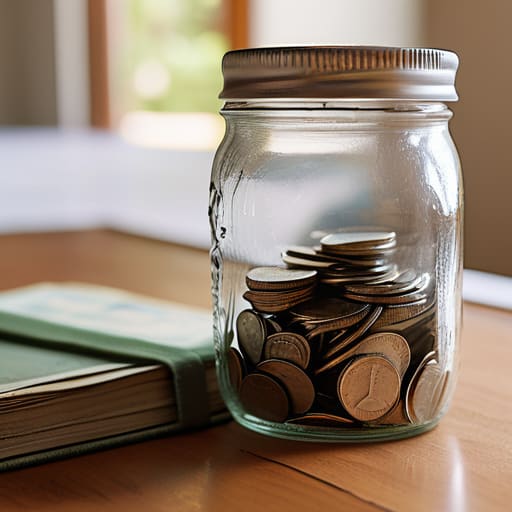
The mistake most of us make is trying to treat a seven-year-old like a junior accountant. It doesn’t work because their brains aren’t wired for abstract math yet. For the little ones, you have to make it tactile. I’m a big believer in using allowance to teach finance through physical reality—think clear jars instead of a digital banking app. When they can actually see the pile of coins growing or shrinking after a trip to the toy aisle, they start to grasp the concept of trade-offs. It’s about visualizing the cost of their choices in real-time.

As they hit that middle-school sweet spot, you can start layering in more complexity. This is where you move away from “buying treats” and start teaching kids about saving and spending for bigger, long-term goals. If they want a new gaming headset, don’t just hand over the cash; help them map out how many weeks of chores it will actually take. It’s a lesson in delayed gratification that most adults still struggle with.

Once they hit their teens, the training wheels need to come off. This is the time for teaching teens about budgeting using real-world stakes, like a set monthly amount for their clothes or social outings. If they blow it all in week one, don’t bail them out. Let them feel that friction now, while the stakes are low, so they don’t crash and burn when they’re managing a real salary later.

Financial Education for Toddlers Without the Chaos

Financial Education for Toddlers Without the Chaos

Look, I know the idea of “financial education for toddlers” sounds absolutely ridiculous. You’re thinking about juice boxes and nap schedules, not interest rates. But here’s the thing: you don’t need to sit them down for a lecture on macroeconomics. At this age, it’s all about the tactile reality of exchange. When you’re at the grocery store, let them hold a coin. Let them see that when you hand a five-dollar bill to the cashier, that piece of paper actually leaves your hand and doesn’t just magically reappear in your wallet.

I’m a big believer in making the concept of scarcity visible. If they want a specific toy, don’t just grab it; use it as a moment for teaching children the value of money through real-world choices. If we buy the name-brand cereal today, we might not have enough for that extra pack of stickers later. It’s not about teaching them complex math; it’s about building the mental framework that resources are finite. We aren’t trying to build Wall Street traders here—we’re just trying to prevent the “I want everything right now” meltdown by introducing the concept of trade-offs early on.

5 Low-Friction Systems to Get Them Started

  • Use clear containers, not just piggy banks. If they can’t physically see the cash stacking up in a glass jar, the concept of “accumulation” stays too abstract. Seeing the pile grow makes the reward tangible.
  • Implement the “Wait 24 Hours” rule for impulse buys. Whenever they want a new toy or a random gadget, tell them they can have it tomorrow. It’s a tiny way to teach them the difference between a genuine want and a momentary dopamine hit.
  • Give them a “micro-budget” for grocery trips. Hand them five bucks and a small list of items—like fruit or a specific snack—and let them navigate the aisle. It turns a chore into a real-world math and decision-making game.
  • Stop treating money like a taboo subject. When you’re discussing a household budget or deciding why you’re skipping a luxury this month, let them in on the “why.” It builds a healthy relationship with scarcity and planning rather than making money feel like a magic, untouchable force.
  • Connect spending to time. If they want a $20 LEGO set, explain how many hours of chores or how much “work” it takes to earn that. It helps them realize that money isn’t just paper; it’s a representation of the energy and time we invest.

The Goal Isn't Perfection

Look, I know it feels like you need a PhD in finance to do this right, but you really don’t. We’ve covered everything from the basics of “money in vs. money out” for toddlers to setting up more structured systems as they get older. The core takeaway is that you shouldn’t be trying to teach them macroeconomics; you’re just trying to build muscle memory. Whether it’s through a simple clear jar for savings or a basic digital allowance, the goal is to move from abstract concepts to tangible, repeatable habits. If they can understand the relationship between a choice and a consequence today, they’re already ahead of the curve.

At the end of the day, don’t let the fear of doing it “wrong” stop you from starting at all. You aren’t aiming to raise a Wall Street trader; you’re just trying to raise a human who feels in control of their own life. Systems are meant to serve us, not stress us out, and the same goes for your parenting. Keep it simple, keep it consistent, and remember that even the most complex financial systems are just a collection of small, smart decisions. You’ve got this—just start where you are.

Frequently Asked Questions

How do I handle it when they want to spend their money on something totally useless or even a bit unhealthy?

Let them. Seriously. If they’ve worked for it or saved it, that “useless” plastic toy or sugary snack is their first real lesson in opportunity cost. If you step in to save them from a bad purchase, you’re just delaying the inevitable moment they realize their money is gone. Let them feel that slight sting of buyer’s remorse now—when the stakes are low—so they don’t make the same mistake with a car or a lease later.

Should I be using actual cash for them to hold, or is it better to get them used to digital banking and apps early on?

Start with cash. I know, it feels counterintuitive in a world where everything is a tap or a swipe, but kids need to feel the “weight” of money. When they hand over a physical five-dollar bill, they experience the loss of that value in a way a digital number just can’t replicate. Once they grasp that basic concept, then—and only then—should you bridge them over to apps to simulate the real world.

How much of my own financial life—like debt or budgeting struggles—should I actually be transparent about with them?

Look, there’s a fine line between being a role model and dumping your stress on them. I’m all about transparency, but keep it tactical, not emotional. Don’t vent about credit card debt over dinner; instead, explain why we’re choosing a budget this month. Show them the “why” behind your trade-offs. You want them to see the mechanics of how money works, not the anxiety of how it feels when it’s tight.

At what age is it too early to start giving them real responsibility over their own "allowance" or savings?

Honestly? There’s no magic number, but I usually see people hit their stride around age 6 or 7. That’s when the math starts to click and they can actually grasp the concept of “if I spend this now, it’s gone.” Don’t wait for them to be “ready”—just start small. Give them a tiny amount of real agency. It’s better they mess up a few dollars on a cheap toy now than a few thousand later.