


I was sitting at my desk last Tuesday, staring at a spreadsheet that felt like it was literally burning holes into my retinas, when I realized I’d spent the last four hours fighting a losing battle against my own setup. My eyes felt gritty, like someone had tossed a handful of sand under my eyelids, and my head was starting to throb in that specific, dull way that signals a looming migraine. Most “experts” will try to sell you $500 blue-light glasses or some high-tech monitor lamp to solve the problem, but honestly? That’s just more noise. If you’re looking for how to reduce eye strain from screens, you don’t need a bigger budget; you need a better system.
I’m not here to pitch you a product or give you a list of vague, academic suggestions that require a PhD to implement. My goal is to strip away the fluff and give you the actual, low-friction habits I use to keep my eyes from frying during a ten-hour shift. We’re going to focus on small, structural tweaks to your environment and your workflow that actually work. No hype, no expensive gear—just simple, actionable systems to help you reclaim your focus and stop the digital fatigue before it hits.
Table of Contents
Identifying Computer Vision Syndrome Symptoms Before They Win

The thing about digital fatigue is that it’s a slow burn. It doesn’t usually hit you like a lightning bolt; it’s more like a gradual fog that settles in by 3:00 PM. You might start noticing a slight tension behind your temples or realize you’re squinting at your spreadsheet just to make the numbers legible. If you’re dismissing a dull ache in your neck or a weird, gritty feeling in your eyelids as “just part of the job,” you’re actually ignoring the early warning signs of computer vision syndrome symptoms.
I used to think I was just getting older or that I needed more caffeine, but it was actually my eyes screaming for a break. You have to pay attention to the subtle cues: the sudden headache that peaks after a long Zoom call, or that feeling of intense dryness that makes you want to blink a thousand times a minute. If you find yourself rubbing your eyes constantly or struggling to focus on something far away after staring at a monitor for hours, your system is failing. Recognizing these red flags early is the only way to stop the cycle before you’re stuck with a permanent tension headache.
The Low Effort Guide to Adjusting Screen Brightness and Contrast
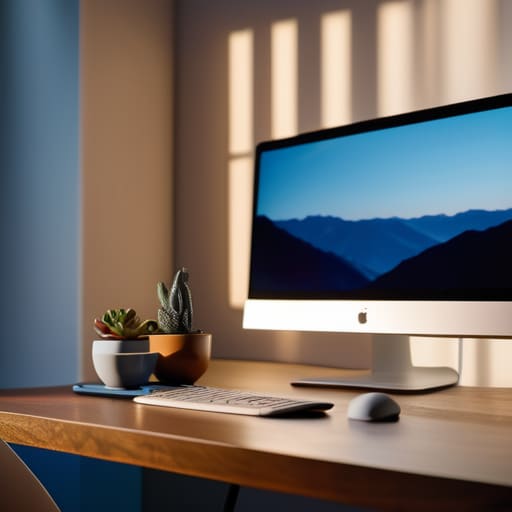
Look, most of us just slap our laptops on a desk and accept whatever default settings the manufacturer shoved in there. That’s a mistake. If your screen is glowing like a miniature sun in a dark room, or if it’s so dim you’re squinting just to read an email, you’re essentially forcing your eye muscles into a constant state of tension. Adjusting screen brightness and contrast isn’t about finding a “magic” setting; it’s about matching your monitor to the ambient light in your room. If the wall behind your monitor is bright, your screen should be too. If you’re working in a dimly lit corner, dial it back.
A quick hack I use when I’m deep in a spreadsheet is to check if my text looks “ghostly” or washed out. If it does, your contrast is likely off. You want high, crisp edges so your brain doesn’t have to work overtime to decode characters. While some people swear by blue light blocking glasses benefits, I find that simply getting the luminosity right does more for my immediate comfort. It’s one of those small, low-effort tweaks to your ergonomic workstation setup that actually moves the needle without requiring you to buy a bunch of expensive gear.
Five Low-Friction Tweaks to Save Your Sight
- Stop ignoring the 20-20-20 rule. It sounds like some cliché productivity hack, but it’s actually basic maintenance. Every 20 minutes, look at something 20 feet away for at least 20 seconds. It forces your eye muscles to actually relax instead of staying locked in a permanent squint.
- Fix your viewing distance. Most of us lean in way too close when we’re deep in a flow state, which is a recipe for disaster. Your screen should be about an arm’s length away, and the top of the monitor should be at or slightly below eye level. If you’re hunching, your eyes are paying the price.
- Stop forgetting to blink. I know it sounds stupid, but when we focus hard on a task, our blink rate drops significantly. This dries out your eyes and makes that stinging sensation way worse. I started keeping a small physical reminder on my desk to remind me to actually blink.
- Use blue light filters, but don’t go overboard. Most OS settings like “Night Shift” or “Night Light” are great for evening work, but you don’t need your screen looking like an old piece of parchment all day. Just dial it in enough to take the harsh edge off the light.
- Optimize your ambient lighting. If you’re working in a dark room with a glowing monitor, you’re basically creating a spotlight effect that kills your eyes. You don’t need a massive lighting overhaul; just make sure there’s some soft, indirect light in the room so the contrast between your screen and the wall isn’t so jarring.
Stop Fighting Your Eyes
At the end of the day, we aren’t trying to build some high-tech, futuristic workstation that costs a month’s rent. It really comes down to the basics we’ve talked about: recognizing the symptoms before they turn into a headache, tweaking your brightness so you aren’t staring into a lightbulb, and actually taking those five-minute breaks to let your eyes reset. You don’t need a complex overhaul of your entire life to see a difference; you just need to stop treating your eyes like they’re invincible. Small, consistent adjustments to your environment are almost always more effective than a massive, one-time fix that you’ll eventually abandon.
I know it feels like we’re just destined to be tethered to these glowing rectangles for the next forty years, but don’t let the tools win. Your focus and your physical well-being are your most valuable assets in a world that is constantly trying to hijack both. Start with one thing—just one—and see how it feels. We aren’t aiming for a perfect, sterile setup; we’re just aiming for a system that actually works for your real, messy, digital life. Go grab some water, look out a window for a second, and reclaim your bandwidth.
Frequently Asked Questions
Does using blue light glasses actually make a difference, or is it just marketing hype?
Honestly? Most of those blue light glasses you see in targeted ads are pure marketing hype. If you’re looking for a magic fix, you’ll be disappointed. They don’t actually “cure” eye strain. For me, the real win isn’t a pair of trendy frames; it’s just using “Night Shift” mode on my devices or adjusting my lighting. Don’t waste your money on the gimmick—focus on your environment instead.
Should I be using dark mode for everything, or does that sometimes make eye strain worse?
Honestly, dark mode isn’t the magic fix everyone claims it is. If you’re in a pitch-black room, it’s great. But if you’re working in a bright office, the high contrast between a dark screen and a light room actually forces your pupils to work harder, which can trigger headaches. My rule of thumb? Match your environment. If the room is bright, stick to light mode with a warm tint. Don’t overthink it; just aim for balance.
How often am I actually supposed to be looking away from my monitor to see real results?
Look, if you’re waiting for a “perfect” schedule, you’re going to fail. Don’t overcomplicate it. Aim for the 20-20-20 rule: every 20 minutes, look at something 20 feet away for 20 seconds. If that feels too rigid for your workflow, just aim for a reset every hour. The goal isn’t to hit a metric; it’s to stop your eye muscles from locking up in a permanent stare. Just break the cycle.
Are there specific apps or system settings that can automate these adjustments so I don't have to think about them?
Honestly, you shouldn’t have to manually fiddle with settings every time the sun moves. If you’re on a Mac, just turn on “Night Shift” in your Display settings—it’s a lifesaver for evening work. For Windows, “Night Light” does the same. If you want more control, grab f.lux. It’s the gold standard for automating color temperature based on your local time. Set it, forget it, and let your eyes breathe.

