I believe that life shouldn't feel like a constant uphill battle against your own tools and habits. My goal is to strip away the complexity so you can focus on what actually matters. We aren't aiming for perfection; we're just aiming for systems that work.

The Science of Music and Focus: a Practical Guide

I used to think I needed a $500 pair of noise-canceling headphones and a curated “Deep Work” playlist curated by some productivity guru to get anything done. I spent way too many hours scrolling through endless Lo-Fi streams, searching for that perfect, magical frequency that would suddenly make my brain stop itching. But here’s the truth: most of that “optimized” advice is just more digital noise. If you’re constantly switching tracks because a beat dropped or a lyric caught your ear, you aren’t learning how to focus with music—you’re just procrastinating with a better soundtrack.

I’m not here to sell you on a lifestyle brand or a complex setup that requires a degree in audio engineering. Instead, I want to share the actual, unfiltered systems I’ve built to stop fighting my environment and start using sound as a tool. We’re going to strip away the fluff and look at what actually works for my brain, from leveraging repetitive rhythms to knowing exactly when to hit the mute button. My goal is to help you build a functional audio system that lets you stop thinking about the music and start focusing on the work.

Table of Contents

Ditch the Distractions the Impact of Lyrics on Concentration

Ditch the Distractions the Impact of Lyrics on Concentration

Here’s the thing about lyrics: they’re basically a second person trying to talk to you while you’re trying to think. I used to think I could multitask—blasting my favorite indie playlist while grinding through a spreadsheet—but I quickly realized I wasn’t actually working; I was just listening to music while my brain struggled to process data. When you’re reading or writing, your brain uses the same language processing centers to decode lyrics as it does to understand your work. This creates a massive cognitive bottleneck. The impact of lyrics on concentration is real, and for most of us, they act as a constant, subtle interruption that pulls us out of the flow state.

If you find yourself getting stuck, stop trying to fight through the vocals. I’ve found that switching to something instrumental is a total game-changer for mental bandwidth. Instead of a heavy vocal track, try leaning into lofi hip hop for studying or even some steady ambient noise. You want something that sits in the background like a piece of furniture—present enough to mask the sound of your neighbor’s lawnmower, but quiet enough to disappear when you actually need to think. It’s not about finding the “perfect” song; it’s about removing the verbal noise so your brain can finally settle in.

Finding Your Flow With Lofi Hip Hop for Studying

Finding Your Flow With Lofi Hip Hop for Studying

If you’ve spent any time on YouTube or Spotify, you’ve probably seen the endless loops of “Lofi Girl” or chill study beats. I used to think it was just a trend, but after experimenting with different setups for my own deep work sessions, I realized there’s actual logic behind why it works. The magic of lofi hip hop for studying lies in its predictability. Because the tempo is steady and the melodies are repetitive, your brain stops trying to “predict” what comes next. It essentially creates a predictable sonic blanket that masks sudden household noises without demanding your active attention.

It’s not about finding the “perfect” track, though; it’s about finding a consistent rhythm that helps you slip into a flow state. For me, it’s the ultimate way to bridge the gap between a chaotic environment and a focused mind. If you find that even lofi feels a bit too “busy” during high-stakes tasks, you might want to pivot toward ambient noise for deep work, like rain sounds or steady brown noise. The goal isn’t to have a concert in your ears—it’s to create a controlled environment where your brain finally feels safe enough to actually settle down and work.

My Personal Playbook for Auditory Focus

  • Stick to “background” genres. If the music is demanding your attention, it’s not helping you work; it’s competing with it. Think ambient, deep house, or video game soundtracks—stuff designed to sit behind your consciousness without hijacking it.
  • Build specific playlists for specific tasks. Don’t just hit shuffle on your “Daily Mix.” I have one for deep-work coding sessions and a completely different one for administrative grunt work. It trains your brain to recognize the cue: “This sound means we’re grinding.”
  • Control the volume like your life depends on it. You want a soundscape, not a concert. If you find yourself tapping your foot or nodding along too hard, turn it down. It should be a layer of white noise, not a distraction.
  • Use noise-canceling tech as a physical signal. Putting on my headphones is my way of telling my brain (and anyone else in the room) that the deep work phase has officially begun. It’s a mental ritual that sets the boundary.
  • Don’t be afraid of silence. Sometimes the best “music” system is just a pair of high-quality earplugs or a steady stream of brown noise. If a song makes you want to sing along, it’s a sign you need to switch to something more repetitive and stripped back.

Stop Overthinking the Setup

Look, we’ve covered a lot of ground here—from why you should probably steer clear of lyrical tracks when you’re deep in a spreadsheet, to why that low-fi beat is your best friend during a heavy study session. The takeaway isn’t that there is one “magic” genre that works for everyone, but rather that you need to experiment with what minimizes your cognitive load. Whether it’s ambient noise, classical, or a specific synthwave playlist, the goal is to create a sonic barrier between you and the chaos of your environment. It’s about finding that specific frequency that helps you stop fighting your brain and start actually working.

At the end of the day, don’t get caught in the trap of “productivity porn” where you spend three hours building the perfect Spotify playlist instead of actually doing the work. Systems are meant to serve you, not become another chore on your to-do list. Grab some headphones, pick a sound that feels right in the moment, and just start. You don’t need a flawless setup to get into a flow state; you just need to build a system that works for your specific brain. Now, get off Reddit and go get something done.

Frequently Asked Questions

Is there a specific volume level that actually helps me stay in the zone without causing ear fatigue?

Honestly, there’s no magic number, but I’ve found the sweet spot is usually around 50-60 decibels—think of it as “background texture” rather than a performance. If you can clearly hear someone speaking to you, it’s too loud. If you’re straining to hear the beat, it’s too low. I always aim for a level where the music sits just behind my thoughts, masking ambient noise without demanding my actual attention.

How do I stop myself from constantly switching tracks and turning my playlist into a distraction?

The “playlist paradox” is real. You spend twenty minutes hunting for the perfect track, and suddenly, your deep work session is dead. To fix this, stop treating your focus music like a discovery tool. Switch to long-form, single-track loops or 3-hour ambient mixes. If you can’t find a “set it and forget it” playlist, just hit play on a random white noise generator. The goal isn’t a great concert; it’s a consistent sonic background.

Will listening to heavy or intense music actually kill my productivity during deep work sessions?

It depends on your baseline. If you’re already feeling wired or anxious, heavy metal or intense techno will likely just spike your cortisol and shatter your focus. But, if you’re stuck in a mental rut and need a “system reboot,” high-energy tracks can actually trigger a dopamine hit that pushes you through a slump. The rule of thumb? If you find yourself headbanging instead of typing, it’s noise, not fuel. Switch it off.

Is it better to use noise-canceling headphones or just rely on the music itself to drown out my environment?

Honestly, it’s a toss-up depending on your environment, but if you’re serious about deep work, get the noise-canceling headphones. Relying on music alone to “mask” a loud office or a construction site is like trying to put out a fire with a squirt gun—you end up cranking the volume too high just to hear the beat, which kills your ears and your focus. Use the tech to kill the noise, then layer the music on top.


Quick Mindfulness Practices for People With No Time

I used to think mindfulness exercises were just a fancy way for people with too much time on their hands to sit in expensive leggings and pretend they weren’t thinking about their grocery lists. Growing up in a city that never stops, the idea of “clearing your mind” felt like a total scam—an impossible, high-maintenance chore that just added more noise to my already cluttered brain. I’d try those guided apps, only to end up more frustrated because I couldn’t stop my internal monologue from looping about a spreadsheet error or a missed deadline. It felt like I was failing at being calm, which is the last thing anyone needs when they’re already burnt out.

Here’s the deal: I’m not here to sell you on some spiritual enlightenment journey or tell you to meditate for forty minutes in a silent room. I want to talk about building low-friction systems that actually work when your life is chaotic. I’ve spent the last few years stripping away the fluff to find the tiny, practical movements that actually reset your nervous system without requiring a lifestyle overhaul. We aren’t aiming for Zen perfection; we’re just looking for tools that stick.

Table of Contents

Simple Meditation Techniques for Beginners Who Hate Sitting Still

Simple Meditation Techniques for Beginners Who Hate Sitting Still

If the idea of sitting cross-legged on a floor for twenty minutes makes you want to scream, good. You’re not broken; you just have a brain that actually wants to move. I spent way too much time trying to force myself into those “zen” molds, only to end up more frustrated than when I started. Instead of fighting your nature, try integrating mindful breathing exercises into things you’re already doing. Next time you’re waiting for your coffee to brew or sitting on the train, don’t reach for your phone. Just notice the weight of your body against the chair and the rhythm of your breath. It’s not about achieving enlightenment; it’s just about briefly disconnecting from the noise.

Another way to approach this is through movement. If sitting still feels like a prison sentence, try a “walking reset.” As you move from your desk to the kitchen, focus entirely on the sensation of your feet hitting the ground. This is one of those grounding techniques for anxiety that actually works because it doesn’t require extra time in your schedule—it just changes how you experience the time you’re already spending. We aren’t looking for a perfect state of bliss here; we’re just looking for small, manageable windows of mental clarity.

Mindful Breathing Exercises That Fit Into a Busy Schedule

Mindful Breathing Exercises That Fit Into a Busy Schedule

If you’re like me, the idea of carving out twenty minutes of silent stillness feels less like “zen” and more like a scheduling nightmare. We don’t need more tasks on our to-do lists; we need systems that integrate into the gaps we already have. This is where mindful breathing exercises actually become useful. Instead of waiting for a “perfect” moment that never comes, try the 4-4-4 method during something mundane, like waiting for your coffee to brew or sitting through a boring Zoom call with your camera off. Inhale for four seconds, hold for four, and exhale for four. It’s a tiny, invisible reset that prevents your nervous system from redlining.

Another way to build a daily mindfulness routine without the fluff is through “micro-grounding.” When you feel that familiar spike of midday cortisol, don’t try to meditate it away. Just focus on the physical sensation of your breath hitting the back of your throat or the expansion of your ribs. It’s a low-friction way to reclaim mental clarity and awareness when your brain feels like it has fifty browser tabs open at once. You aren’t trying to reach enlightenment here; you’re just trying to stop the mental spiral before it gains momentum.

Low-Friction Ways to Stay Present (Without the Fluff)

  • Stop trying to “clear your mind.” That’s a losing game. Instead, when things get loud, just pick one physical sensation—the weight of your phone in your hand or the feeling of your feet on the floor—and anchor yourself to it for ten seconds.
  • Use “transition triggers” to reset. I use the time it takes for my coffee to brew or my computer to boot up as a mandatory no-screen zone. It turns a micro-moment of waiting into a tiny mental reset.
  • Ditch the expensive apps if they feel like a chore. Sometimes a simple physical notebook—the kind I always carry—is better for grounding yourself. Just jot down three things you actually noticed today that weren’t on a screen.
  • Practice “single-tasking” during mundane chores. If you’re washing dishes or walking to the subway, actually do that one thing. Don’t listen to a podcast or scroll; just feel the rhythm of the movement. It’s surprisingly effective at lowering cognitive load.
  • Set “digital boundaries” that actually stick. Instead of vague goals, pick one specific time—like 30 minutes before bed—where your phone goes in a drawer. It’s not about being a monk; it’s about creating a system that protects your headspace.

Stop Chasing Perfection

Look, we’ve covered a lot of ground here—from those “active” meditation tricks for when you can’t sit still, to the quick breathing resets you can do between back-to-back Zoom calls. The common thread in all of this isn’t about finding some zen-like state of permanent bliss; it’s about building micro-systems that prevent you from redlining. You don’t need a dedicated meditation room or an hour of silence to make this work. You just need to stop treating mindfulness like a massive project on your to-do list and start seeing it as small, tactical adjustments to how you navigate your day.

At the end of the day, my goal isn’t to turn you into a monk. I just want you to stop feeling like your own brain is a chaotic OS running too many background processes. If you try one thing from this list and it fails, don’t sweat it—just grab your notebook, note why it felt clunky, and try a different approach tomorrow. We aren’t aiming for a flawless mental state; we are just aiming for systems that actually work within the messy reality of your life. Start small, keep it low-maintenance, and just focus on reclaiming your bandwidth.

Frequently Asked Questions

How do I know if I'm actually doing these exercises right, or if I'm just wasting time?

Look, if you’re waiting for some profound, zen-like epiphany to signal “success,” you’re going to be disappointed. That’s not how this works. You’ll know it’s working not by how “peaceful” you feel during the exercise, but by how you react to the chaos afterward. Are you catching yourself before a spiral? Is the mental noise slightly less deafening? If you’re noticing your distractions instead of just being lost in them, you’re winning.

What do I do when my brain won't shut up halfway through a breathing exercise?

Look, I’ve been there. You’re trying to breathe, and suddenly your brain is looping a conversation you had in 2019 or obsessing over a spreadsheet. Don’t fight it. Trying to force your brain to shut up is like trying to stop a wave with your hands—you’re just going to get exhausted. Instead, treat those thoughts like background noise. Acknowledge them, label them as “just a thought,” and gently pivot back to your breath. No judgment, just a reset.

Is there a way to practice this without having to carve out a dedicated 20-minute block in my calendar?

Honestly, if you’re waiting for a 20-minute gap in your calendar to “be mindful,” you’re never going to do it. Life doesn’t work like that. Instead, try “micro-dosing” awareness. Use the transitions you already have: the walk to the coffee machine, the red light while driving, or even just the thirty seconds while your laptop boots up. It’s about stacking mindfulness onto existing habits rather than trying to build a whole new mountain to climb.

How long does it actually take before these systems start feeling like second nature?

Look, I’m not going to give you some arbitrary “21 days” nonsense. In systems engineering, we talk about the ramp-up period, and it’s the same here. For most people, the first two weeks feel like manual labor—you’re constantly reminding yourself to do it. But around the one-month mark, the friction starts to drop. It stops being a “task” on your list and just becomes part of your baseline operating system.

Designing a Workspace for Maximum Focus

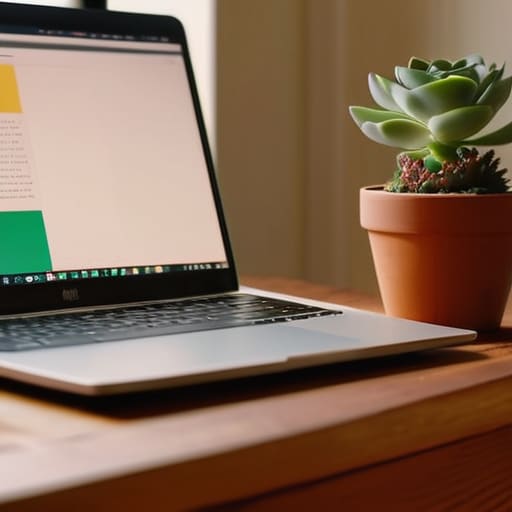
I’m so tired of seeing those “aesthetic” desk setups on social media—you know the ones, with the $500 designer lamps, perfectly curated succulents, and enough cable management to make a systems engineer weep. It’s all a lie. Most of that stuff is just expensive clutter that actually increases your cognitive load. I spent my early twenties thinking that if I just bought the right mechanical keyboard or the most expensive ergonomic chair, I’d finally unlock some magical flow state. But I learned the hard way that knowing how to build a productive workspace isn’t about how much money you drop on gear; it’s about removing the friction between your brain and your work.

I’m not here to sell you a lifestyle or a shopping list of overpriced tech. Instead, I want to show you how to build a setup that actually supports your mental bandwidth without breaking the bank. We’re going to focus on high-leverage, low-cost systems—things like intentional zones, minimizing digital noise, and organizing your physical tools so they stop getting in your way. My goal is to help you create a space that is built for function, not for Instagram. Let’s strip away the fluff and get to the systems that actually work.

Table of Contents

Smart Ergonomic Office Setup Tips for Real Comfort

Smart Ergonomic Office Setup Tips for Real Comfort

Look, I’m not here to tell you to go out and spend three grand on a Herman Miller chair just because some tech influencer said so. That’s not optimization; that’s just expensive clutter. Real comfort comes from adjusting what you already have to fit your actual body, not some “ideal” posture you saw in a textbook. Start with your screen height—if you’re hunching over your laptop like a gargoyle, your neck is going to pay for it by 3 PM. Get a cheap laptop stand or even just a stack of sturdy books to bring that display to eye level. It’s one of those simple ergonomic office setup tips that makes a massive difference in how much energy you have left at the end of the day.

Once your physical alignment is sorted, focus on the sensory stuff. I’ve found that improving focus with environment often comes down to how your eyes interact with your space. If you’re working under a single, harsh overhead light, you’re going to feel drained fast. Try to layer your light; a small desk lamp with a warm bulb can do wonders for reducing eye strain. Also, keep your most-used tools—your mouse, your notebook, your coffee—within an easy arm’s reach. If you’re constantly leaning or stretching to grab something, you’re breaking your flow and inviting tension. Keep it tight, keep it close, and let your body stay neutral.

Essential Desk Accessories for Productivity Without the Fluff

Essential Desk Accessories for Productivity Without the Fluff

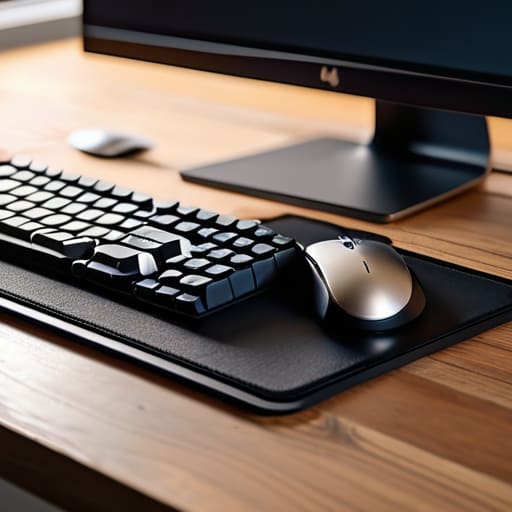
Look, I’ve seen enough “aesthetic” desk setups on TikTok to know that most of them are actually productivity nightmares. If your desk is covered in designer trinkets that serve no purpose, you aren’t optimizing; you’re just decorating. To me, the best essential desk accessories for productivity are the ones that disappear into your workflow. I’m talking about a high-quality mechanical keyboard that gives you tactile feedback and a solid mouse that doesn’t feel like a toy. These aren’t luxuries; they are the primary interfaces between your brain and your work. If your tools feel clunky, your mental friction increases.

Beyond the hardware, you need to focus on minimizing desk distractions through physical organization. I’m a big believer in the “one-in, one-out” rule for my desk surface. I keep a single, dedicated notebook for my brain dumps and a slim desk mat to define my workspace boundaries. If you find yourself constantly hunting for a pen or a charging cable, you’ve already lost the battle for focus. Instead of buying more gadgets, look into simple workspace organization hacks like cable management sleeves or a dedicated docking station. The goal is to clear the visual noise so your brain has nothing to do but actually execute the task at hand.

5 Systems to Stop Your Desk From Becoming a Mental Sinkhole

  • Digital declutter your desktop. If your monitor is covered in random screenshots and “final_v2” files, your brain is processing that mess every time you look up. Spend ten minutes at the end of every Friday clearing your desktop and dumping those stray files into a single “Archive” folder.
  • Implement a “one-in, one-out” rule for physical clutter. If you bring a new gadget or a stack of notebooks to your desk, something else has to go. Keeping the physical surface clear prevents that low-level visual noise from draining your focus.
  • Zone your workspace. If you can, separate your “deep work” area from your “admin/casual” area. Even if it’s just a different lighting setup or a specific coaster for your coffee, giving your brain a physical cue that “we are now in focus mode” makes a massive difference.
  • Optimize your cable management before you lose your mind. I used to think messy cables were fine until I realized they made cleaning impossible and created a visual sense of chaos. Use some simple velcro ties—not those plastic clips that break—to keep everything tucked away and out of sight.
  • Set up a physical “brain dump” station. Keep your notebook right next to your keyboard. When a random thought or a “don’t forget to buy milk” distraction hits while you’re working, write it down immediately and get back to the task. Don’t let it live in your head or in a distracting browser tab.

Stop Overthinking, Start Setting Up

At the end of the day, building a productive workspace isn’t about buying every expensive gadget on a tech influencer’s wishlist. It’s about the fundamentals: getting your ergonomics right so your back doesn’t ache by 2 PM, and choosing tools that actually serve your workflow rather than just adding digital or physical clutter. We talked about everything from proper monitor height to stripping away the fluff so you can focus on the work that matters. If you prioritize a setup that minimizes friction and maximizes comfort, you’ve already won half the battle. Remember, the goal is to create an environment where your tools stop getting in your way and start supporting your focus.

My advice? Don’t wait for the “perfect” setup to arrive in a cardboard box. Perfection is a trap that leads to endless scrolling and zero doing. Start with what you have, tweak one thing at a time, and listen to how your body and mind react to the changes. Your workspace should be a living system that evolves as your career and habits grow. You don’t need a minimalist masterpiece to be effective; you just need a functional foundation that lets you breathe. Now, close the tabs, clear the desk, and go get to work.

Frequently Asked Questions

How much space do I actually need to be productive if I'm working from a tiny apartment?

Look, you don’t need a dedicated home office to get things done. If you’re cramped in a studio, stop trying to force a massive desk into a corner where it doesn’t belong. Focus on a “micro-zone” instead. A small, high-quality surface and a decent chair are enough. The key is mental separation: when you’re at that spot, you’re working. When you leave it, the workday is dead. Systems over square footage, always.

Is it worth spending the extra money on high-end gear, or can I just make do with what I have?

Look, I get the temptation to go full “tech influencer” and drop a grand on a custom setup. But honestly? Don’t do it yet. Most high-end gear is just expensive friction if you haven’t mastered your basic workflow. Start with what you have. If your current chair is killing your back or your mouse is lagging, that’s when you invest. Buy for utility, not for the aesthetic. Optimization is about function, not flexing.

How do I stop my workspace from becoming a graveyard for random cables and clutter?

Look, I used to have a “cable nest” under my desk that looked like a tech graveyard. It was a mess, and honestly, it was killing my focus. The fix isn’t buying a fancy organizer; it’s about one-in, one-out. Get some Velcro ties—not plastic zip ties, those are a pain to change—and route everything along the desk legs. If you don’t use a cable daily, tuck it away or ditch it. Keep the surface clear so your brain can stay clear.

How do I mentally "leave" my desk when my workspace is in the same room where I sleep?

This is the ultimate battle for mental bandwidth. When your desk is three feet from your pillow, your brain never truly enters “off” mode.

Better Sleep Starts With These Hygiene Habits

I’m so sick of seeing “wellness influencers” try to sell us $200 weighted blankets and complex, ten-step nighttime rituals like they’re some kind of sacred religious ceremony. Most of the advice you find online regarding sleep hygiene tips feels like it was designed by someone who has never actually had to survive a high-pressure workday on four hours of restless shut-eye. It’s all too much noise. We don’t need more expensive gadgets or complicated protocols that feel like another chore on an already overflowing to-do list; we just need systems that actually work when our brains won’t shut up.

I’m not here to give you a lecture on circadian rhythms or tell you to buy a smart mattress. Instead, I want to share the low-friction, no-nonsense adjustments I’ve made to my own routine to stop the midnight brain-dumps and the morning fog. We’re going to strip away the fluff and focus on a few practical, highly actionable habits that actually move the needle. My goal isn’t to help you achieve perfect sleep—it’s to help you build a system that makes waking up feel less like a battle.

Table of Contents

The High Cost of Sleep Deprivation Consequences

The High Cost of Sleep Deprivation Consequences.

We often treat sleep like a luxury we can trade for an extra hour of scrolling or finishing a project, but that’s a bad deal. In my systems engineering days, I learned that if you run a processor at 100% capacity without any downtime, the whole system eventually glitches. Humans are the same. The sleep deprivation consequences go way beyond just feeling like a zombie the next morning; they hit your cognitive functions hard. We’re talking about brain fog, decision fatigue, and that weird, jittery irritability that makes you snap at your coworkers for no reason.

When you’re chronically underslept, your body loses its ability to handle basic stress. It’s not just about being tired; it’s about your internal hardware failing to reboot. You start seeing a massive decline in your ability to focus, which makes every task take twice as long as it should. It becomes a vicious cycle: you’re too exhausted to be productive, so you stay up late to catch up, which only makes the next day even harder to manage. If you aren’t prioritizing improving sleep quality, you aren’t actually saving time—you’re just borrowing it from your future self at a massive interest rate.

Stop Making Life Harder With Poor Sleep Quality

Stop Making Life Harder With Poor Sleep Quality

We often treat sleep like a luxury or something we can just “catch up on” during the weekend, but that’s a massive system error. When you’re constantly running on fumes, you aren’t actually living; you’re just reacting to everything. Your brain’s ability to process information slows down, your decision-making gets shaky, and suddenly, a simple task that should take ten minutes feels like an insurmountable mountain. It’s not just about being tired; it’s about the mental friction that makes every single part of your day feel twice as heavy as it should.

The real problem is that we’re unintentionally sabotaging our own biology. Most of us spend our final waking hours staring at screens, which is basically a direct hit to our melatonin production naturally. By ignoring blue light exposure reduction, we’re sending mixed signals to our brains, telling them it’s high noon when it’s actually midnight. This constant tug-of-war makes it nearly impossible to enter deep, restorative sleep. We need to stop treating our bodies like machines that don’t need maintenance and start building a environment that actually supports the way we’re wired to rest.

Five Low-Effort Systems to Actually Protect Your Sleep

  • Stop the midnight scroll. I know, your phone is basically an extension of your hand, but that blue light is a signal to your brain that it’s time to stay awake. Try setting a “digital sunset” 30 minutes before bed. Plug your phone in across the room so you aren’t tempted to reach for it when you can’t sleep.
  • Fix your environment, not just your habits. Your bedroom should be a cave: cool, dark, and quiet. If you can’t control the street noise or the sunlight peeking through the blinds, invest in a cheap white noise machine or some blackout curtains. It’s a one-time setup that pays dividends every single night.
  • Treat caffeine like a scheduled task, not a constant companion. If you’re still slamming espresso at 4 PM to survive the afternoon slump, you’re sabotaging your 11 PM wind-down. Try to draw a hard line at noon or 2 PM. It’s about managing your chemical inputs so they don’t wreck your system later.
  • Build a “brain dump” ritual. Most of my restless nights come from my brain trying to solve engineering problems or work tasks at 2 AM. Keep that physical notebook I mentioned earlier on your nightstand. If a thought starts looping, write it down. Once it’s on paper, your brain feels like it has permission to let go of it for the night.
  • Stop trying to “force” sleep. If you’ve been tossing and turning for twenty minutes, get out of bed. Staying there while frustrated just trains your brain to associate your mattress with anxiety. Go sit in a chair in dim light, read something boring, or just breathe until you actually feel heavy-eyed. The bed is for sleep, not for wrestling with your thoughts.

Systems Over Perfection

Look, I’m not asking you to overhaul your entire life overnight or turn your bedroom into some high-tech sensory deprivation tank. We’ve already talked about how much it costs you—mentally and physically—to run on empty, and how much easier things get when you stop fighting your own biology. Whether it’s ditching the phone thirty minutes before bed, keeping your room cool, or just being more intentional about your evening wind-down, the goal is the same: reducing friction. You don’t need a perfect routine; you just need a few reliable systems that make sleep feel like a natural transition rather than a daily struggle.

At the end of the day, your energy is your most valuable currency. If you’re constantly operating in a fog, you’re essentially leaving money, time, and mental clarity on the table. Don’t let the pursuit of a “perfect” sleep schedule become another source of stress that keeps you awake. Just pick one thing from this list and try it for a week. We aren’t aiming for a flawless life; we are just building better habits so you can show up as the best version of yourself. Stop fighting the clock and start optimizing your rest.

Frequently Asked Questions

I've tried all the "standard" advice, so what are some low-effort tweaks that actually move the needle?

Look, if you’ve already tried the “no screens an hour before bed” thing and failed, stop beating yourself up. It’s too high-friction. Instead, try these low-effort swaps: Swap your bright overhead lights for a cheap warm lamp in the evening. Set your phone to grayscale at 9 PM—it makes scrolling feel incredibly boring. And if you can’t do a full routine, just commit to one thing: a consistent wake-up time. Even on weekends. It’s about stability, not perfection.

How do I fix my sleep schedule if my job or lifestyle makes a consistent routine impossible?

Look, if your shift schedule is a mess, stop trying to force a “perfect” 10 PM bedtime. It’s a losing battle. Instead, focus on your “anchor habits.” If you can’t control when you sleep, control the environment and the wind-down. Use blackout curtains, a white noise machine, and a strict 20-minute digital sunset. We’re optimizing for consistency in your rituals, not just the clock. Build a system that works around your chaos.

Is it actually worth investing in expensive gear like blackout curtains or specialized pillows, or is that just marketing noise?

Look, I get the temptation to go down the rabbit hole of $200 pillows and designer blackout curtains. But as an analyst, I look at ROI. If your room is bright because of a streetlamp, blackout curtains are a massive win—that’s a high-leverage fix. But a specialized pillow? That’s a gamble. Start with the cheap stuff first: an eye mask and earplugs. If those don’t move the needle, then—and only then—start spending.

How do I stop my brain from racing the second my head hits the pillow?

I call this the “Midnight Loop,” and honestly, it’s the worst. When my brain starts sprinting the second I hit the pillow, I stop fighting it and grab my physical notebook. I do a quick “brain dump”—just scribbling down every stray thought, task, or worry until my head feels empty. If it’s on paper, my brain feels like it has permission to stop processing it. It’s not perfect, but it works.

Building a Personal Brand (even if You Aren’t an Influencer)

I spent three hours last night staring at a blank Notion page, trying to figure out how to “curate” my digital identity without feeling like a total fraud. Most of the advice you see online about personal branding feels like it was written by someone who spends more time on LinkedIn than actually doing real work. They want you to buy expensive courses, master “thought leadership,” and treat your personality like a polished marketing campaign. It’s exhausting, it’s performative, and quite frankly, it’s a massive waste of mental bandwidth.

I’m not here to help you build a fake persona or turn your life into a 24/7 content machine. Instead, I want to show you how to build a simple, sustainable system that communicates who you are without the burnout. We’re going to strip away the fluff and focus on authentic visibility—the kind that actually opens doors in your career while letting you keep your sanity. My goal isn’t to make you famous; it’s to make sure your actual skills aren’t being buried by the noise.

Table of Contents

Defining Your Personal Brand Value Proposition Without the Fluff

Defining Your Personal Brand Value Proposition Without the Fluff

Most people approach this by trying to sound like a walking LinkedIn press release. They use words like “synergy” or “visionary” and end up sounding like a bot. That’s the fastest way to kill any real connection. Instead of trying to invent a persona, I want you to look at your actual output. What is the specific problem you solve that others consistently struggle with? This is the core of your personal brand value proposition. It’s not about who you want to be; it’s about the tangible value you provide to the people in your orbit.

Think of it like a systems engineering problem: what is the input, and what is the measurable output? If I’m looking at your profile, I shouldn’t have to guess what you do. You need to bridge the gap between your skills and the needs of your industry through professional storytelling techniques that feel grounded in reality. Don’t try to be an expert in everything. Pick the one or two things you actually do better than the average person and anchor your identity there. When you strip away the buzzwords, you’re left with a clear, functional signal that cuts through all the digital noise.

Simple Personal Brand Identity Development for Real People

Simple Personal Brand Identity Development for Real People

Most people think identity development requires a professional photoshoot and a curated aesthetic that looks like a Pinterest board. It doesn’t. For me, it’s more about building a reliable system of signals. Instead of trying to manufacture a persona, I focus on personal brand identity development by identifying the three core topics I can actually talk about without doing research first. If you can’t explain your niche to a friend over coffee in under thirty seconds, your identity is too bloated. Strip it back to the basics: what do you do, who do you do it for, and what is the specific problem you solve?

Once you have those pillars, you need to deploy them through consistent professional storytelling techniques. This isn’t about bragging; it’s about documenting your process. I’ve found that sharing the “how” behind my work—the mistakes, the systems I’m building, and the small wins—is way more effective than just posting polished achievements. You don’t need to be everywhere at once. Pick one or two platforms where your target audience actually hangs out and focus on being consistently useful rather than constantly loud. It’s about building a foundation that supports you, not a performance that exhausts you.

5 Low-Friction Ways to Actually Build Your Brand

  • Pick one platform and stay there. You don’t need a presence on LinkedIn, X, Threads, and a personal blog all at once. That’s just digital noise. Pick the one where your target audience actually hangs out, master the rhythm of it, and ignore the rest.
  • Document, don’t create. Stop staring at a blank cursor trying to write “thought leadership” essays. Just write down what you learned in your meetings today, a mistake you made in a spreadsheet, or a tool that actually saved you ten minutes. Real utility beats polished perfection every time.
  • Audit your digital footprint once a month. Set a recurring calendar invite for 15 minutes to Google yourself and clean up the mess. If an old, cringe-worthy post or an outdated bio is still floating around, kill it. It’s easier to prune a small garden than to fix a jungle.
  • Build a “Proof Stack.” Instead of saying you’re “detail-oriented” or a “problem solver”—which is just corporate filler—show it. Link to a project, share a screenshot of a workflow you built, or talk through a specific problem you solved. Let the work do the talking so you don’t have to.
  • Automate your consistency. If you want to post once a week, don’t try to do it manually every Monday morning when you’re already underwater. Use a scheduler or batch your writing on a Sunday evening. Build a system that works even when your brain is fried.

Stop Overthinking and Just Start

Look, we’ve covered a lot of ground here—from stripping away the fluff in your value proposition to building an identity that actually feels like you. The goal wasn’t to turn you into a walking billboard or a curated social media character. It was about creating a system where your skills and your personality actually align. If you’ve identified what you bring to the table and have a basic framework to show it, you’re already ahead of 90% of the people out there who are just shouting into the void without a plan. Remember, a personal brand isn’t a static monument; it’s a living system that evolves as you do.

My advice? Don’t wait until you feel “ready” or until your website looks like a masterpiece. Perfection is the enemy of progress, and in my experience, waiting for it is just a sophisticated way of procrastinating. Grab that physical notebook I’m always talking about, jot down your next three moves, and just execute. You don’t need to win the internet today; you just need to build a foundation that works for your life, not against it. Let’s stop obsessing over the noise and start focusing on the signal.

Frequently Asked Questions

I’m already exhausted by my current job; how much time do I actually need to commit to this every week without burning out?

Look, I get it. You’re already running on fumes. If you try to treat personal branding like a second full-time job, you’ll crash by week three. Don’t do that. Aim for the “low-friction” approach: 30 to 45 minutes, three times a week. That’s it. Use that time for one meaningful post or a quick networking outreach. It’s about consistent, tiny increments, not massive sprints. Build a system that runs on autopilot, not your adrenaline.

What if I don't have a "niche" or a specific expertise yet—can I still build a brand?

Honestly? This is where most people freeze up, and it’s a total mistake. You don’t need to be a world-class expert to start. If you don’t have a niche, make your niche “the journey.” Document what you’re learning, the mistakes you’re making, and how you’re solving problems in real-time. People don’t just follow experts; they follow progress. Build a brand around your curiosity and your process—the expertise will catch up.

How do I balance being professional on LinkedIn while still sounding like a real human being?

Look, the “corporate robot” act is exhausting for you and even more boring for your network. I used to think I had to scrub every ounce of personality out of my posts to look “professional,” but that’s just a fast track to being ignored.

Is it worth building a brand if I’m not planning on becoming an influencer or a freelancer?

Honestly? It’s actually more important for you. You don’t need a following or a colorful Instagram feed to benefit from this. Think of it as a professional reputation system. Whether you’re climbing the ladder in a corporate role or just trying to stay relevant in a shifting job market, having a clear “signal” makes you easier to find and harder to ignore. It’s not about being famous; it’s about being intentional.

A Beginner’s Guide to Picking the Right Home Technology

I remember sitting on my floor three years ago, surrounded by three different smart hubs, a tangled mess of proprietary charging cables, and a smart bulb that refused to connect to my Wi-Fi. I had spent a small fortune trying to build a “seamless” ecosystem, but instead, I’d just built a second job for myself. Most people think the secret to a modern living space is buying the newest, most expensive gadget on the market, but they’re wrong. When it comes to learning how to choose tech for your home, the real goal shouldn’t be to own everything—it should be to own things that actually work without requiring a degree in systems engineering just to dim the lights.

I’m not here to walk you through a spec sheet or push some influencer’s favorite brand. My goal is to give you a practical framework to filter out the noise so you can stop fighting your devices and start using them. I’ll show you how to prioritize reliability over hype and how to build a setup that serves your routine rather than complicating it. We aren’t aiming for a futuristic showroom; we’re just aiming for a home that feels less chaotic.

Table of Contents

Prioritizing User Friendly Home Gadgets Over Gimmicks

Prioritizing User Friendly Home Gadgets Over Gimmicks

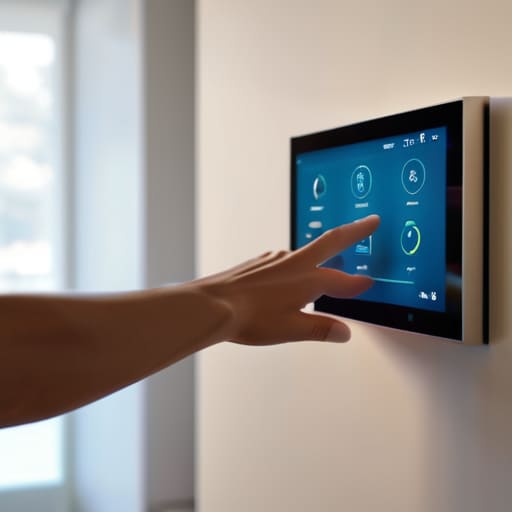
I’ve spent way too many late nights troubleshooting a “smart” lightbulb that refused to connect to my Wi-Fi, and honestly, it felt like a massive waste of mental energy. We’ve all seen those flashy gadgets that promise to revolutionize your life but end up being nothing more than expensive paperweights that require ten different apps just to function. When I’m looking at new gear, I skip the hype and focus on user-friendly home gadgets that actually solve a problem without adding a new one to my to-do list. If a device doesn’t have a seamless setup process, it’s probably not worth the headache.

The real trick is looking past the bells and whistles and checking for smart home ecosystem compatibility before you even hit “add to cart.” There is nothing more frustrating than buying a high-end device only to realize it won’t talk to the rest of your setup. I try to build my environment around a single, cohesive framework so that everything works in harmony rather than acting like a bunch of digital strangers living under the same roof. Don’t buy tech just because it looks cool on a tech influencer’s desk; buy it because it actually fits into the rhythm of your day.

Mastering Smart Home Ecosystem Compatibility Without the Headache

Mastering Smart Home Ecosystem Compatibility Without the Headache

This is where most people trip up. You buy a brilliant smart lightbulb, a high-tech thermostat, and a sleek security camera, only to realize they all want to live in different digital universes. If your lights only talk to Apple and your locks only talk to Google, you haven’t built a smart home—you’ve just built a collection of expensive, isolated silos. To avoid this, you need to prioritize smart home ecosystem compatibility from day one. Before you click “buy,” decide on your primary hub. Whether you’re deep in the iOS ecosystem or prefer the flexibility of Matter-enabled devices, stick to a single “language” as much as possible.

I’ve learned the hard way that a fragmented setup leads to “app fatigue,” where you’re tapping through five different interfaces just to dim the lights and lock the front door. Instead of chasing every shiny new gadget, focus on integrating smart devices that share a common protocol. It’s much more efficient to have one reliable command center than a dozen conflicting ones. If you can’t make them talk to each other seamlessly, they aren’t actually making your life easier; they’re just adding more digital noise to your mental bandwidth.

My 5-Step Filter for Cutting Through the Tech Noise

  • Audit your actual friction points first. Before you look at a single product page, grab that notebook of mine and write down the three things in your daily routine that feel most chaotic. If a smart device doesn’t directly solve one of those specific headaches, it’s just more digital clutter you don’t need.
  • Prioritize “set and forget” over “constant engagement.” The best tech is the stuff you don’t have to think about. If a gadget requires you to open an app every single time you want to use it, it hasn’t actually optimized your life—it’s just added another notification to your mental load.
  • Check the “offline” fallback. I’ve seen too many people get locked out of their own homes or unable to turn on a light because the Wi-Fi blinked. Always ask: “Does this still work if my internet goes down?” If the answer is no, reconsider the purchase.
  • Build for longevity, not the hype cycle. I’m a systems guy, and I hate inefficient loops. Don’t buy the cheapest version of a smart plug just because it’s on sale; buy the one that has a proven track record of stability. Replacing cheap, buggy tech every six months is the opposite of optimization.
  • Respect your own bandwidth. Every new device is a new entry point for data collection and potential troubleshooting. If adding a smart toaster means you’re spending your Sunday afternoon debugging firmware updates instead of actually relaxing, the trade-off isn’t worth it.

Cutting Through the Noise

At the end of the day, picking home tech shouldn’t feel like a second job. We’ve talked about moving past the shiny gimmicks that just add clutter, making sure your devices actually talk to each other through a single ecosystem, and focusing on tools that solve real problems rather than creating new ones. If a gadget requires a twenty-minute tutorial just to turn on a lightbulb, it’s not an optimization; it’s a liability. Stick to the basics: prioritize compatibility, demand simplicity, and always ask yourself if this device is actually going to save you mental bandwidth or just eat it up.

I know it’s tempting to want the most cutting-edge, futuristic setup possible, but remember that your home is supposed to be your sanctuary, not a testing lab for unproven software. My goal isn’t to help you build a museum of high-tech toys; it’s to help you build a space that supports your life. Don’t let the pursuit of the “perfect” smart home become another source of digital fatigue. Just focus on building systems that work for you, one small, intentional upgrade at a time. You’ve got this.

Frequently Asked Questions

How do I know if a new gadget is actually going to save me time or if it's just going to be another device I have to manage?

Before you hit “buy,” run a quick mental stress test: Does this gadget solve a recurring friction point in my day, or am I just buying it because the demo looked cool? If it requires a new app, a separate login, or more than two taps to actually do its job, it’s not a tool—it’s a chore. If it doesn’t automate a task I currently do manually, it’s just more digital noise.

Is it worth investing in expensive, high-end smart tech right away, or should I start small with cheaper alternatives?

Look, I get the temptation to go all-in on the flagship gear, but don’t do it. My advice? Start small. Think of it like building a mechanical keyboard—you wouldn’t buy the most expensive switches before you even know if you like the layout. Buy a few entry-level, reliable devices first. Figure out where the friction points actually are in your daily routine before you sink a massive chunk of your paycheck into high-end tech that might just become expensive clutter.

How much privacy am I actually sacrificing when I start bringing more connected devices into my living space?

Look, I’m not going to tell you that your smart lightbulbs aren’t sending some data back to a server. They are. You’re trading a slice of your privacy for convenience. But there’s a spectrum here. There’s a massive difference between a smart speaker listening for a wake word and a cheap, no-name security camera from a random site that has zero transparency. My rule? If the device doesn’t have a clear privacy policy or two-factor authentication, keep it out of your house.

What’s the best way to handle tech that becomes obsolete in a couple of years without feeling like I've wasted money?

Look, the “planned obsolescence” trap is real, and it sucks. My rule of thumb? Buy for the long game, not the hype. Focus on hardware that’s modular or has a solid track record of software updates. If a gadget is hyper-niche or tied to a single, unproven platform, skip it. I’d rather invest in one high-quality, versatile tool that lasts five years than three cheap ones that end up in a junk drawer by next Christmas.

Must-have Free Apps You Should Install Today

I spent most of my early twenties feeling like my phone was a digital leash rather than a tool. Every time I opened an app, I felt like I was losing a piece of my focus to some algorithm designed to keep me scrolling. I realized that most people aren’t actually using their devices to get ahead; they’re just reacting to the noise. I started hunting for the best free apps that actually serve a purpose—tools that work for me, instead of the other way around. I wanted to find that sweet spot where technology actually reduces my mental load rather than adding to the chaos.

In this post, I’m stripping away the bloat and sharing the eight specific tools that have become non-negotiable in my daily workflow. These aren’t just random suggestions; they are the exact apps I use to manage my projects, guard my time, and keep my brain from feeling fried by 5 PM. I’m going to show you how to build a lean, functional digital ecosystem without spending a single cent. If you’re tired of the clutter and just want a system that actually works, let’s dive in.

Table of Contents

Notion for Everything

Organizing productivity with Notion for Everything.

I used to have a dozen different apps for notes, tasks, and project tracking, but it was a total mess. Notion changed that for me because it’s basically a digital Lego set. You can build exactly the system you need, whether it’s a simple grocery list or a complex database for tracking my mechanical keyboard builds.

Todoist for Daily Wins

Using Todoist for Daily Wins task management.

While Notion is my heavy lifter, Todoist is what I use to actually survive the day. I need something that feels snappy and lets me dump a task into my phone before I forget it. Its natural language processing is killer—I can just type “Email the landlord every Friday at 10am” and it’s done.

Forest for Deep Work

My biggest struggle is definitely my phone. It’s way too easy to pick it up for a “quick check” and realize forty minutes have vanished into a social media void. Forest turned my focus into a game. You plant a virtual tree, and if you leave the app to check Instagram, your tree withers and dies.

Google Calendar for Time Blocking

If it isn’t on my calendar, it basically doesn’t exist. I stopped using simple to-do lists and started using time blocking instead. I don’t just write “work on report”; I carve out a specific two-hour block in Google Calendar. This forces me to be realistic about how much I can actually accomplish in a day.

Obsidian for Brain Dumps

Sometimes my thoughts are too messy for a structured database. That’s when I pull out Obsidian. It’s a markdown-based note-taking app that works locally on your device, which appeals to my inner systems engineer. It allows me to create a web of interconnected ideas rather than just a flat list of files.

Splitwise for Financial Sanity

Living in a city means constant shared expenses—rent, utilities, or just that dinner with friends. I used to dread the “who owes what” conversation, but Splitwise makes it completely frictionless. It takes the awkwardness out of money because the math is handled by the app, not by me.

Canva for Non-Designers

I’m an analyst, not a graphic designer, but there are times when I need to make a presentation or a quick social post look professional. Canva is my go-to for when I need something to look actually good without spending three hours fighting with Photoshop.

Pocket for Information Diet

We are constantly bombarded with articles, long-form essays, and deep dives. Instead of letting them clutter my open tabs—which is a recipe for anxiety—I send them straight to Pocket. It lets me curate a reading list that I can tackle when I actually have the headspace for it.

The Bottom Line

Look, I didn’t list these eight apps because I want you to spend your entire afternoon tweaking settings or color-coding folders. That’s just another form of procrastination. The goal here is simple: use these tools to automate the boring stuff—like managing your tasks, tracking your spending, or clearing your mental clutter—so you can stop playing catch-up. Whether you’re leaning into a heavy-duty task manager or just using a simple note-taking app to dump your brain before bed, the point is to build a foundation that actually holds up when your day gets chaotic. Pick one or two that feel intuitive and ignore the rest for now.

At the end of the day, these apps are just digital tools, not magic wands. You can have the most optimized setup in the world, but if you aren’t mindful of how much screen time you’re actually consuming, you’re still losing the battle. I’ve learned through plenty of trial and error that the best system is the one that eventually becomes invisible. Use these apps to reclaim your focus, then have the discipline to put the phone down and actually live your life. We aren’t trying to win a productivity competition; we’re just trying to clear enough space to focus on what actually matters.

Frequently Asked Questions

Are these apps actually free, or are they just going to hit me with a "pro version" subscription after three days?

Look, I get it. I’ve been burned by the “free trial” trap more times than I’d like to admit. Most of these are genuinely free for what we actually need. A few have “Pro” tiers for power users—think cloud syncing or advanced automation—but for a solid, daily workflow, you won’t hit a paywall. I’m not interested in bloated subscriptions; I just want tools that work without demanding my credit card every week.

Will adding all these new tools just end up creating more digital clutter and more things for me to manage?

Honestly? If you just download them and leave them sitting there, yeah, you’re just adding to the noise. That’s the trap. My rule is simple: don’t add a tool unless it solves a specific friction point in your current workflow. Treat these apps like pieces of a mechanical keyboard—they only matter if they actually improve the experience. If a tool feels like “work” just to maintain, delete it. Keep the stack lean.

Do these apps play nice together, or am I going to spend all my time manually syncing data between them?

Look, if you’re manually copying and pasting data between apps, you’ve already lost the war against friction. I’m all about systems, not busywork. Most of these tools play pretty well together through basic integrations or tools like Zapier, but I don’t expect a perfect, seamless ecosystem out of the gate. My rule of thumb? If an app doesn’t have a way to export data or connect to a central hub, it’s probably not worth the mental overhead.

Which one should I actually start with if I'm feeling completely overwhelmed by my current workflow?

Honestly? Start with the one that targets your biggest point of friction. If your brain feels like it has fifty tabs open, go with a task manager to get everything out of your head and into a system. If it’s your digital clutter, grab a note-taking app. Don’t try to implement all eight at once—that’s just more noise. Pick one, set it up in ten minutes, and let it do the heavy lifting.

Creating a Portfolio That Lands You the Job

I remember sitting in my apartment last year, staring at a blank Notion page and three different “premium” website builders, feeling completely paralyzed. I was convinced that learning how to build a portfolio meant I needed a custom-coded masterpiece or a high-end design degree just to show I could do the job. The internet is full of these loud, expensive myths telling you that your work won’t count unless it’s wrapped in a flawless digital skin. It’s total noise, and honestly, it’s the fastest way to burn out before you even hit “publish.”

I’m not here to sell you on a fancy template or a complex workflow that eats up your entire weekend. Instead, I want to show you how to build a lean, high-signal system that actually gets you hired. We’re going to strip away the aesthetic fluff and focus on the logic and results that recruiters actually care about. My goal is to give you a practical framework for how to build a portfolio that works for you, rather than becoming another chore on your endless to-do list.

Table of Contents

Curating Best Projects Without the Perfectionist Trap

Curating Best Projects Without the Perfectionist Trap

The biggest mistake I see people make is trying to dump every single thing they’ve ever touched into a single folder. If you include everything, you end up highlighting nothing. When it comes to curating best projects, you have to be ruthless. I like to think of it like a highlight reel rather than a complete archive. You aren’t trying to prove you’ve been busy; you’re trying to prove you can solve specific problems. Pick three to five pieces of work that actually represent the direction you want your career to go. If you want to move into systems design, don’t clutter your site with that random graphic design project from sophomore year just because you’re proud of it.

Instead of aiming for a massive gallery, focus on depth through a few solid portfolio case study examples. It’s much more impactful to show a recruiter the “why” behind a project—the messy middle, the failures, and the eventual fix—than to just show a polished final screenshot. This approach shifts the focus from “look what I made” to “look how I think.” Don’t let the fear of missing something keep you stuck in a loop of endless editing. Just pick your strongest wins and move on to the next step.

Personal Branding for Creatives Who Hate Self Promotion

Personal Branding for Creatives Who Hate Self Promotion

I get it—the idea of “personal branding” usually feels like a chore involving a lot of fake enthusiasm and performative posting. If you’re like me, the thought of shouting about your own talents into the digital void makes you want to close your laptop and walk away. But here’s the shift: stop thinking about it as self-promotion and start thinking about it as providing context. You aren’t bragging; you are simply documenting your process so the right people can see how you solve problems.

Instead of trying to craft a polished persona, focus on the architecture of your presentation. When you’re showcasing creative work, let the work do the heavy lifting. Your “brand” shouldn’t be a curated set of buzzwords; it should be the consistent way you approach a project, from the initial mess to the final result. If you lean into showing your logic rather than just your finished assets, you bypass the need to be a “personality” altogether. You’re just a professional with a reliable system, and honestly, that’s much more sustainable in the long run.

Five Low-Friction Rules for a Portfolio That Actually Converts

  • Focus on the “Why,” not just the “What.” Don’t just dump a screenshot of a finished project; explain the problem you were trying to solve and the logic you used to get there. I’d much rather see a messy process that leads to a solution than a polished result with zero context.
  • Build for the person reading it, not your ego. Most recruiters or clients are scanning, not deep-diving. Use clear headings, bullet points, and bold text so they can grasp your value in under thirty seconds. If it takes a manual to understand your skill set, you’ve already lost them.
  • Treat your tech stack like a toolkit, not a trophy case. Instead of listing fifty different software names in a massive grid, group them by how you actually use them to solve problems. It shows you understand the workflow, not just the buttons.
  • Ship the “Good Enough” version. I see so many people stall because they’re waiting for the perfect custom domain or a high-end web design. Use a clean Notion page or a simple Carrd site to get your work live. A live, decent portfolio beats a “perfect” one that’s still sitting in your drafts.
  • Create a “Failure Log” section (optional but high impact). If you’re feeling bold, include a brief note on a project that went sideways and what you learned from the wreckage. It proves you have the systems thinking to improve, which is way more valuable than pretending you’re flawless.

Stop Polishing, Start Launching

At the end of the day, a portfolio isn’t a museum piece; it’s a living, breathing system designed to prove you can solve problems. We’ve talked about curating your best work without falling into the perfectionist trap and building a brand that feels authentic rather than performative. The goal isn’t to showcase every single thing you’ve ever touched, but to build a lean, functional representation of your capabilities. Remember, a mediocre portfolio that is actually live is infinitely more useful than a “perfect” one that stays buried in your Google Drive folder. Focus on the high-signal projects and let the rest go.

I know how it feels to stare at a blank page or a messy folder of files and feel like you aren’t “ready” yet. But here is the truth from someone who obsesses over optimization: you will never feel 100% ready. The most effective systems are the ones that iterate. Build the foundation, get it out into the world, and then tweak it as you grow. Don’t let the pursuit of an ideal version stop you from making your first real move. Just get the system running, and let the momentum do the heavy lifting for you.

Frequently Asked Questions

How much time should I actually spend on the design of the site versus the content itself?

Look, I get the urge to spend weeks tweaking hex codes and CSS, but don’t fall into that trap. If I had to put a number on it, aim for an 80/20 split: 80% of your energy goes into the content—the actual proof of your skills—and 20% goes into making sure the site doesn’t look like a 1998 Geocities page. A beautiful site with zero substance is just a shiny empty box. Focus on the substance first.

Do I really need a custom domain, or is a free platform like Notion or Behance enough to start?

Look, if you’re just testing the waters, don’t let a domain name become a barrier to entry. Use Notion or Behance to get your work live today. The goal is momentum, not a fancy URL. But, once you start applying for roles where you want to stand out, grab a custom domain. It’s a small, one-time optimization that signals you’re serious. Start free, move to custom once the system is actually running.

What do I do if my best work is under an NDA and I can't show the actual files?

This is a massive hurdle, but don’t let it stall your progress. You don’t need to leak proprietary data to prove your value. Instead, pivot to “de-identified” case studies. Describe the problem, your specific methodology, and the measurable results you achieved—just strip out the company name and sensitive specifics. Think of it as explaining the engine you built without showing the car’s license plate. Focus on the logic, not the files.

How often should I be updating my portfolio to keep it from feeling stale?

Don’t let “updating your portfolio” become another massive, daunting project on your to-do list. If you wait until you’re job hunting to refresh it, you’ve already lost.

How to Uncover and Cancel Forgotten Subscriptions

I was sitting at my desk last Tuesday, mid-build on a new custom mechanical keyboard, when I caught a notification on my phone that felt like a tiny punch to the gut. It was another $14.99 charge for a streaming service I haven’t opened since last Christmas. It’s that classic, slow-motion leak—the digital equivalent of a dripping faucet that eventually floods your entire house. Most “finance gurus” will tell you to download some complex budgeting app or spend hours color-coding spreadsheets just to figure out how to save on subscriptions, but honestly? That’s just more noise. We don’t need more complicated tools; we need to stop the bleeding before it becomes a lifestyle.

I’m not here to give you a lecture on austerity or suggest you live like a monk. My goal is much simpler: I want to help you build a system that claws back your hard-earned cash without adding more mental clutter to your plate. I’m going to walk you through the exact, no-nonsense audit I use to strip away the subscription bloat and reclaim my bandwidth. No fluff, no complicated math—just practical ways to ensure you’re only paying for what actually adds value to your life.

Table of Contents

Finding the Ghost Payments Hiding in Your Statements

Finding the Ghost Payments Hiding in Your Statements.

First, grab your laptop and pull up your bank statements from the last three months. Don’t just skim the surface; you need to do a proper unused subscription audit to see where the leaks are. We’re looking for those $9.99 or $14.99 charges that seem to vanish into the background noise of your life. I call these “ghost payments”—they’re the services you signed up for during a single weekend of boredom or a specific project, only to forget they exist once the novelty wore off.

As I was digging through my own accounts last week, I realized I was still paying for a premium fitness app I hadn’t opened since January. It’s easy to fall into this trap because these micro-transactions don’t feel like “spending” in the traditional sense. However, when you start reducing digital expenses by cutting these small, invisible drains, you’ll realize how much mental and financial bandwidth you actually reclaim. If you can’t immediately name the specific value that service provided you in the last thirty days, it’s time to hit that cancel button.

Cutting the Noise to Reduce Digital Expenses

Cutting the Noise to Reduce Digital Expenses

Once you’ve hunted down those ghost payments, the next step is the actual execution. It’s easy to look at a $9.99 charge and think, “Eh, it’s not that much,” but that’s how you end up with a dozen micro-leaks that eventually sink the ship. I call this the subscription fatigue phase—where you have so many services that you actually stop deriving value from them because the sheer volume of choices feels overwhelming. To fix this, you need to be ruthless. If you haven’t opened that specific streaming app or used that premium productivity tool in the last 30 days, kill it. You can always resubscribe later if you actually miss it, but for now, you’re just reducing digital expenses by reclaiming your mental space.

If you’re the type of person who finds manual tracking tedious (I get it, I’m a systems guy, but even I hate tedious tasks), consider using some subscription management apps to automate the oversight. These tools can act like a second brain, flagging everything that’s hitting your account. However, don’t just rely on an app to do the heavy lifting; use the data they provide to make a definitive decision. The goal isn’t just to have a cleaner bank statement, but to ensure every dollar you spend is actually working for you rather than just disappearing into the digital void.

5 Quick Wins to Stop the Bleed

  • Audit your “annual” renewals. We all do it—sign up for a yearly plan because it’s “cheaper,” then completely forget it exists until the $150 charge hits your card in November. If you aren’t 100% certain you’ll use a service every single month, stick to the monthly tier or just cancel it immediately after signing up and restart it when you actually need it.
  • Use the “One-In, One-Out” rule. Before you hit ‘subscribe’ on that new streaming service or niche software, look at your current list. If you want the new one, you have to kill an old one. It forces you to actually weigh the value instead of just accumulating digital clutter.
  • Leverage the “Cancelation Hack.” If you’re on the fence about a service, go through the cancelation flow. A lot of companies will automatically offer you a 50% discount or a free month just to get you to stay. It’s a low-effort way to squeeze more value out of the tools you already use.
  • Consolidate your “ecosystems.” Stop paying for three different cloud storage providers or two different music apps. Pick one ecosystem (like Google, Apple, or Microsoft) and lean into it. The integration is better, and the bundled pricing usually beats paying for fragmented services.
  • Set a “Subscription Sunset” date. Every three months, grab my physical notebook, sit down for fifteen minutes, and look at your transaction history. If you haven’t opened an app or logged into a site in the last 30 days, kill it. No sentimentality, no “maybe I’ll use it later”—just cut it.

The Bottom Line

Look, we aren’t trying to build a perfect, zero-waste lifestyle overnight. The goal here was just to stop the bleeding. By hunting down those ghost payments in your bank statements and aggressively cutting the digital noise that doesn’t actually add value to your life, you’ve already done more than most people. You’ve moved from being a passive consumer to an active architect of your own finances. It’s about taking that small win—the extra fifty or hundred bucks a month—and realizing that every subscription you cancel is a tiny victory for your future self.

At the end of the day, this isn’t just about the money; it’s about reclaiming your mental bandwidth. Every recurring charge is a tiny, invisible tether to a decision you made months ago that might not even serve you anymore. When you clean up these systems, you aren’t just saving cash; you’re clearing the clutter from your brain. Don’t let your tools run you. Grab your notebook, make the cuts, and start focusing your energy on the things that actually move the needle. You’ve got this.

Frequently Asked Questions

What if I realize I actually need one of these services but it’s just too expensive?

Look, I’ve been there. You realize that streaming service or software tool is actually vital for your workflow or sanity, but the price tag feels like a punch to the gut. Don’t just pay it blindly. First, check for annual billing—it usually slashes the cost significantly. If that’s not an option, hunt for student or “lite” tiers. Honestly? Sometimes the best move is just to rotate them. Keep one, kill the rest, and swap next month.

Is there a way to track these things automatically without spending hours on spreadsheets?

Look, I get it. The last thing anyone wants to do after a long shift is play accountant with a spreadsheet. If you want to automate the hunt, use an aggregator like Rocket Money or Copilot. They scan your transactions and flag recurring charges for you. Just a heads-up: they aren’t perfect, so don’t just “set it and forget it.” Use the app to find the culprits, then manually kill the subscriptions. Efficiency, not laziness.

How do I make sure I don't get hit with "re-subscription" traps a month after I cancel?

The easiest way to handle this is to treat cancellation like a system deployment: you need a confirmation log. Never trust a “cancel” button alone. Always screenshot the confirmation page or save the cancellation email immediately. I keep a dedicated “Kill List” in my physical notebook where I jot down the date and the service name. If that charge hits next month, I’m not guessing—I’m looking at my own data and disputing it.

Should I switch to annual billing to save money, or is that just a way to lock myself into something I might stop using?

Honestly? It’s a trap if you aren’t careful. Annual billing is basically a psychological hack to lock in your cash upfront. If you use a service every single day—like your primary cloud storage or a tool you can’t live without—go annual. The discount is worth it. But for anything “maybe” or seasonal? Stick to monthly. Don’t let a 20% discount trick you into paying for a year of something you’ll ghost in two months.

A Step-by-step Guide to Building an Emergency Fund

I remember sitting in my studio apartment three years ago, staring at a $600 car repair bill that felt like a physical weight on my chest. My brain was spiraling, trying to calculate how many weeks of ramen I’d have to eat just to break even. Most financial gurus will tell you that you need a massive, untouchable mountain of cash before you can even breathe, but honestly? That’s just unrealistic noise that keeps people from even starting. If you’re looking for a complex, 50-step mathematical formula on how to build an emergency fund, you’re in the wrong place. I don’t care about perfect spreadsheets; I care about stopping that sinking feeling in your gut when life decides to throw a curveball.

I’m not here to sell you on some high-yield savings miracle or a lifestyle of extreme deprivation. My goal is to show you how to build a resilient buffer using the same systems-thinking approach I use in my day job. We’re going to strip away the jargon and focus on building a functional safety net that actually fits into your real, messy life. No hype, no complexity—just a straightforward way to reclaim your mental bandwidth so a surprise bill doesn’t derail your entire month.

Table of Contents

Setting a Realistic Emergency Fund Target Amount

Setting a Realistic Emergency Fund Target Amount

Look, the biggest mistake I see people make is trying to aim for a massive, arbitrary number right out of the gate. If you decide you need $20,000 by next Tuesday, you’re going to burn out before you even get started. Instead, I treat my emergency fund target amount like a systems engineering problem: you have to define your baseline first. Start by calculating your absolute non-negotiables—rent/mortgage, utilities, groceries, and insurance. Multiply that monthly total by three to six months. That’s your “North Star.” It’s not about being perfect; it’s about having a number that actually keeps the lights on if things go sideways.

Once you have that baseline, don’t let the sheer scale of it paralyze you. I like to break it down into smaller, manageable monthly savings goals that feel doable even during a busy work week. If you can’t hit the six-month mark immediately, aim for a “starter fund” of $1,000 first. This creates an immediate layer of building a financial safety net that absorbs the shock of a flat tire or a broken phone, preventing you from reaching for a credit card and spiraling. We’re building a system here, not a monument.

Simple Monthly Savings Goals That Actually Stick

Simple Monthly Savings Goals That Actually Stick

Look, the biggest mistake I see people make is trying to go from zero to a full-blown safety net overnight. It’s like trying to overclock a processor without checking the cooling system first—you’re just going to crash. Instead of setting an intimidatingly large number, I recommend breaking your monthly savings goals down into bite-sized, manageable chunks. Even if it’s just $25 or $50 a week, the goal is to build the muscle memory of saving. It’s about the system, not the initial speed.

Once you’ve found a rhythm that doesn’t make you feel broke, automate it. I’m a huge believer in “set it and forget it.” Set up a recurring transfer from your checking account to a dedicated high yield savings account for emergencies. By automating the process, you remove the decision fatigue and the temptation to spend that money on something else. You aren’t just hoarding cash; you’re building a financial safety net that works in the background while you focus on your actual life. If you hit a month where things get tight, don’t scrap the whole plan—just scale back the amount and keep the system running.

5 Ways to Automate Your Safety Net (Without Feeling the Pinch)

  • Set up a “forced” transfer. Treat your emergency fund like a mandatory utility bill. Set an automatic transfer from your checking to a separate savings account for the day after your paycheck hits. If you never see the money, you won’t miss it.
  • Pick a high-yield savings account (HYSA). Don’t let your emergency cash rot in a standard big-bank savings account earning 0.01% interest. Move it to an HYSA where it can actually grow a little bit while it sits there.
  • Use the “found money” rule. Whenever you get a random windfall—a tax refund, a birthday Venmo from your aunt, or a bonus at work—shove at least half of it straight into the fund. It’s basically free progress.
  • Create a “friction barrier.” Don’t keep your emergency fund at the same bank where you have your debit card. If it takes an extra day to transfer the money to your checking, you’re much less likely to “borrow” from it for a late-night impulse purchase.
  • Audit your subscriptions once a month. I do this with my physical notebook. Find one recurring charge you don’t use, kill it, and redirect that exact amount to your savings. It turns wasted money into a tiny, recurring win.

The Bottom Line

Look, building an emergency fund isn’t about achieving some arbitrary number that looks good on a spreadsheet; it’s about creating a buffer between you and the chaos of life. We’ve covered how to pick a target that doesn’t feel impossible and how to set monthly goals that actually fit into your current lifestyle without causing burnout. The goal isn’t to suddenly become a master of finance overnight. It’s simply to stop reacting to every minor setback with panic and start responding with a system that works. Once you have that small safety net in place, you’ll realize that most “emergencies” are really just inconveniences.

If you’re feeling overwhelmed by the math or the discipline required, just remember: perfection is the enemy of progress. I still have days where I overspend on a new mechanical keyboard switch set or a fancy coffee, but I don’t let that derail my entire system. The most important step is just to start moving. Whether it’s fifty bucks or five hundred, getting that first bit of capital into a separate account changes your entire psychological relationship with money. You aren’t just saving cash; you’re buying yourself peace of mind, and honestly, that’s the best investment you’ll ever make.

Frequently Asked Questions

Where should I actually keep this money so it's accessible but doesn't tempt me to spend it?

Look, the worst place for this money is your primary checking account. If it’s sitting next to your grocery and coffee budget, you will accidentally spend it.

What do I do if an emergency happens before I've even hit my first savings milestone?

Look, this is exactly why I hate perfectionism. If life hits you before your fund is ready, don’t panic and don’t feel like you failed. Use whatever you’ve managed to scrape together so far. It might only cover a tire blowout or a co-pay, but that’s still a win. It’s a bridge, not a solution. Take the hit, reassess your budget, and get back to your monthly goal immediately. Systems are built to pivot.

Should I prioritize paying down high-interest debt or building this fund first?

This is the classic tug-of-war. If you’re staring at a credit card with a 24% APR, that debt is a leak in your boat. You can’t out-save a high-interest monster. My move? Build a “starter” fund first—maybe just $1,000 or one month of bare essentials. It’s your buffer so you don’t reach for the credit card again when life happens. Once that safety net is down, pivot everything toward killing that debt.

Is it better to automate my savings or just manually move money whenever I have extra at the end of the month?

Look, if you’re asking me, automate it. Every single time.